-In Bluetooth and wireless cascading modes, if the master speakerphone or the
slave speakerphone turns off due to low power, you can switch the connection
USB cascading mode by connecting the master speakerphone to the USB port
of the computer to charge and work.
-Volume +/- , mute of the microphone/speaker of the master speakerphone and
the slave speakerphone will be controlled synchronously.
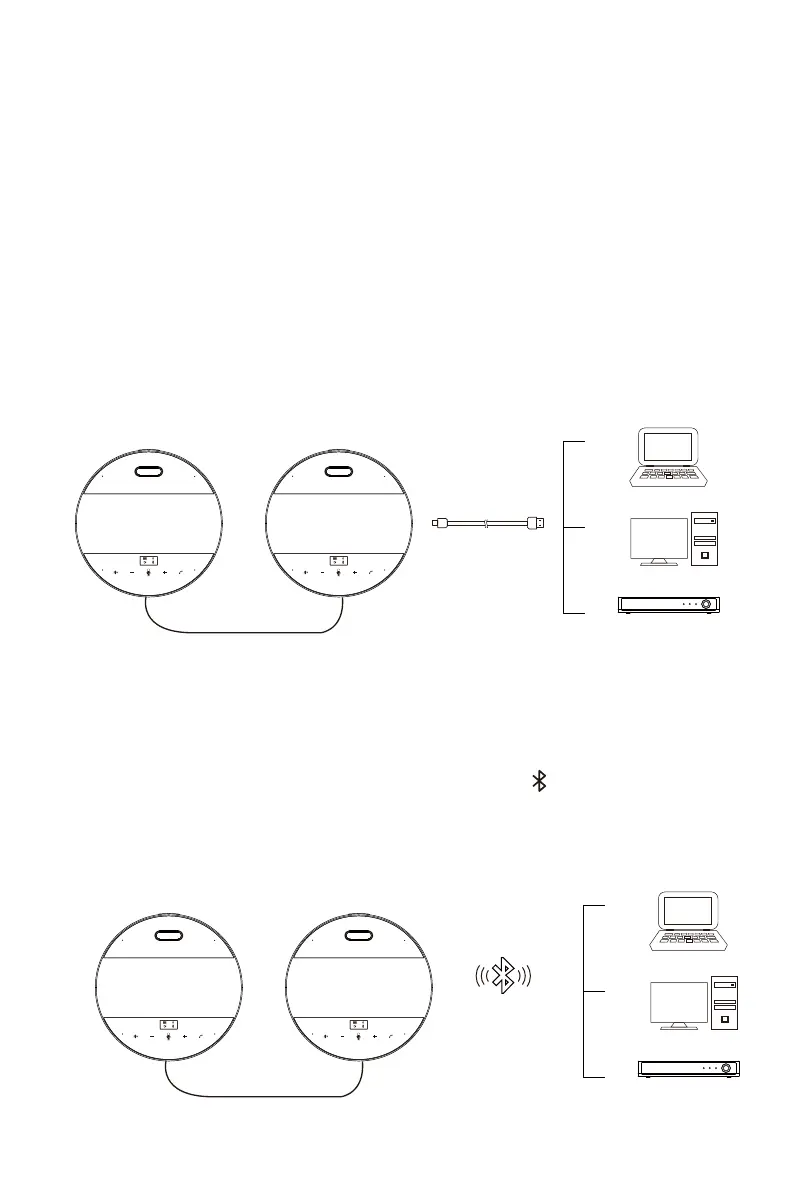
Connect the two speakerphones with the 3.5mm audio cable. Use the original
USB cable to connect the master speakerphone (either of the two speakerpho-
nes can be master or slave speakerphone) to the USB port of the computer.
5.1 USB Cascading Mode
USB Cascading Mode
4
Connect the two speakerphones with the 3.5mm audio cable. Firstly, turn on the
master speakerphone (either of the two speakerphones can be master or slave
speakerphone), then the OLED screen will display the Long press the Bluet-
ooth button for Bluetooth pairing with the computer or other audio and video ter-
minals. When the master speakerphone is successfully connected, turn on the
slave speakerphone.
5.2 Bluetooth Cascading Mode
Bluetooth Cascading Mode


 To Next Page
 Loading...