EasyManua.ls Logo

Tera TR-500 - User Manual

Tera TR-500
38 pages
Print Icon
To Next Page IconTo Next Page
Loading...
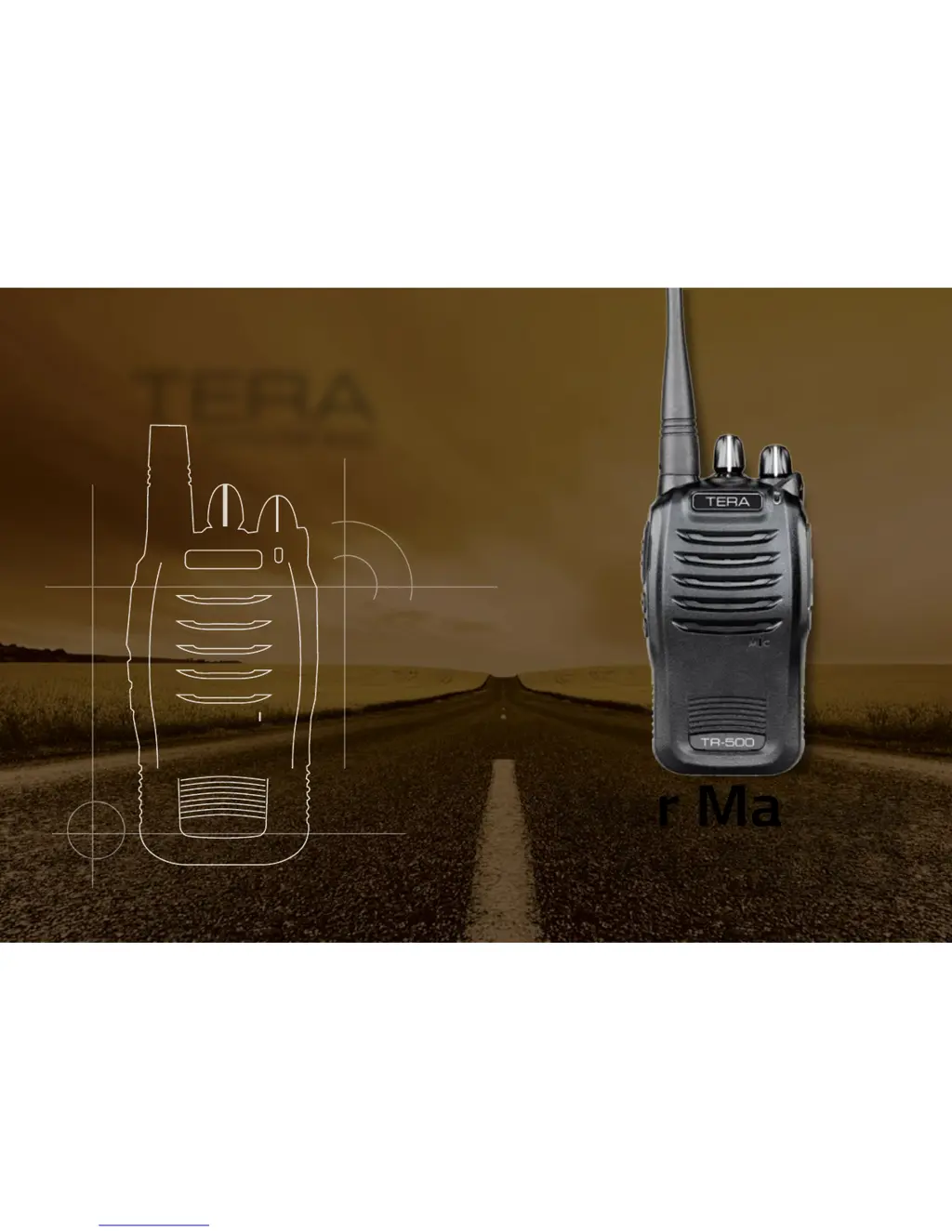
TERA
User Manual
TR-500
www.tera.co
TERA
User Manual
TR-500
www.tera.co

Questions and Answers

  • C
    Christina WoodJul 31, 2025
    How to fix a Tera TR-500 that won't turn on?
    • E
      ebrowningJul 31, 2025
      If your Tera Two-Way Radio won't turn on, here are a few things to check: * Ensure the battery is installed correctly by reinstalling it. * The battery may be exhausted; charge it for two hours. * If the battery is old, it might be aging and need replacing. Consider purchasing a new battery.
  • L
    Lindsey CunninghamAug 5, 2025
    What to do if there is no audio from Tera Two-Way Radio speaker?
    • D
      Dana BaileyAug 5, 2025
      If you're not getting any audio from your Tera Two-Way Radio speaker: * Make sure the antenna is securely tightened. * You may be in an area with a weak signal. Try moving to a location where the radio signal is stronger. * Reset the radio by pressing the key, then select the radio frequency by pressing the key again.
  • J
    John JohnstonAug 10, 2025
    Why is my Tera Two-Way Radio receiving light on, but the speaker is silent?
    • J
      Jennifer FosterAug 11, 2025
      If the receiving light is on but you're not hearing anything from the speaker, it could be due to a few reasons: * The volume might be turned down. Check and adjust the volume switch. * There might be an issue with the CTCSS encode/decode settings. Ensure you are using the correct mute method and have the correct CTCSS/CDCSS tone in use, or turn it off.
  • J
    Jared ShahAug 15, 2025
    How to stop receiving voice or interferences on Tera TR-500 Two-Way Radio?
    • E
      Edward LoweAug 15, 2025
      If you're experiencing voice or interference issues on your Tera Two-Way Radio: * Double-check your frequency and change to a different one if needed. * It's possible that others on the same frequency are using the same CTCSS/CDCSS tone. Try choosing a different CTCSS/CDCSS tone.
  • T
    Tammy FlemingAug 20, 2025
    What to do if Tera TR-500 is transmitting while no one is talking?
    • W
      William RamirezAug 21, 2025
      If your Tera Two-Way Radio is transmitting when no one is speaking, the VOX level might be set too low, making it too sensitive. Try turning the VOX feature off or setting it to a higher level.
  • M
    Michael SmithAug 26, 2025
    What to do if the receiving light remains on, and you can’t transmit on Tera Two-Way Radio?
    • C
      Carmen RyanAug 26, 2025
      If the receiving light on your Tera Two-Way Radio stays on and you can't transmit, the BCLO (Busy Channel Lockout) feature might be enabled. Turn off BCLO in the software.

Summary

TERA TR-500 Introduction

Welcome and Key Features

Overview of the TERA TR-500 radio, highlighting its main features and capabilities.

Online Service and Support

TERA Website for Information

Details on how to access the TERA website for additional service and support information.

Safety Matters and Cautions

General Safety Recommendations

Essential safety guidelines for operating the TERA TR-500 radio.

Accessory Use Caution

Warning regarding the use of TERA brand accessories for optimal safety and operability.

Product Check and Preparation

Verify Included Items

Instructions to unpack and check all included accessories for completeness.

Package Contents

Included Radio and Accessories

List of items included in the TERA TR-500 radio package.

Installation and Battery Handling

Installing the Belt Clip

Step-by-step guide on how to attach the belt clip to the radio body.

Battery Information and Warnings

Details on battery type, charging, and important safety warnings.

Battery Charging Procedures

Charging Steps and LED Indicators

Instructions for charging the battery pack using the desk charger, including LED status.

Charging Notes and Cautions

Important notes and cautions related to battery charging for optimal performance and safety.

Antenna Information and Tips

Antenna Usage and Range Considerations

Information on the supplied antenna, optional antennas, and factors affecting communication range.

Radio Overview and Controls

Component Identification

Diagram and identification of the main parts of the TERA TR-500 radio.

Control Functions Explained

Detailed explanation of the functions of the antenna, channel selector, keys, and ports.

Basic Radio Operations

Power, Volume, and Channel Selection

How to power the radio on/off, adjust volume, and select channels.

Making Calls and Monitor Function

Steps for making calls, receiving calls, and using the monitor function.

Advanced Operations

Channel Scan and Side Key Usage

Explanation of channel scan functionality and programmable side key operations.

Channel Configuration

Pre-Programmed Channels and Frequencies

Details on the radio's pre-programmed channels, frequencies, and tones.

Technical Specifications

Frequency Bands and Modulation

Technical details on frequency ranges, band compliance, and modulation settings.

Data Transfer and Cloning

Wired Cloning Procedure

Step-by-step guide for cloning radio settings using a clone cable.

Troubleshooting Guide

Common Radio Issues and Solutions

Troubleshooting chart addressing common faults like power issues, no audio, and receiving problems.

Additional Troubleshooting Scenarios

Solutions for less common issues such as transmission problems and interference.

Product Specifications

Detailed Technical Specifications

Comprehensive table of the radio's technical specifications, including range, power, and dimensions.

Optional Accessories

Accessory List and Software

List of available optional accessories and programming software for the TERA TR-500.

Service and Support

Warranty and Repair Services

Information on the warranty period, coverage, and procedures for repair services.

Warranty Cautions and Limitations

Important cautions regarding warranty validity and conditions that may void the warranty.

Terms of Warranty

Warranty Coverage and Exclusions

Detailed terms of warranty, including coverage for the radio body and accessories, and specific exclusions.

Important Information and Licensing

Warning Notes and FCC Licensing

General warnings about information accuracy and FCC licensing requirements for radio operation.

Safety Guidelines

General Safety Precautions

Fundamental safety precautions for using the handheld transceiver safely.

Environmental and Handling Safety

Environmental Conditions and Handling

Guidance on environmental conditions, proper handling, and battery safety.

Operational Warnings

Power Cable and RF Exposure Warnings

Warnings regarding power cable care and RF exposure compliance during operation.

Tera TR-500 Specifications

General IconGeneral
BrandTera
ModelTR-500
CategoryTwo-Way Radio
LanguageEnglish