TERA
TR-500
12
Charging The Battery Pack
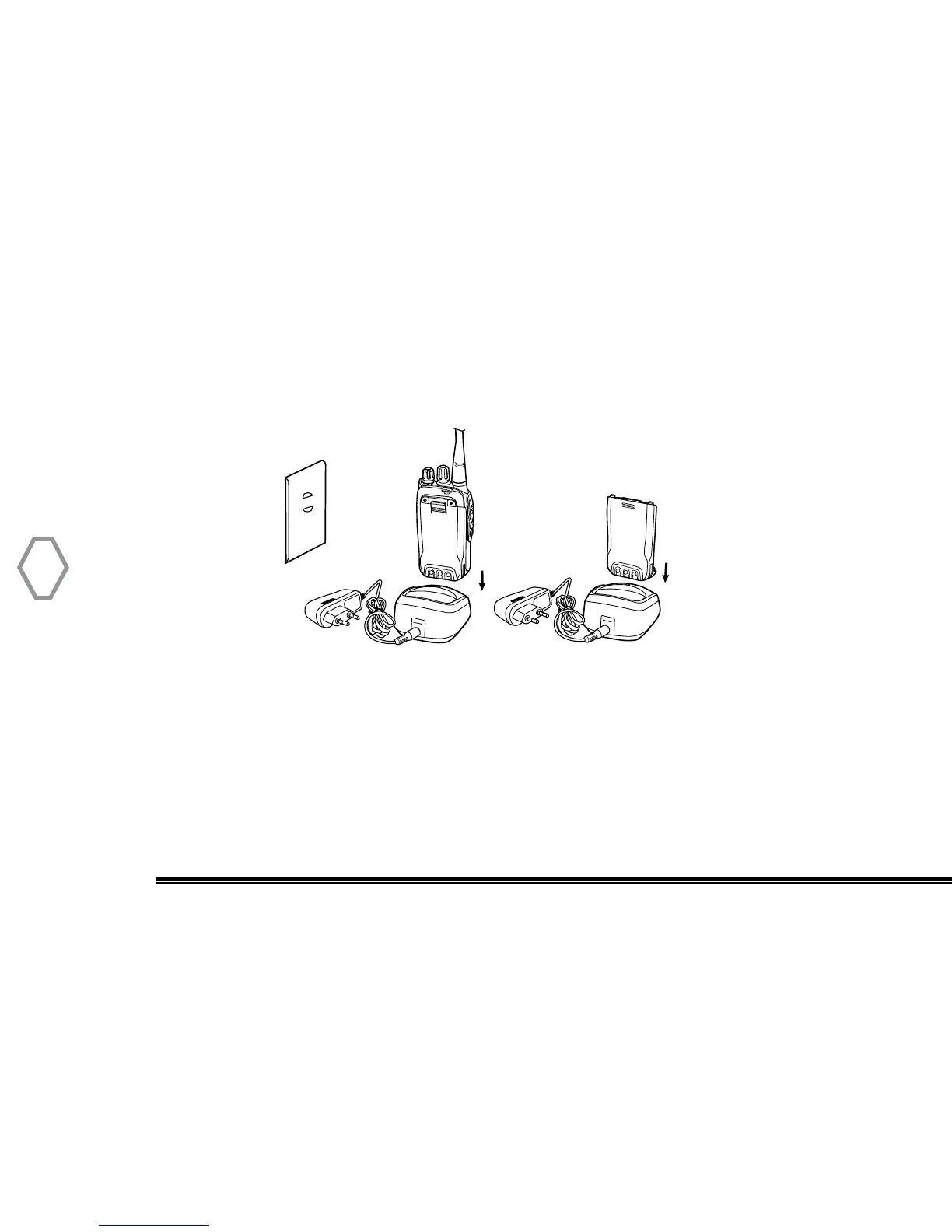
The Radio Battery Pack may be charged either by itself or when connected to the radio body.
To Charge your Battery Pack:
1. Insert the AC power cord into the rear of the desk top charging base. Connect the opposite AC
cord and safely plug it into an AC power outlet.
2. Place the battery pack or radio with battery into the charging base with the radio facing forward.
3. A solid red colored LED light will come ON indicating fast charging function. The LED light will
change to a green color once the battery pack is fully charged. Typical charging time is 1/2-2 hours
depending on your battery level at the time of re-charging.


 To Next Page