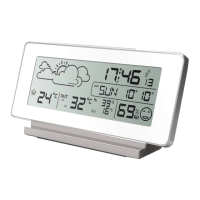
Memory min / max:
Memory for minimum and maximum measurement for external temperature readings are
displayed as Hi (maximum measurement) and Lo (measuring a minimum). Memory is updated
every 24 hours.
Changing the display °C/°F
By pressing the button labeled °C/°F in the battery compartment.
Turn on the backlight station
Followed by pressing the SNOOZE / LIGHT at the top of the station, the backlight is activated
for 5 seconds.
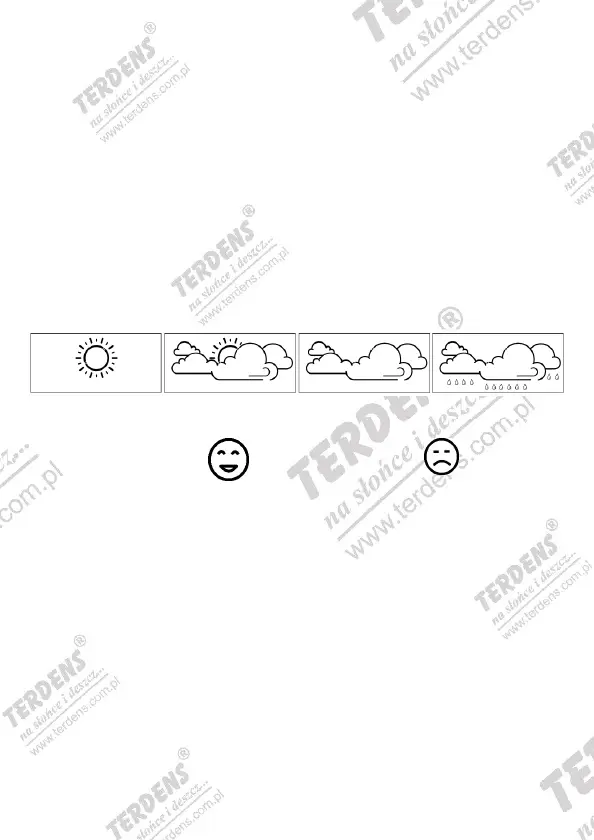
WEATHER FORECAST ICONS
Station on the basis of measurements made weather forecasts. There are four icons weather
forecast.
SUNNY PARTIALY CLOUDLY CLOUDLY RAINY
Clime comfort index: conditions good for health conditions not good for health
Additional precautions:
- Do not leave equipment operation and excessive vibration loads
- Do not use devices under conditions of sudden, large changes in temperature
- Used as the temperature at fixed measuring ranges
- Do not expose the device to excessive solar radiation
- Devices are not waterproof - do not immerse them in water
- For cleaning use a slightly damp cloth
The liability of the manufacturer / distributor
• The manufacturer and the seller does not assume any responsibility for use of the product
inconsistent with its purpose
• This product is not intended to be used for medical purposes, and the obtained information for
public dissemination.
• This unit is designed for home use and function of weather forecasts is not 100% accurate.
Weather should not be construed as fully accurate measurements.
• Specifications are subject to change without notice.
• This product is not a toy! Keep out of reach of children.
• No part of this manual may be reproduced without the permission of the manufacturer.


 To Next Page
 Loading...