14
User manual MEG, DRY, MOA, REG 2, REG 3
MEG
Turning on the device will result in the heat-
ing of the radiator up to the set tempera-
ture. Aer reaching the set temperature the
device will turn o and on regularly in order
to maintain the set temperature.
The construcon of the device as well as
the physical characteriscs of the heang
agent inside the radiator inuence the way
in which the heat is distributed — the tem-
perature of the boom pipes on the radia-
tor (especially the two located at the very
boom of the radiator) may be lower than
the temperature of the remaining parts of
the radiator — this is normal.
Temperature increase
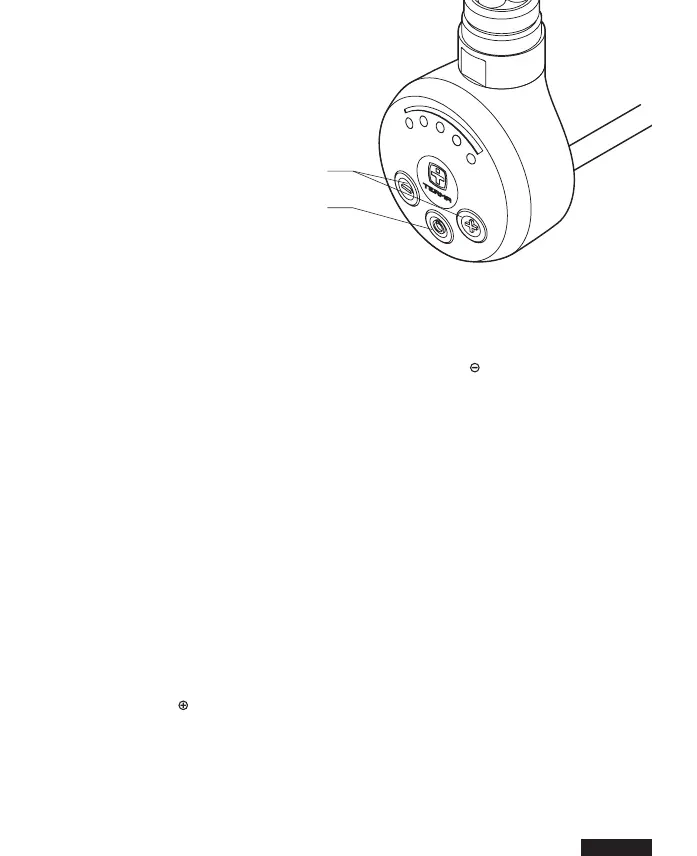
In order to increase the temperature of the
radiator, press once or several mes as
required; the right number of diodes will
start blinking. The last blinking diode indi-
cates the set temperature, whilst the last.
Temperature decrease
In order to decrease the temperature of the
radiator, press once or several mes as re-
quired; the right number of diodes will start
blinking. The last diode that which shines
constantly indicates the set temperature
whilst the last blinking diode indicates the
current temperature. The following diodes
will start fading on reaching subsequent
temperature levels.
An-freeze funcon
(an-freeze protecon)
When the device is o and the temperature
around temperature sensor drops down be-
low 6° C, the device will switch on automat-
ically. This is to prevent the heang agent
inside the radiator from freezing. Acvang
An-freeze mode is indicated by winking of
the middle diode.
temperature regulaon
turn on / o buon


 To Next Page