1918
GB USER MANUAL
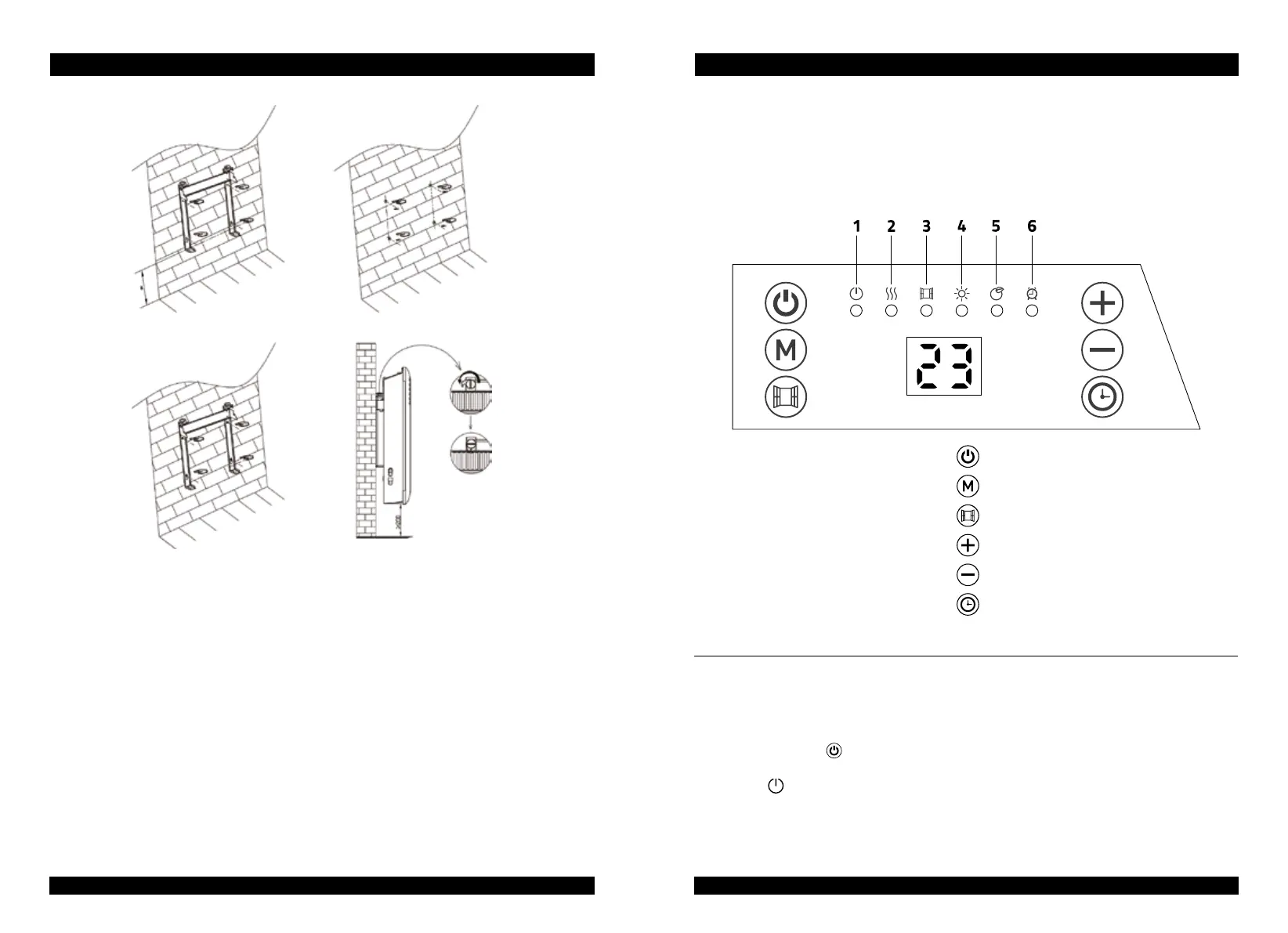
A. Put the hanging rack on the wall as a guide ruler (please make sure the holes at
parallel level) , use a mark pen to mark the hole position.
B. Drill holes on the wall with Ø 8mm drill bit and insert the plastic wall plug.
C. Fasten the hanging rack on the wall with the screws, do make sure the hanging rack
is in correct direction.
D. Gently insert the heater body of the bottom to the hanging rack first and then push
the heater body to be hooked on the whole hanging rack.
Warning: Be sure to keep the distance between the heater and floor, wall and so on at
least 10 cm.
Warning! When drilling holes, Always check to ensure there is no wiring, pipework, etc in
the area to be drilled.
Warning: Before plugging in the unit make sure the radiator is properly attached to the
wall. Otherwise problems can occur.
GB USER MANUAL
HOW TO USE:
START USING:
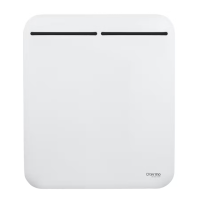
Control panel
1. Standby: on/off
2. Heating condition
3. Open window function
4. Comfort mode
5. ECO mode
6. Timer
Standby
Mode selection
Open window function
Increase function
Decrease function
Timer
- Plug the appliance to AC 220-240V 50-60Hz socket with a beep sound.
The indicator light
is on.
- Press
to turn on the heater, which is in state of factory default when first time use.
Factory default:
Heating mode: comfort mode
A
B
C
D



 To Next Page