2120
Target temperature setting: 22
Date: 1 (Monday); Time: 00:00 (Off)
Window open function: Off
Timer: Off
- To stop the heater working, press
to turn off the heater,
- Unplug the product when it’s not in use.
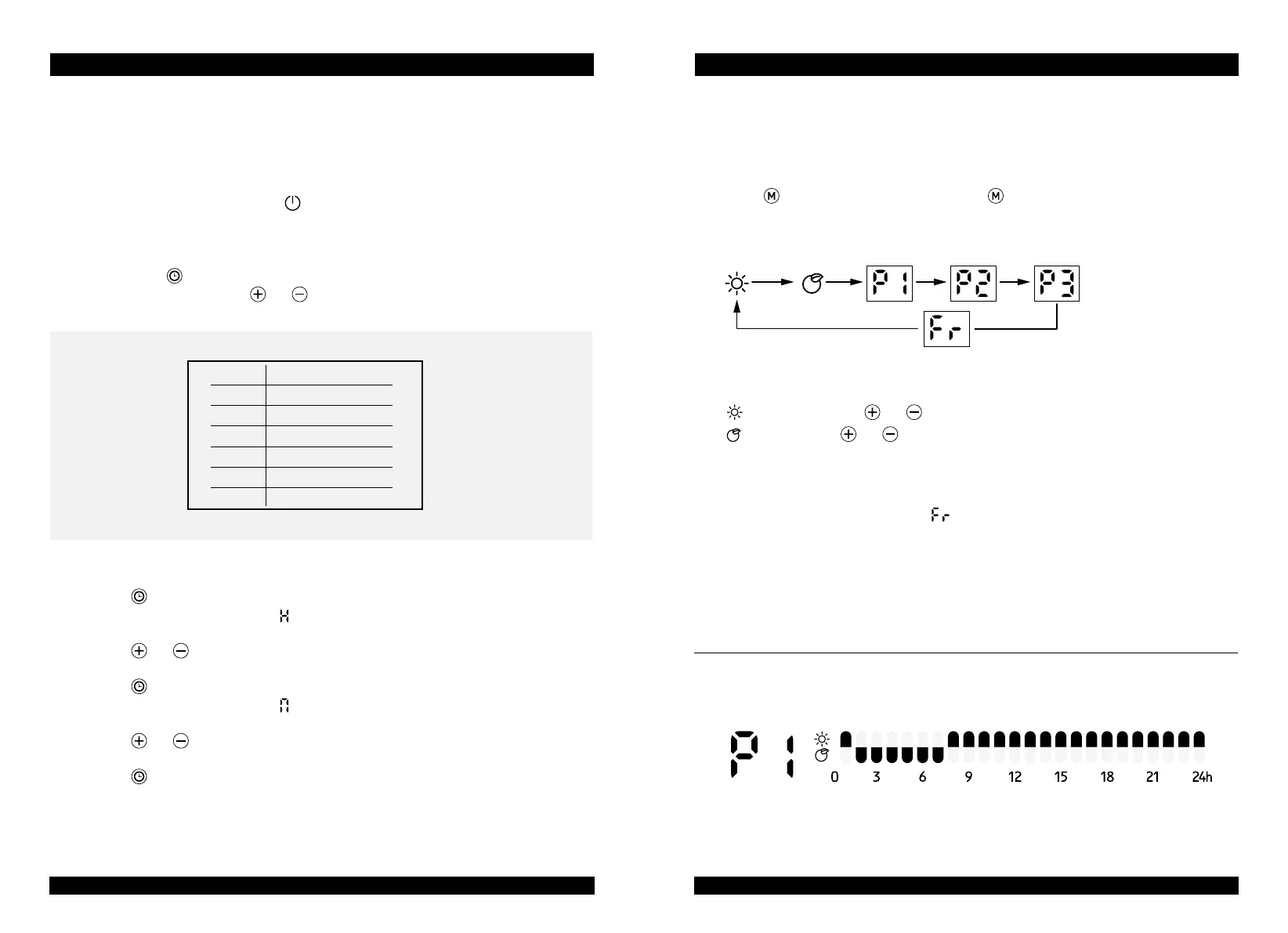
Clock and day of week setting:
- Press down
3 secs to enter clock and day of week setting
- The screen display D, press
and to choose day from 1-7.
- Press to confirm day setting and enter the clock hour setting,
with the screen display:
- Press
and to set the current hour.
- Press
to confirm hour setting and enter the minute setting,
with the screen display:
- Press
and to set the current minute.
- Press
to confirm all settings.
Note: The clock and calendar will be reset to factory default if without power supply.
GB USER MANUAL
1 Monday
2 Tuesday
3 Wednesday
4 Thursday
5 Friday
6 Saturday
7 Sunday
GB USER MANUAL
Comfort mode: Press and to set the temperature from 5-35°C.
ECO mode: Press and to set the temperature from 1-31°C.
Note: ECO mode=Comfort mode - 4°C
- Anti-frost mode: the screen display
. The target temperature is 7°C.
The temperature can’t be adjusted.
- P1/P2/P3: Pre-set heating program.
Note: If the clock and day setting are not finished, the first time to enter P1/P2/P3
program setting, it is requested to set day and clock setting in advance.
P1: (Monday-Sunday) unadjustable program
HEATING MODE:
- Press to enter mode selection. By pressing, heating mode runs in a continuous
cycle as below:



 To Next Page