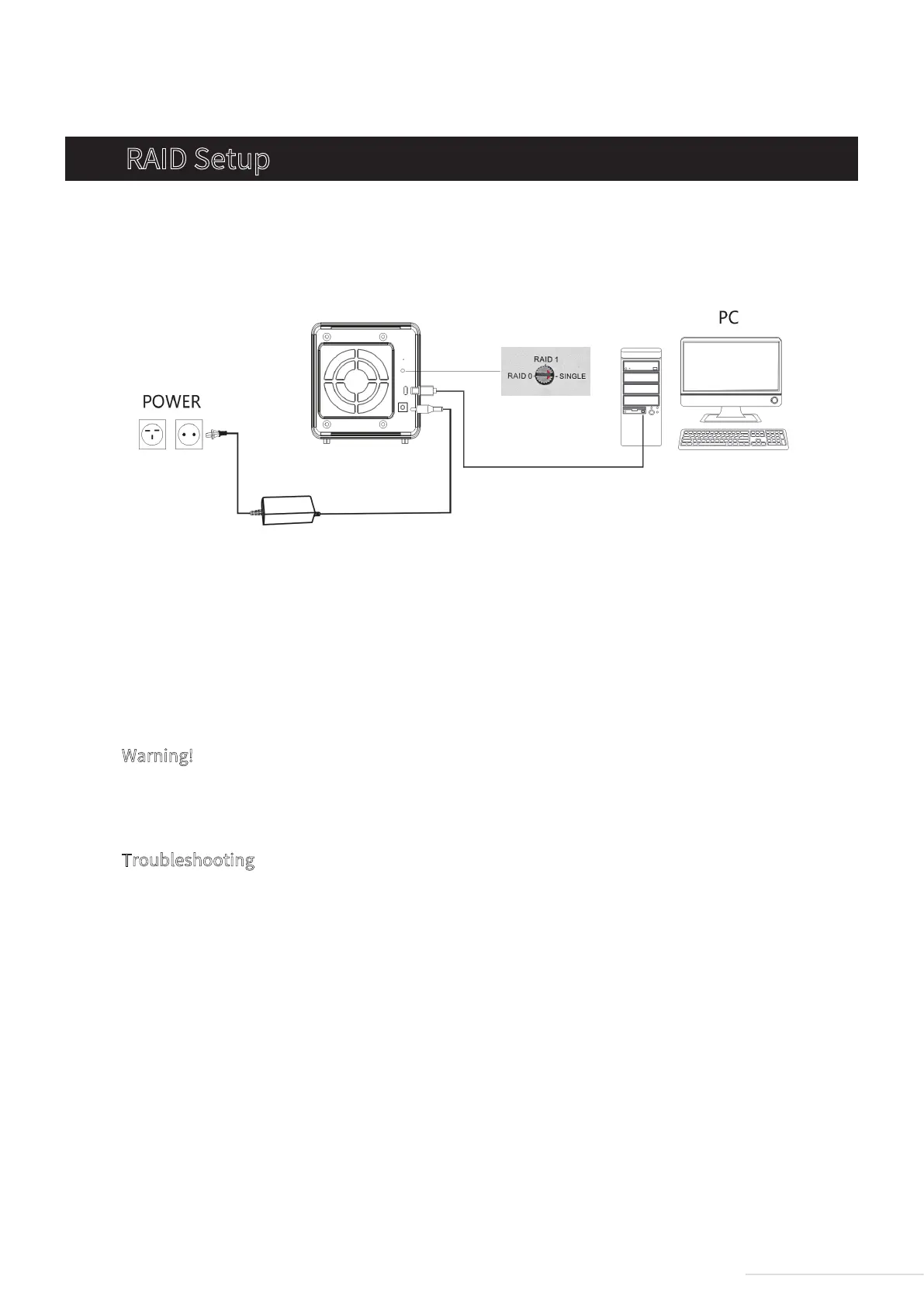
Step 1: Connect the device to your computer using a USB cable. Power on the device.
3. RAID Setup
Warning!
The newly-selected RAID mode must be activated by pressing and holding the RESET button for
5 seconds.
Troubleshooting
This device may not be compatible with hard drives that have been used with other devices. If
you run into issues of this kind, try the following countermeasures to initialise your hard drives:
Step 1: Turn the rotary switch’s pointer to any other RAID mode.
Step 2: Press and hold the RESET button for 5 seconds to let the newly-selected RAID mode take
effect.
Step 3: Return the rotary switch’s pointer to the desired RAID mode.
Step 4: As before, press and hold the RESET button for 5 seconds to let the newly-selected RAID
mode take effect.
Step 2: Select a RAID mode. You can do this by using a screwdriver to turn the rotary switch
located on the rear cover, moving the pointer to your desired RAID mode.
Step 3: To ensure the newly-selected RAID mode takes effect, use a pin to press and hold the
RESET button for 5 seconds.
3
Model:D2-310


 To Next Page