Mac OS
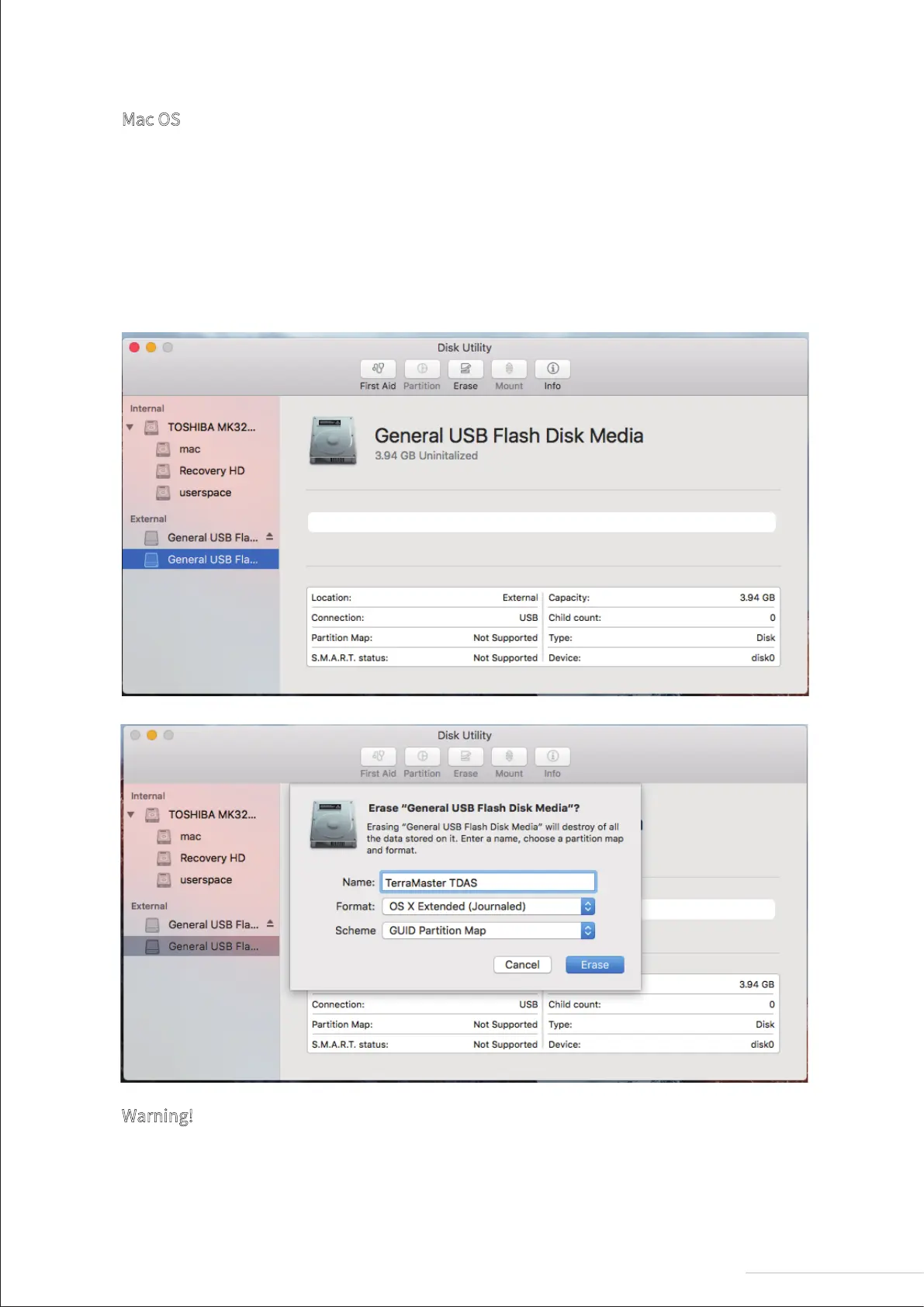
1. Go to “Disk Utility > External”;
2. Use the menu to find an unallocated disk;
3. Select the unallocated disk and click “Erase”;
4.Select the relevant “Name”, “Format”, and “Scheme” from the menu and click
“Erase”;
5. Once the “Erase” process is finished, RAID initialisation is complete.
Warning!
Changing your device’s RAID mode could lead to hard drive formatting, which would delete all
data from the hard drives. Therefore, please back up your hard drive data before switching RAID
mode.
6
Model:D2-310


 To Next Page