6
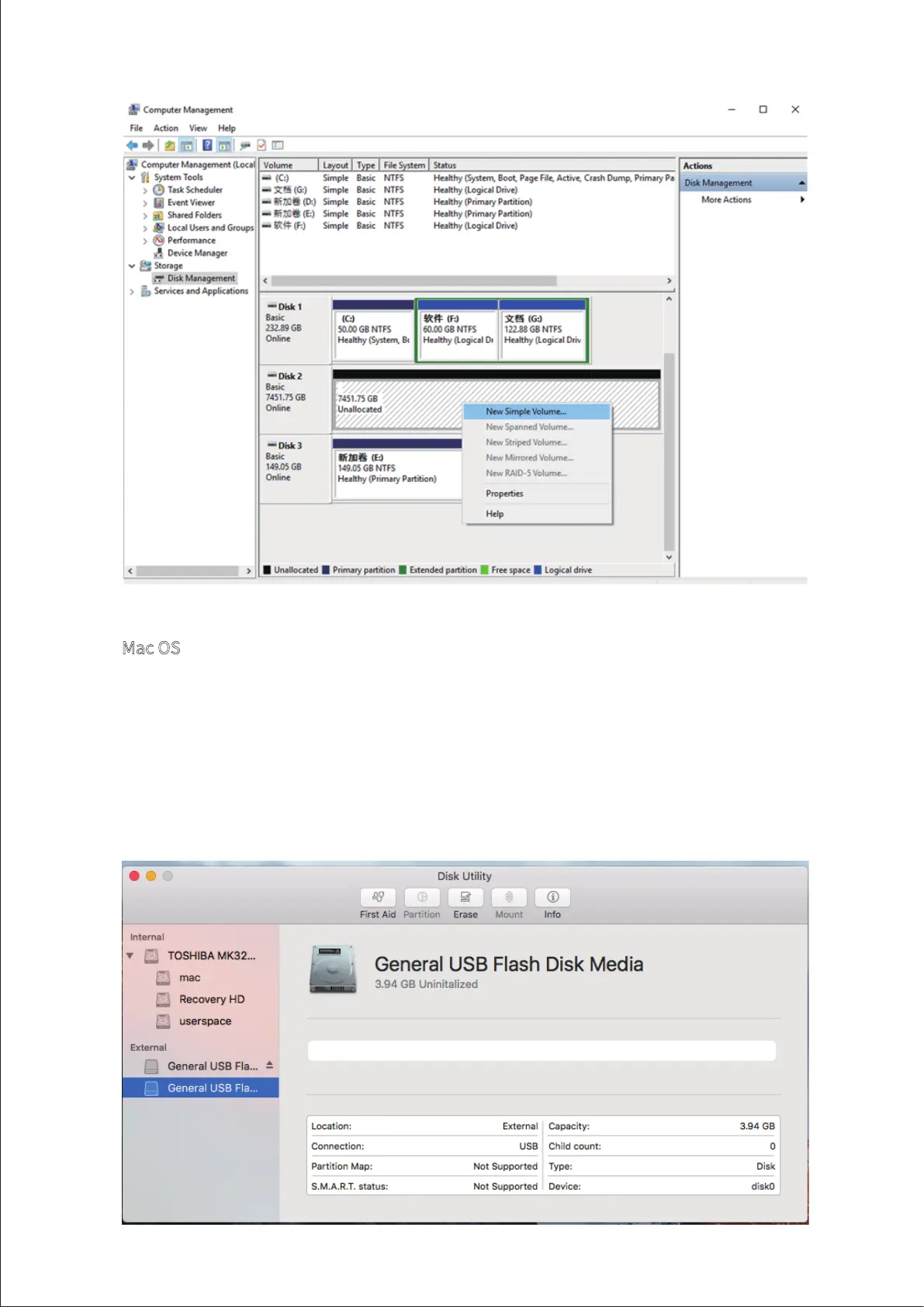
Mac OS
1. Go to “Disk Utility > External”;
2. Use the menu to find an unallocated disk;
3. Select the unallocated disk and click “Erase”;
4.Select the relevant “Name”, “Format”, and “Scheme” from the menu and click
“Erase”;
5. Once the “Erase” process is finished, RAID initialisation is complete.



 To Next Page