Need help?
Do you have a question about the Terumo BCT Spectra Optia and is the answer not in the manual?
Explains the purpose and scope of this operator's manual for the Spectra Optia system.
Details the conventions used in the manual, including numbered steps, buttons, warnings, cautions, and notes.
Covers the system's intended use, contraindications, and general warnings.
Lists system, service, electrical, procedural, fluid, and Seal Safe warnings and cautions.
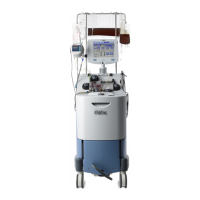
Describes the Spectra Optia Apheresis System and its function as a blood component separator.
Identifies and describes the various components of the Spectra Optia system.
Details the functions of pumps, valves, sensors, and detectors on the front panel.
Explains the system's operating modes (Automatic, Semi-Automatic) and procedure states.
Instructions for installing, setting up, and powering the Spectra Optia system on and off.
Details steps for preparing the system for transport and safely moving it in a vehicle.
Explains how to configure procedure-independent and procedure-specific operating parameters.
Instructions on how to enter specific data, like patient data, during an ongoing procedure.
Steps for connecting a printer or computer and printing procedure reports.
Describes optional steps that can be chosen during a procedure, like rinseback and custom prime.
Details selecting, performing, and managing custom primes for specific patient needs.
Instructions for performing a saline rinse and indicating blood warmer usage.
Instructions for unpacking and loading the tubing set, including cassette and channel placement.
Details the process of testing the tubing set and priming it for the procedure.
Step-by-step instructions for safely removing the tubing set after completing the procedure.
Explains how to identify and resolve system alarms using active and action screens.
Procedures for responding to fluid leaks and resuming procedures after system resets.
Detailed instructions for manual rinseback and manual door/cassette operations.
Covers routine, weekly, periodic, and component cleaning for the Spectra Optia system.
Instructions for disinfecting the system, its surfaces, front panel, and centrifuge chamber.
Procedures for removing and installing the filler for cleaning and maintenance.
Covers electrical, environmental, and physical characteristics of the Spectra Optia system.
Details specifications for centrifuge, pumps, sensors, detectors, touch screen, and safety system.
Provides specifications for tubing sets and explains system symbols and certifications.
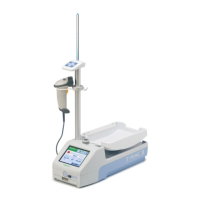
Describes the Seal Safe system, its components, and how to install it.
Instructions for operating, cleaning the jaw cavity, and cleaning the sealer head.
Details physical and environmental specifications for the Seal Safe system.
 General
| Category | Laboratory Equipment |
|---|---|
| Manufacturer | Terumo BCT |
| Model | Spectra Optia |
| Intended Use | Therapeutic Apheresis and Cellular Collections |
| Therapeutic Apheresis Procedures | Yes |
| Cellular Collections | Yes |
| Power Requirements | 100-240 VAC, 50/60 Hz |
| Applications | Apheresis |
| User Interface | Touchscreen |
| Software | Proprietary Software |
| Disposables | Single-use kits for different procedures |
| Safety Features | Automatic alarms |
| Throughput | Variable based on procedure |
| Technology | Continuous-flow centrifugal apheresis |


 To Next Page