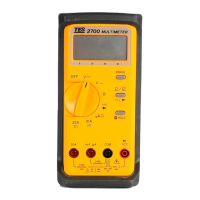
1. 20A Measuring Connector :
To connect positive lead ( red test lead ) for current measurement
below 20A.
2. mA & uA Measuring Connector :
To connect positive lead ( red test lead ) for current measurement
bellow 320mA.
3. COM Measur ing Connector :
To connect negative lead (black test lead) for current, resistance,
Diode, continuity, capacitor, ADP measurement.
4. VΩ
Measuring Connector :
To connect positive lead (red test lead) for voltage, resistance, diode,
continuity measurement.
5. Auto-Range & Manual-Range Button :
Press RANGE to select the Manual Range mode (The meter remains
in the range it was in when manual range is selected).
In the Manual Range mode, each time you press RANGE button, the
range ( and the input range annunciator ) increases, and a new value
is displayed.
If you are already in the highest range, the meter “ wraps around “ to the
lowest range. To exit the Manual Range mode and return to Auto
Range mode. Press and hold down RANGE for 2 seconds, the AUTO
annunciator turns back on.
6. AC/DC Current Select and
/
select Button:
a) To select function DC or AC current.
b) To select continuity measurements or Diode tests.
7. Date Hold (
) Button :
Press it once to hold the measured value in dark place when reading
or recording is difficult, press it again to release the holding status.
8
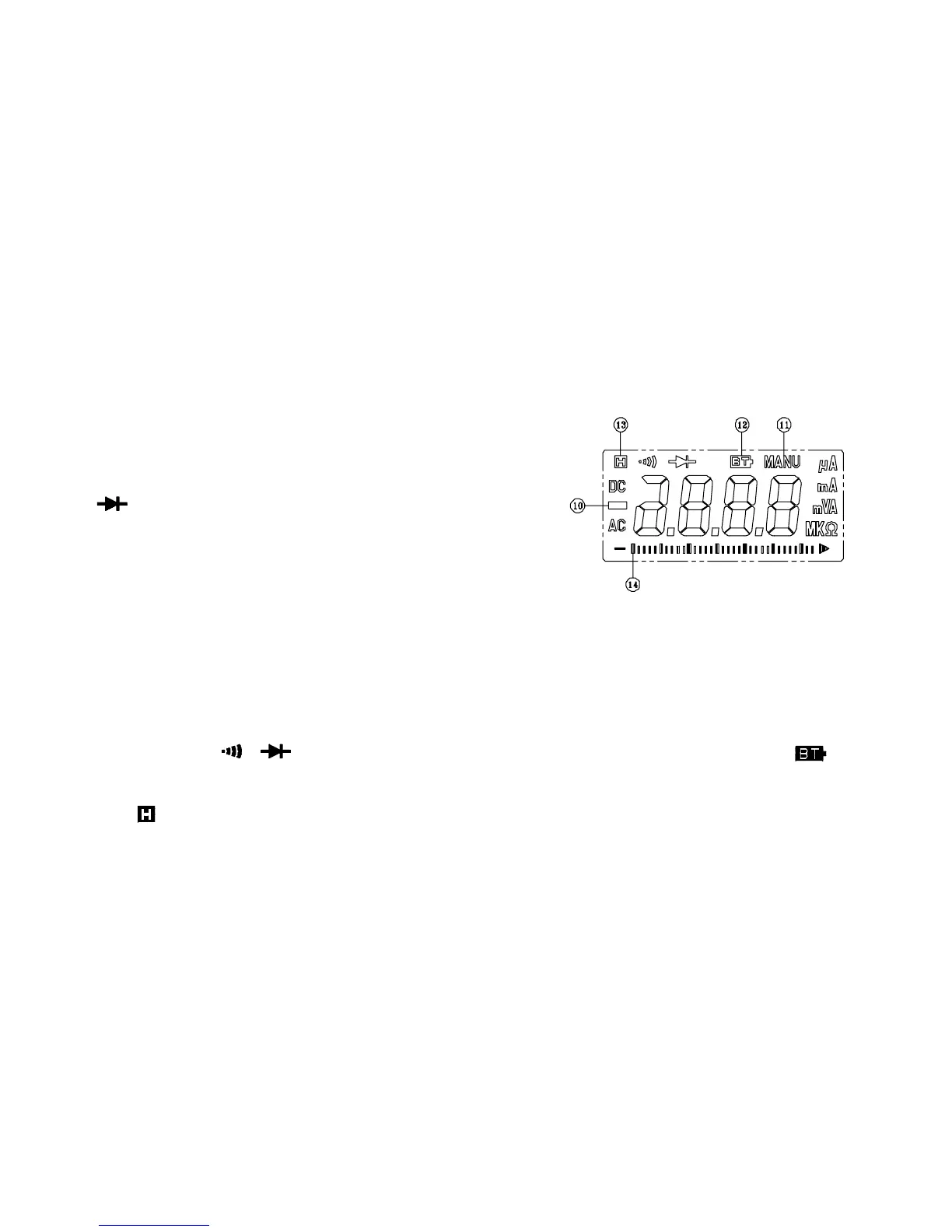
8. LCD Display :
Measured values, unit, symbols, and decimal points are displayed.
9. Range Selector Switch :
For power on and power off and selection of desired range.
(Fig-2)
10. Negative Polarity :
Automatically indicating negative inputs
11. Manual-range Mode indicator.
Meter is in the autorange mode and will automatically select the range
with the best resolution. Meter powers on in autorange mode.
12. Low Battery :
As battery power is not sufficient. LCD will display
.
13. Data Hold indicator.
14. Analog Display.
9


 To Next Page
 Loading...