KATC-C1 Instructions Page 4 04/14
Installation
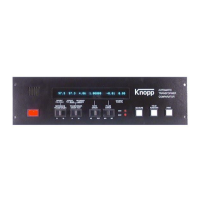
The KATC-C1 Comparator is designed for use as a stand-alone unit, it can be purchased as part of a
complete test system, or it can be retrofitted into existing equipment. This chapter describes installa-
tion of the KATC-C1 into various pieces of test equipment and its use in a stand-alone environment.
Type KCTS Current Transformer Testing System
Typically, the KCTS is shipped with the KATC-C1 already installed. If you are upgrading from an
older-style Knopp comparator, proceed as follows:
1. Ensure that all power is removed from the KCTS!
2. Remove the four front-panel screws which secure the existing comparator to the KCTS.
3. Slide the comparator up and out of the KCTS, laying it upside down on the top of the KCTS
to gain access to the rear panel connections. Remove the rear panel connections from the old
comparator. Make sure that all leads are labeled so that it will be easy to place them on
the new comparator.
4. Set the old comparator aside and place the KATC-C1 on top of the KCTS so that the leads can
be attached. Connect the two interlock leads to the black five-way binding posts on the rear of
the KATC-C1 (polarity is not important). Next, connect the automatic run-down leads to the
solid-state relay mounted on the rear of the KATC-C1. Connect the power cord to the rear of
the KATC-C1.
5. Some rewiring will be necessary before connecting leads to the KATC-C1 terminal strip.
Refer to Schematic Diagrams Number 10280 (originally supplied with the KCTS) and 12278
(enclosed) for guidance. Proceed as follows:
a) Connect the lead marked “U” to the U terminal on the KATC-C1.
b) Remove any connections (if present) between Ground and the chassis of the KATC.
c) The lead previously marked “E” must be separated into two leads “E” and “E-bar” (E with
a bar over it). Referring to Schematic Diagram 10280, as originally built the E lead is con-
nected to terminal S1 on the One-to-One Test Switch and to the terminal labeled “5” for
connection of the secondary of the transformer-under-test. Now refer to Schematic Num-
ber 12278 and note that terminal S1 should be connected to the E terminal on the


 To Next Page