13
ENG
REMOTE CONTROL
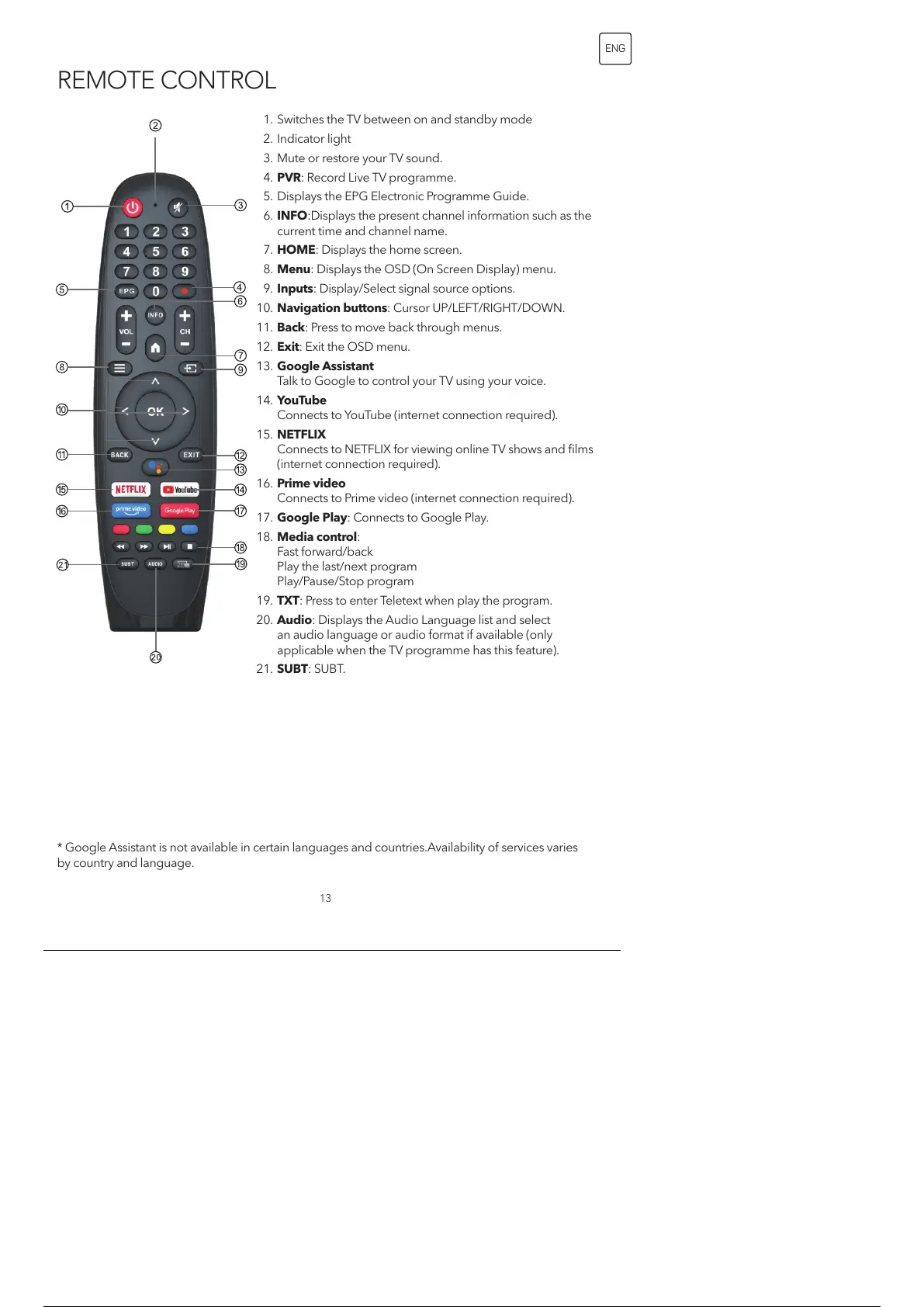
1. Switches the TV between on and standby mode
2. Indicator light
3. Mute or restore your TV sound.
4. PVR: Record Live TV programme.
5. Displays the EPG Electronic Programme Guide.
6. INFO:Displays the present channel information such as the
current time and channel name.
7. HOME: Displays the home screen.
8. Menu: Displays the OSD (On Screen Display) menu.
9. Inputs: Display/Select signal source options.
10. Navigation buttons: Cursor UP/LEFT/RIGHT/DOWN.
11. Back: Press to move back through menus.
12. Exit: Exit the OSD menu.
13. Google Assistant
Talk to Google to control your TV using your voice.
14. YouTube
Connects to YouTube (internet connection required).
15. NETFLIX
Connects to NETFLIX for viewing online TV shows and films
(internet connection required).
16. Prime video
Connects to Prime video (internet connection required).
17. Google Play: Connects to Google Play.
18. Media control:
Fast forward/back
Play the last/next program
Play/Pause/Stop program
19. TXT: Press to enter Teletext when play the program.
20. Audio: Displays the Audio Language list and select
an audio language or audio format if available (only
applicable when the TV programme has this feature).
21. SUBT: SUBT.
* Google Assistant is not available in certain languages and countries.Availability of services varies
by country and language.
14 / 134


 To Next Page