EasyManua.ls Logo

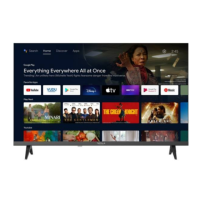
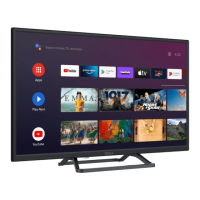
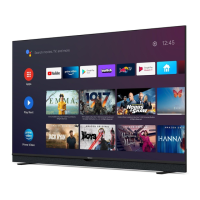
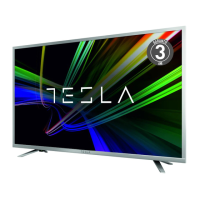
Tesla 32S357SHS - User Manual

Tesla 32S357SHS
200 pages
Print Icon
To Next Page IconTo Next Page
Loading...
ENG
AL
BiH/CG
HR
SLO
SRB
MK
OPERATING INSTRUCTION
Please read these instructions before operating
your set and retain them for future reference.
UDHËZIM PËR PËR
Ju lutemi lexonie këtë udhëzim para përdorimit të
pajisjë suaj dhe ruajeni për nevoja plotësuese eventuale.
UPUTSTVO ZA UPOTREBU
Prije upotrebe uređaja pročitati ova uputstva
i zadržati ih radi kasnijih referenci.
UPUTE ZA KORIŠTENJE
Prije korištenja uređaja pažljivo pročitati
upute i sačuvati ih za buduću upotrebu.
NAVODILA ZA UPORABO
Pred uporabo pozorno preberite navodila
in jih shranite za morebitno uporabo v prihodnosti.
UPUTSTVO ZA UPOTREBU
Pre upotrebe uređaja pročitati ova uputstva
i zadržati ih radi kasnijih referenci.
  
        
    .
SERIES 3
32S357SHS
40S357SFS
43S357SFS
49S357SFS
55S357SFS

Table of Contents

Questions and Answers

Summary

Warnings and Precautions

Warning for Apparatus containing COIN; BUTTONCELL BATTERIES

Panel Buttons

Terminals

Remote Control Functions

Personal Video Recording (REC)

Electronic Programme Guide (EPG)

Initial Setup & Home Features

Initial setup

Wizard to guide through initial TV setup, including language, region, and channel tuning.

Home

Access the main menu for smart features, settings, and media player.

Media Player

Play video, music, and photo files from a USB device.

Network Connection Settings

Configure wireless or wired network connection for the TV.

Menu Control

Menu Operation

How to navigate and select items within the TV's menus.

Picture

Adjust picture settings like mode, brightness, color, and noise reduction.

Sound

Adjust sound settings like mode, balance, volume, and audio output.

Installation

Auto Tuning

Scan for channels automatically from the selected source.

Setup

Time

Set TV clock, time zone, and daylight saving time.

Clock

Set TV clock, time zone, and summer time.

Advanced

Lock System

Set password, block channels, parental control, and panel lock.

Network

Connect TV to network via cable or Wi-Fi.

USB CONTROL

Movie Menu

Music Menu

Photo Menu

TROUBLESHOOTING

SPECIFICATIONS

Tesla 32S357SHS Specifications

General IconGeneral
BrandTesla
Model32S357SHS
CategoryLED TV
LanguageEnglish

Related product manuals