
EasyManua.ls Logo

Tesla CORDED MOBILE CONNECTOR - User Manual

Tesla CORDED MOBILE CONNECTOR
14 pages
Print Icon
To Next Page IconTo Next Page
Loading...
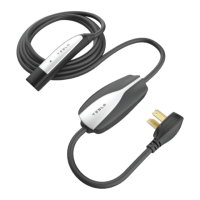
CORDED MOBILE CONNECTOR
OWNER'S MANUAL
North America

Questions and Answers

Tesla CORDED MOBILE CONNECTOR Specifications

General IconGeneral
TypeMobile Connector
Output Current32A
CompatibilityTesla vehicles
Connector TypeNEMA 14-50
Cable Length20 feet (6 meters)
Amperage32A

Summary

About this Manual

Communications Regulations

Details compliance with FCC rules and Industry Canada for radio frequency interference.

Illustrations

Explains illustrations are for demonstration and may vary by region or purchase date.

Errors or Inaccuracies

States Tesla reserves the right to modify products and how to report inaccuracies.

Copyrights and Trademarks

Outlines copyright ownership, intellectual property rights, and lists Tesla's trademarks.

Safety Information

Important Safety Instructions

Contains crucial instructions and warnings to be followed when using the Corded Mobile Connector.

Warnings

Lists critical warnings regarding product usage, potential hazards, and prohibited actions.

Cautions

Provides cautionary advice on product operation, installation, and environmental conditions.

Notes

Provides important notes on cable positioning and cleaning procedures for the connector.

General Information

Mobile Connector Component Overview

Identifies and labels the physical components of the Corded Mobile Connector.

Specifications Reference

Details the technical specifications of the Corded Mobile Connector, including dimensions and ratings.

Charging Time

Explains factors affecting charging time and how to estimate total recharge duration.

How to Charge

Plugging In

Step-by-step instructions for connecting the Corded Mobile Connector to the vehicle.

Unplugging

Instructions on how to safely disconnect the Corded Mobile Connector from the vehicle.

For More Information

Directs users to the vehicle's Owner's Manual for more detailed charging information.

Troubleshooting

Status Lights and Reset Button

Overview of the Corded Mobile Connector's status lights and reset button for diagnostics.

Light Codes

Details the meaning of different green and red light combinations for troubleshooting.

Questions?

Information on where to find answers to further questions about the product.

Related product manuals
