EasyManua.ls Logo

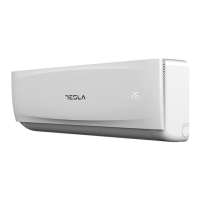
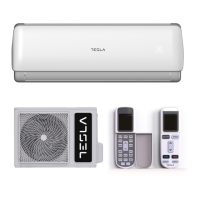
Tesla TA36QQCT-1232IAT - User Manual

Tesla TA36QQCT-1232IAT
308 pages
Print Icon
To Next Page IconTo Next Page
Loading...
SPLIT-TYPE
AIR CONDITIONER
USER
MANUAL
For R32 DC Inverter models:
TA36QQAT-1232IAT
TA36QQCT-1232IAT
TA36QQCT-1232IAWT
TA36QQCT-1232IAWTUV
TA36QQDT-1232IAWT
TA36QQET-1232IAWT
TA36QQFT-1232IAT
TA36QQFT-1232IAWTUV
TA53QQCT-18832IAT
HU MKD
BIH/
MNE
RO SLO SRBENG BG GR HR
Ver. 2023

Table of Contents

Questions and Answers

  • K
    Kyle JonesAug 16, 2025
    How to fix Tesla Air Conditioner that does not work?
    • M
      Maria NguyenAug 16, 2025
      If your Tesla Air Conditioner doesn't turn on, there might be a few reasons. First, check for power outages and wait for the power to be restored. Ensure the power plug is securely in the socket. The power switch fuse might have blown, requiring a replacement. Lastly, the timer settings might be preventing immediate start; either wait or cancel the timer.
  • C
    Carolyn MillerAug 18, 2025
    Why is the Tesla TA36QQCT-1232IAT Air Conditioner blowing air but not cooling/heating well?
    • M
      Melissa KellyAug 19, 2025
      If your Tesla Air Conditioner isn't cooling or heating well, it could be due to several factors. Check if the filter is clogged with dust, obstructing airflow. Clean the filter, clear any blockages from the air inlet and outlet, and adjust the louver blades. Ensure that doors and windows are closed to prevent poor cooling or heating. If you're heating, make sure the auxiliary heating function is enabled (if your model has it). Also, verify that the mode is correctly set and the temperature and wind speed are appropriate.
  • S
    Sharon WhiteAug 21, 2025
    Why Tesla TA36QQCT-1232IAT can’t run after immediate start-up after shutdown?
    • T
      Trevor CastroAug 22, 2025
      If your Tesla Air Conditioner isn't running after being immediately restarted, the protective delay switch is likely delaying operation for 3 to 5 minutes. This is normal.
  • D
    David JonesAug 25, 2025
    Why Tesla TA36QQCT-1232IAT stops running after it starts up for a while?
    • F
      fvillarrealAug 26, 2025
      If your Tesla Air Conditioner stops running after starting, it might be because it has reached the set temperature, which is normal. Alternatively, it may be in a defrosting state and will automatically resume running after defrosting. A shutdown timer might also be set; if you wish to continue using it, turn it on again.
  • D
    Dr. Charles LeAug 28, 2025
    Why Tesla TA36QQCT-1232IAT blows out mist during cooling operation?
    • J
      Janet AlvarezAug 28, 2025
      If your Tesla Air Conditioner's indoor unit is blowing out mist during cooling, it's likely because the indoor temperature and humidity are high. This happens because the indoor air is being cooled rapidly. The mist should disappear after the unit runs for a while, reducing the indoor temperature and humidity.
  • S
    sheilacallahanAug 30, 2025
    Why does my Tesla TA36QQCT-1232IAT indoor unit blow out odor?
    • J
      James RhodesAug 30, 2025
      If your Tesla Air Conditioner indoor unit is emitting an odor, it may be due to the accumulation of odor in the environment. Try cleaning the air filter or activating the cleaning function.
  • B
    Brian KlineSep 2, 2025
    What to do if Tesla TA36QQCT-1232IAT Air Conditioner indoor unit makes abnormal sound?
    • M
      Michael SteeleSep 3, 2025
      If your Tesla Air Conditioner makes abnormal sounds, it could be due to several reasons. It could be the sound of the fan or compressor relay switching on or off. Also, when defrosting starts or stops, there may be sounds due to refrigerant flow reversing direction. Too much dust in the air filter can also cause abnormal sounds, so clean the air filters. If 'Strong wind' is activated, it can create air noise; deactivate the function if it's uncomfortable.
  • M
    Michael ScottSep 5, 2025
    Why are there water drops over the surface of the Tesla TA36QQCT-1232IAT Air Conditioner indoor unit?
    • T
      Terry DelgadoSep 5, 2025
      If you notice water drops on the surface of your Tesla Air Conditioner's indoor unit, it's likely due to high ambient humidity causing water to accumulate around the air outlet or panel. Prolonged cooling in an open space can also produce water drops, so close doors and windows. A small opening angle of the louver blades may also cause water drops at the air inlet; increase the angle of the louver blades.
  • K
    kjohnsonSep 9, 2025
    What to do if there is sound of running water during the running of Tesla Air Conditioner?
    • B
      bhayesSep 9, 2025
      This is the sound of the flow of the refrigerant, not a malfunction.
  • J
    John BryantSep 12, 2025
    Why Tesla Air Conditioner makes a slight “click” sound at start-up or shut-down?
    • J
      James HardySep 12, 2025
      This is normal. Due to temperature changes, panel and other parts will swell, causing the sound of friction.

Summary

OPERATING INSTRUCTION

General Guidance

Read manual carefully for safe and correct operation. Keep for future reference.

WARNING

Flammable Refrigerant Hazard

Air conditioner uses R32 flammable refrigerant. Mishandling can cause harm to body or surroundings.

SAFETY PRECAUTIONS

General Safety Precautions

Incorrect installation or operation can cause harm or damage to people and properties.

Safety Indicator Meanings

WARNING! indicates death/serious injury; CAUTION! indicates injury or property damage.

WEEE Warning

NOTICES FOR USE

Normal Operation Conditions

Details operating temperature ranges and conditions that may cause unit to stop or malfunction.

NOTES ON OPERATION

Heating, Shutting Down, and Emergency

Covers heating notes, unit shutdown behavior, and emergency operation using force switch.

Airflow and Specific Cautions

Guides on adjusting airflow direction and specific operational cautions.

NAMES OF EACH PART

Indoor Unit Components

Diagram and labels identifying components of the indoor unit.

Outdoor Unit Components

Diagram and labels identifying components of the outdoor unit.

CLEAN AND CARE

Panel and Air Filter Maintenance

Instructions for cleaning the unit panel and air filter, including mounting.

Pre-use Checks

Check air inlets/outlets, drain pipe, grounding, remote batteries, and outdoor unit bracket.

MAINTAIN AFTER USE

Post-use Maintenance Steps

Steps to take after using the air conditioner, including power off, cleaning, and checks.

TROUBLESHOOTING

Common Operational Issues

Addresses unit not working, delayed start, stopping, poor performance, odor, and operational sounds.

NOTICES FOR INSTALLATION

Installation Guidance and Unpacking

Important notices for professional installation and unpacking inspection with safety checks.

INSTALLATION SAFETY AND POSITIONING

Safety Principles

Covers fire prevention, ventilation, anti-static measures, and component placement.

Installation Location Requirements

Guidelines on selecting installation location, avoiding hazards, and ensuring accessibility.

Mounting Structure Standards

Requirements for the mounting rack's strength and secure installation.

ELECTRICAL AND GROUNDING REQUIREMENTS

Electrical Safety

Covers voltage, circuit, clearance, cable types, and wiring requirements.

Grounding Requirements

Ensures reliable grounding and correct connection procedures.

Working at Height Safety

Safety measures for installation at elevated positions.

PACKING LIST AND INDOOR UNIT INSTALLATION

Packing Contents

Lists items included for both indoor and outdoor units.

Indoor Unit Installation Dimensions

Diagram showing required clearances for indoor unit installation.

INDOOR UNIT INSTALLATION DETAILS

Mounting Plate Installation

Steps to securely install the mounting plate on a wall.

Wall Hole and Pipe Protection

Procedure for making wall holes and protecting pipes/cables.

Pipeline Routing Options

Describes sideway or vertical routing of pipes.

INDOOR UNIT CONNECTIONS AND FIXING

Drain Pipe Connection

Instructions for connecting the drain pipe and tightening nuts.

Piping Insulation and Securing

Using insulation and straps to wrap pipes and prevent condensation.

Fixing the Indoor Unit

Steps to hang and secure the indoor unit onto the mounting plate.

WIRING DIAGRAM

Indoor Unit Wiring

Diagrams showing connections for indoor units to outdoor units and power.

OUTDOOR UNIT INSTALLATION

Outdoor Unit Dimensions and Bolt Sizes

Diagram showing clearances and table of outdoor unit sizes and bolt dimensions.

Installing the Connection Pipe

Connecting outdoor unit to pipe, tightening, and refrigerant addition guidelines.

OUTDOOR UNIT WIRING

Wiring Connection Steps

Steps to connect cables to outdoor unit terminals and secure grounding wire.

Outdoor Unit Wiring Diagrams

Diagrams for constant and variable speed outdoor units wiring.

VACUUMING AND POST-INSTALLATION CHECKS

Vacuuming Procedure (R32)

Steps for creating vacuum using R32 pump, checking gauge, and verifying no leaks.

Post-Installation Checks

Covers electrical safety, installation safety, and refrigerant leak tests.

TEST OPERATION AND MAINTENANCE

Test Operation

Preparation and procedure for testing the air conditioner's functionality.

Maintenance Guidelines

Covers maintenance notices, personnel qualifications, site inspection, and procedures.

OPERATING PROCEDURES AND INSPECTIONS

Operating Procedures Safety

Ensures safety during operation by checking work area, refrigerant presence, fire extinguishers, and ignition sources.

Cable and Leakage Inspection

Involves checking cable condition and performing R32 refrigerant leak detection.

REFRIGERANT HANDLING

Removal and Vacuum Pumping

Steps for safely removing refrigerant and vacuum pumping the system.

Refrigerant Charging Procedures

Requirements for charging refrigerants, ensuring no contamination and proper labeling.

Scrap and Recovery Process

Guidelines for safely recovering and storing refrigerants during scrapping.

RECOVERY GUIDELINES

Refrigerant Recovery and Storage

Using appropriate tanks, equipment suitability for R32, and proper storage.

Transportation and Compressor Oil

Safety measures for transporting R32, and handling compressor oil.

REMOTE CONTROLLER INSTRUCTIONS

Button Layout and Overview

Diagram of remote controller buttons and display types (A & B).

Basic Operations

Instructions for ON/OFF, MODE selection (AUTO, COOL, DRY, HEAT, FAN), and TIMER setting.

REMOTE CONTROLLER FUNCTIONS

Mode Selection (HEAT, COOL)

How to enter HEAT and COOL modes.

Fan Speed and Temperature Control

Selecting fan speed and adjusting temperature settings.

Feature Activation (MENU, SWING, HEALTH, ECO)

Activating special features like MENU navigation, SWING, HEALTH, and ECO modes.

REMOTE CONTROLLER SPECIAL FEATURES

Comfort and Air Quality Modes (SLEEP, SILENCE, HUMI)

Activating modes for sleep, quiet operation, and humidification.

Heating and Display Settings (ELE.H, DISPLAY, LIGHT)

Controlling auxiliary heating, screen display, and indicator light.

COSY Function

Activating the COSY function for cleaning and auto fan speed.

REMOTE CONTROLLER MODE DETAILS

ECO and SLEEP Mode Details

Notes on ECO mode energy saving and SLEEP mode operation.

SILENCE, ELE.H, DISPLAY, LIGHT Details

Details on activating SILENCE, ELE.H, DISPLAY, and LIGHT functions.

COSY, HUMI, and Auto Mode

Details on COSY, HUMI functions and how to operate in Auto mode.

OPERATION MODES AND USAGE

Cool;Heat, Fan, and Dry Modes

Steps to select and operate the unit in Cool/Heat, Fan, and Dry modes.

Battery Installation

Instructions for installing batteries in the remote control.

Tesla TA36QQCT-1232IAT Specifications

General IconGeneral
BrandTesla
ModelTA36QQCT-1232IAT
CategoryAir Conditioner
LanguageEnglish

Related product manuals