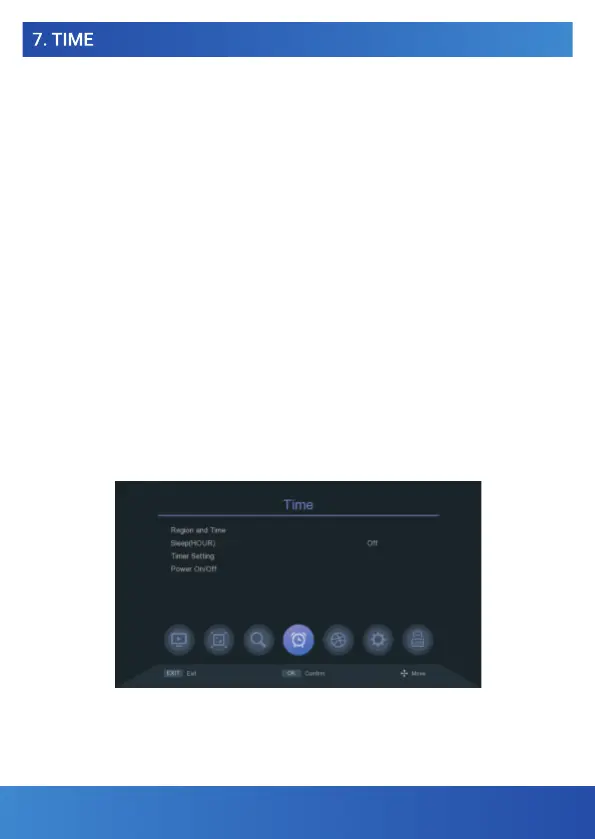
7.1 REGION AND TIME
Choose whether the receiver time will be set automatically from the broadcast
or set manually. You also have the option to set "Summer time".
7.2 SLEEP MODE
In this menu, you can set the time after which the receiver automatically switches
to standby mode.
7.3 TIMER SETTING
It will automatically record to the connected USB disk or play the program according
to the event list with the timer you set.
1. Press the green button to set the timer. Choose the mode "Record" or just "Play".
Next, enter the necessary parameters and press the OK button to save the timer.
2. Editing or deleting the timer. In the Event Timer menu, highlight an event, press
the red or blue button to cancel one or all timers.
You can adjust the timer by pressing the yellow button.
7.4 POWER ON/OFF
It enables automatic switching on or off based on a set time in HH:MM format
and in the case of automatic switching off, information about the planned shutdown
of the receiver will appear on the screen in advance, which can either be confirmed
or canceled and continue watching TV.
www.tesla-electronics.eu
17
www.tesla-electronics.eu
49


 To Next Page