EasyManua.ls Logo

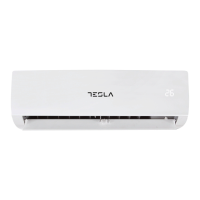
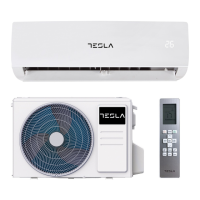
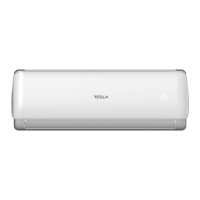
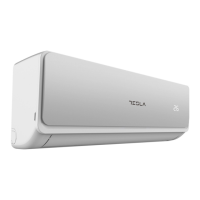
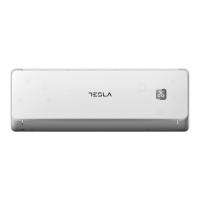
Tesla TM36AF21-1232IAW - User Manual

Tesla TM36AF21-1232IAW
69 pages
Print Icon
To Next Page IconTo Next Page
Loading...
SPLIT-TYPE
AIR CONDITIONER
USER MANUAL
For R32 DC Inverter models:
TM36AF21-1232IA
TM36AF21-1232IAW
TM36I13-1232IAWUV
TM52AF21-1832IAW
TM53I13-1832IAWUV
TM70AF21-2432IAW
MKD
BIH/
MNE
RO SLO SRBENG BG GR HR
Ver. 2021

Questions and Answers

  • M
    Mrs. Melanie Jimenez MDAug 19, 2025
    What to do if my Tesla TM36AF21-1232IAW Air Conditioner is not turning on?
    • V
      Victor VaughnSep 12, 2025
      If your Tesla Air Conditioner isn't turning on, there are several things you can check. Begin by verifying the power supply and ensuring the plug is securely connected. Inspect the fan motor of the indoor/outdoor unit for any damage and replace if necessary. Check the compressor thermomagnetic circuit breaker and replace it if it's faulty. Also, inspect and replace any faulty protective devices or fuses. Ensure there are no loose connections. If none of these issues are present, wait for the appliance to reset. Check the voltage supply. Make sure that the TIMER-ON function is disabled. If the issue persists, the electronic control board might be damaged and need replacement.
  • K
    Kimberly AdamsAug 21, 2025
    What to do if Tesla TM36AF21-1232IAW smells or makes strange noises?
    • M
      Mary LarsonAug 21, 2025
      If you notice strange noises during operation, or if there are faulty fuses or switches, a faulty electronic control board, spraying water or objects inside the appliance, overheated cables or plugs, or very strong smells coming from the appliance, switch off the air conditioner immediately and cut off the power supply. In the event of strange noises during operation, inspect the appliance. If the electronic control board is faulty, check and replace it. For faulty fuses or switches, inspect and replace them. If there's water or objects inside, remove them. If cables or plugs are overheated, allow the unit to cool down. If there are very strong smells, investigate the source.
  • D
    Dr. Brandon MendezAug 23, 2025
    Why Tesla Air Conditioner smells strange?
    • R
      robertsjordanAug 23, 2025
      A strange odor coming from your Tesla Air Conditioner could be due to a dirty air filter. Try cleaning or replacing the air filter to resolve this issue.
  • M
    Melissa ParkerAug 26, 2025
    Why is my Tesla TM36AF21-1232IAW Air Conditioner not blowing enough air?
    • A
      Amy Hammond DDSAug 26, 2025
      Insufficient airflow in your Tesla Air Conditioner can stem from several causes. First, check if the temperature setting is appropriate. Ensure that the air intakes and outlets are free from obstructions. A dirty air filter can also restrict airflow, so clean or replace it. Additionally, verify that the fan speed is not set to the minimum. Other heat sources in the room may also impact the cooling efficiency, so try to eliminate them. Finally, low refrigerant levels can cause this issue, so consider recharging the refrigerant.
  • E
    Erin BergAug 28, 2025
    Why does my Tesla TM36AF21-1232IAW Air Conditioner smell bad?
    • W
      Wesley TaylorAug 28, 2025
      A strange odor from your Tesla Air Conditioner is often due to a dirty air filter. Cleaning or replacing the air filter should resolve this issue.
  • S
    Summer TaylorAug 29, 2025
    Why my Tesla Air Conditioner does not operate?
    • Q
      qwallaceAug 30, 2025
      If your Tesla Air Conditioner is not operating, several factors could be at play. It could be due to a power failure or a loose plug, so ensure the power supply is functional and all connections are secure. There might be an issue with the fan motor of either the indoor or outdoor unit, or a faulty compressor thermomagnetic circuit breaker, or faulty protective devices/fuses, all of which would require inspection and potential replacement. Sometimes, the appliance may stop to protect itself and needs time to reset. Voltage levels outside the acceptable range or an active TIMER-ON function could also be the cause. Finally, a damaged electronic control board might be the culprit, necessitating a check and potential replacement.
  • A
    anna38Sep 1, 2025
    What to do if Tesla TM36AF21-1232IAW does not respond to commands?
    • J
      John AdamsSep 1, 2025
      If your Tesla Air Conditioner isn't responding to commands, there might be a few reasons. First, make sure you're close enough to the indoor unit when using the remote control. The remote's batteries might also be dead, so try replacing them. Finally, check for any obstacles blocking the path between the remote control and the signal receiver on the indoor unit; remove any obstructions you find.
  • D
    Diane ClarkSep 3, 2025
    How to improve airflow of Tesla TM36AF21-1232IAW?
    • M
      marisa81Sep 3, 2025
      If you notice insufficient airflow from your Tesla Air Conditioner, whether it's hot or cold air, several factors could be responsible. First, check if the temperature setting is appropriate for your needs and adjust it if necessary. Ensure that the air conditioner's intakes and outlets are free from obstructions. A dirty air filter can also restrict airflow, so clean or replace it. Additionally, the fan speed might be set too low, so try increasing it. Other heat sources in the room can also affect the perceived airflow, so minimize them. Finally, low refrigerant levels can cause insufficient airflow, so check the refrigerant levels.
  • E
    Emily WhiteSep 5, 2025
    Why is the display off on my Tesla TM36AF21-1232IAW?
    • L
      Lisa MeyerSep 5, 2025
      If the display on your Tesla Air Conditioner is off, it could be due to an active DISPLAY function. Try turning off the DISPLAY function. Alternatively, there may be a power failure, so check the power supply.
  • J
    josephbrownSep 7, 2025
    Why Tesla TM36AF21-1232IAW makes noise of running water?
    • G
      George SanchezSep 7, 2025
      The noise of running water in your Tesla Air Conditioner is due to the back flow of liquid in the refrigerant circulation. To address this, ensure the refrigerant flow is normal.

Summary

User Manual

Safety Precautions

Safety Rules and Recommendations for the Installer

Guidelines and safety rules for installers during the installation process.

Safety Rules and Prohibitions

General Safety Rules and Prohibitions

General prohibitions and safety rules for operating and handling the air conditioner.

Names of Parts

Indoor and Outdoor Unit Components

Identifies and labels the key parts of the indoor and outdoor units.

Remote Controller

Remote Control Display and Buttons

Explains the functions of each button and the display icons on the remote control.

Remote Screen Indicators

Indicator Legends and Meanings

Details the various symbols and indicators displayed on the remote control screen.

Battery Replacement and Mode Selection

Battery Replacement Procedure

Step-by-step guide on how to replace the batteries in the remote control.

Operating Mode Selection

Explains how to select and activate different operating modes like Cool, Dry, Fan, and Auto.

Operating Modes and Functions

Heating Mode and Fan Speed Control

Details the heating mode operation and how to adjust fan speeds.

Timer and Child-Lock Functions

Instructions for setting timers and activating the child-lock feature.

Swing Function Control

How to control the louver movement for airflow direction.

Advanced Remote Functions

Follow Me, AP, Breeze Away, Fresh, Silence Modes

Explanation of specialized functions like Follow Me, AP, Breeze Away, Fresh, and Silence.

ECO and GEAR Energy Saving Modes

Guide to using energy-saving modes for efficient operation.

LED Display Control

Instructions for turning the indoor unit's LED display on and off.

Operation Instructions

Operating Temperature Ranges

Specifies the recommended operating temperature ranges for optimal performance.

Heating Operation Characteristics

Details preheating and defrosting procedures during heating operations.

Emergency Button Usage

How to use the emergency button when the remote control fails.

Instruction for Servicing

General Servicing Precautions

Important safety measures and general guidelines for performing servicing tasks.

Servicing Procedures and Information

Specific steps and checks required before and during servicing.

Servicing Procedures and Safety

Detection of Flammable Refrigerants

Procedures and methods for detecting flammable refrigerant leaks safely.

Refrigerant Removal and Evacuation

Steps for safely removing and evacuating refrigerant from the system.

Refrigerant Handling and Decommissioning

Cabling Checks and Leak Detection Methods

Ensuring proper cabling and using leak detection methods.

System Decommissioning Procedures

Guidelines for safely decommissioning the air conditioning unit.

Refrigerant Recovery and Labelling

Refrigerant Recovery Process

Detailed steps for recovering refrigerant safely and correctly.

Equipment Labelling Requirements

Ensuring proper labelling of equipment after decommissioning.

INSTALLATION PRECAUTIONS (R32)

Important Considerations for R32 Installation

Key points to consider before and during the installation of R32 units.

Refrigerant Charge and Room Area Requirements

Tables detailing refrigerant charge limits and required minimum floor areas.

Installation Safety Principles

Site, Operation, and Installation Safety

Safety principles covering site selection, operation, and installation procedures.

Tools and Refrigerant Specifications

Suggested Tools for Installation

List of essential tools required for air conditioner installation.

Pipe Length and Refrigerant Data

Guidelines on pipe lengths, additional refrigerant, and refrigerant types.

Electrical Specifications and Indoor Unit Location

Electrical Distribution Device and Wire Requirements

Specifications for wiring, sockets, and fuses based on operating current.

Step 1: Select Installation Location (Indoor)

Guidelines for choosing the optimal location for the indoor unit.

Indoor Unit Mounting Plate Installation

Minimum Indoor Clearances

Diagram and measurements for required clearances around the indoor unit.

Step 2: Install Mounting Plate

Instructions for securely mounting the indoor unit's mounting plate.

Drilling Wall Hole and Pipe Connection

Step 3: Drill Wall Hole

Procedure for drilling the wall hole for piping and cables.

Step 4: Connecting Refrigerant Pipe

Detailed steps for connecting the refrigerant pipes to the indoor unit.

Refrigerant Pipe and Drainage Hose Connection

Connecting Refrigerant Pipe Details

Specific instructions for tightening pipe connections and wrapping joints.

Step 5: Connect Drainage Hose

Guide on how to properly connect and secure the drainage hose.

Wiring and Unit Mounting

Step 6: Connect Wiring

Instructions for connecting the electrical wiring to the indoor unit.

Step 7: Wrap Piping and Cable

Bundling and insulating pipes, wires, and hoses before passing through the wall.

Step 8: Mount Indoor Unit

Final steps for securely mounting the indoor unit onto the plate.

Indoor Unit Mounting Variations and Outdoor Unit Installation

Alternative Indoor Unit Mounting

Steps for mounting the indoor unit when pipes are pre-embedded or external.

Step 1: Select Installation Location (Outdoor)

Guidelines for choosing the appropriate site for the outdoor unit.

Outdoor Unit Installation Procedures

Step 2: Install Drainage Hose (Outdoor)

Instructions for connecting the drainage hose to the outdoor unit.

Step 3: Fix Outdoor Unit

Steps for securely fixing the outdoor unit to its base or mounting bracket.

Step 4: Install Wiring (Outdoor)

Connecting the electrical wiring to the outdoor unit.

Outdoor Unit Connections and Vacuuming

Step 5: Connecting Refrigerant Pipe (Outdoor)

Detailed instructions for connecting refrigerant pipes to the outdoor unit's valves.

Step 6: Vacuum Pumping

Procedure for evacuating the system to remove air and moisture.

Test Operation Preparation

Inspections Before Test Run

Essential checks to perform before starting the initial test run.

Test Run and Maintenance Introduction

Test Run Instruction

Steps for conducting a test run to verify all functions are operating correctly.

Maintenance Overview

Introduction to the maintenance section, including important warnings.

Cleaning and Filter Maintenance

Cleaning the Unit and Filter

Instructions for cleaning the air conditioner unit and its filter screen.

Filter Disassembly and Assembly

Guide on how to remove and reinstall the air filter.

Troubleshooting Guide

Common Malfunctions and Possible Causes

Lists common issues and their potential causes for troubleshooting.

Troubleshooting Common Issues

Appliance Not Operating or Responding

Troubleshooting steps for when the unit does not operate or respond to commands.

Noise, Odor, and Airflow Issues

Diagnosing and resolving problems related to strange noises, odors, or poor airflow.

Disposal Guideline (European)

Proper Disposal Procedures

Guidelines for environmentally responsible disposal of the appliance.

Tesla TM36AF21-1232IAW Specifications

General IconGeneral
BrandTesla
ModelTM36AF21-1232IAW
CategoryAir Conditioner
LanguageEnglish

Related product manuals