EasyManua.ls Logo

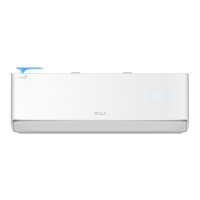
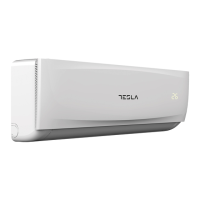
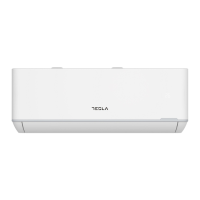
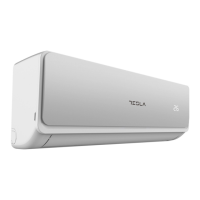
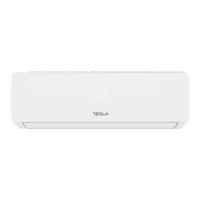
Tesla TT34EXC1-1232IAWPC - User Manual

Tesla TT34EXC1-1232IAWPC
354 pages
Print Icon
To Next Page IconTo Next Page
Loading...
SPLIT-TYPE
AIR CONDITIONER
USER
MANUAL
For R32 DC Inverter models:
TT34EXC1-1232IAWPC
TT51EX21-1832IA
TT51EX72-1832IA
TT51EX81-1832IAW
TT51EXC1-1832IAW
TT68EX21-2432IA
TT68EX72-2432IA
TT68EX81-2432IAW
TT68EXC1-2432IAW
TT34EX82BM-1232IAW
TT34EX82SM-1232IAW
TT26EXKC-0932IAW
TT34EXKC-1232IAW
TT51EXKC-1832IAW
TT68EXKC-2432IAW
TT26EX21-0932IA
TT26EX72-0932IA
TT26EX81-0932IAW
TT26EXC1-0932IAW
TT34EX21-1232IA
TT34EX72-1232IA
TT34EX81-1232IAW
TT34EXC1-1232IAW
Ver. 2023
HU MKD
BIH/
MNE
RO SLO SRBENG BG GR HR

Table of Contents

Questions and Answers

Summary

OPERATING INSTRUCTION

SAFETY RULES AND RECOMMENDATIONS FOR THE INSTALLER

SAFETY RULES AND RECOMMENDATIONS FOR THE USER

SAFETY RULES AND PROHIBITIONS

NAMES OF PARTS

Indoor unit

Identifies components of the indoor unit, including front panel, filters, and display.

Outdoor unit

Identifies components of the outdoor unit, including grille, rating label, and valves.

INDOOR UNIT DISPLAY

EMERGENCY & AUTO-RESTART FUNCTION

Emergency function

How to operate the unit manually when the remote fails or for maintenance.

Auto-restart function

The unit's ability to resume previous settings after a power interruption.

REMOTE CONTROLLER

Meaning of symbols on the liquid crystal display

Replacement of Batteries

OPERATING INSTRUCTIONS

Swing control of the air flow

How to adjust the vertical and horizontal airflow direction using the remote.

Operating Modes

Cooling mode

How to use the air conditioner for cooling, adjusting temperature and fan speed.

Heating mode

How to use the air conditioner for heating, including defrost cycle information.

Dry mode

Function to reduce humidity for increased comfort.

Fan mode (not FAN button)

Operation for ventilation only, without cooling or heating.

Auto mode

The unit automatically adjusts operation based on room temperature.

Additional Functions

Display function (indoor display)

How to switch the indoor unit's LED display on or off.

ECO function

Activates energy-saving mode for heating or cooling operations.

Turbo function

Activates maximum fan speed for rapid cooling or heating.

Sleep function

Adjusts temperature gradually for comfortable sleep.

Mildew function

Dries internal parts to prevent mildew after operation.

Special Functions

Self-clean function

Cleans accumulated dirt and bacteria from the evaporator.

8°C heating function

Maintains a minimum temperature of 8°C during heating.

Timer function

Sets automatic switch-on/off times for the air conditioner.

I FEEL function

Operating Temperature

Important considerations

Installation Safety Principles

Site Safety

Precautions for the installation location, including open flames and ventilation.

Operation Safety

Safety measures during operation, like static electricity and protective gear.

Installation Safety

Essential checks for installation, including leak detection.

Special Tools

Selecting the Installation Place

Indoor unit

Guidelines for choosing the best location for the indoor unit.

Outdoor unit

Guidelines for choosing the best location for the outdoor unit.

Installation of the Indoor unit

Indoor Unit Installation Steps

Installation of the mounting plate

Steps to install the mounting plate for the indoor unit.

Drilling a hole in the wall for the piping

Instructions for drilling the wall hole for refrigerant pipes.

Electrical connections-Indoor unit

How to make the electrical connections for the indoor unit.

Piping and Drainage Installation

Refrigerant piping connection

How to connect the refrigerant pipes between units.

Connections to the indoor unit

Connecting the pipes and nuts to the indoor unit.

Indoor unit condensed water drainage

Proper installation of the drain hose for condensed water.

Unit Installation Procedures

Installation of the indoor unit

Final steps for mounting the indoor unit.

Installation of the outdoor unit

Guidelines for securely installing the outdoor unit.

Outdoor unit condensed water drainage (only for heat pump models)

How to drain condensed water from the outdoor unit.

Electrical connections

Making electrical connections for the outdoor unit.

Post-Installation Steps

Connecting the pipes

Detailed steps for connecting refrigerant pipes securely.

Bleeding

Removing air and humidity from the refrigerant circuit using a vacuum pump.

Refrigerant Pressure Inspection

How to inspect refrigerant pressure for R290 and R32.

Operation Test

Indoor unit test

Checks for proper functioning of the indoor unit's controls and features.

Outdoor unit test

Checks for abnormal noise, vibration, or coolant leakage.

INFORMATION FOR THE INSTALLER

Tightening torque for protection caps and flange connection

Specifies torque values for connecting pipes and caps.

Wiring Diagram

Cable Wires Specification

MAINTENANCE

Indoor unit maintenance

Instructions for cleaning air filters and heat exchangers of the indoor unit.

End of season maintenance

Steps to take at the end of the cooling season.

Replacing the batteries

How to replace batteries in the remote controller.

TROUBLESHOOTING

Error signals on the display

List of error codes displayed on the indoor unit and their meanings.

INSTRUCTION FOR SERVICING

Information on servicing

General guidelines and safety checks for servicing.

Repairs to sealed components

Labelling

Recovery

Tesla TT34EXC1-1232IAWPC Specifications

General IconGeneral
BrandTesla
ModelTT34EXC1-1232IAWPC
CategoryAir Conditioner
LanguageEnglish

Related product manuals