EasyManua.ls Logo

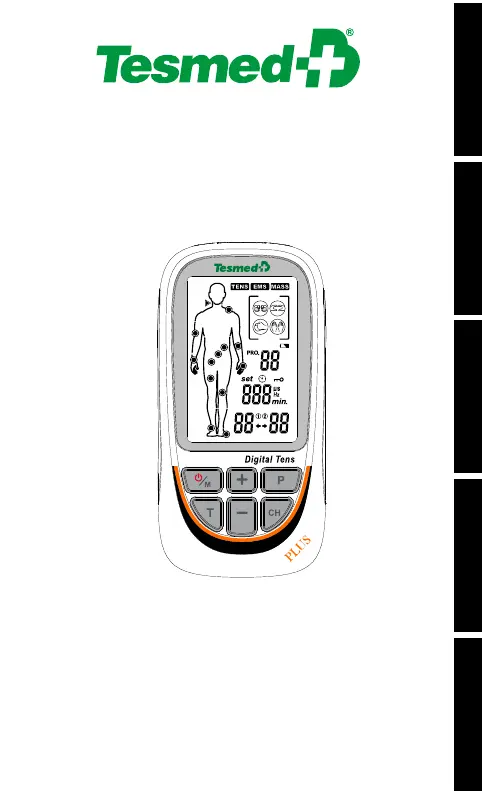
Tesmed TE-880R PLUS - User Manual

Tesmed TE-880R PLUS
228 pages
Go to English
Print Icon
To Next Page IconTo Next Page
Loading...
MANUALE D’USO - USER MANUAL
NOTICE D’INSTRUCTIONS
BEDIENUNGSANLEITUNG - MANUAL DE USO
Per ottenere una copia del manuale in formato elettronico
To obtain an electronic copy of the manual
Pour obtenir une copie électronique du manuel
So erhalten Sie eine elektronische Kopie des Handbuchs
Para obtener una copia electrónica del manual
https://www.tesmed.it/pages/download-manuali
or write to
info@tesmed.com
ITALIANOENGLISHFRANÇAISDEUTSCHESPAÑOL
TE-880R PLUS
TE-880R

Questions and Answers

  • D
    david31Aug 8, 2025
    Why does rash or tickle on skin occur during Tesmed Medical Equipment treatment?
    • R
      Robert BuchananAug 8, 2025
      If you experience a rash or tickling sensation on your skin during treatment with Tesmed Medical Equipment, it could be due to several factors. The treatment time might be too long, so try doing the treatment once a day and shortening the treatment time. Ensure the electrode sticks well to the skin; check and re-stick it if necessary. The electrode's surface might be dirty or dry; clean it before use and replace it if needed. If your skin is sensitive to the electrode, review your allergy history, change the placement of the electrode, or shorten the treatment time. If your skin is overly sensitive, discontinue use and consult a doctor.
  • A
    Amber LeeAug 14, 2025
    What to do if Tesmed TE-880R PLUS halts automatically during treatment?
    • V
      villanuevarachelAug 14, 2025
      If you find that the Tesmed Medical Equipment automatically halts during treatment, there could be a couple of reasons. First, the electrode may have lost connection with your skin; in this case, check its adhesion and replace it if necessary. Another reason could be that the battery is depleted; if so, charge the device.
  • A
    Adam CalderonAug 22, 2025
    How to fix no or weak stimulation with Tesmed TE-880R PLUS?
    • J
      Jason McbrideAug 22, 2025
      If you're not feeling any stimulation or the stimulation feels weak when using your Tesmed Medical Equipment, consider these possibilities: * The electrode may not be connecting well to your skin. Check its adhesion and replace it if needed. * Ensure the connection between the electrode and the stimulator is secure. Check the connection. * The battery might be running low. Charge the device. * Your skin might be too dry. Wipe both the electrode and your skin with a damp cotton cloth.
  • M
    Michael HowardAug 30, 2025
    How to troubleshoot no display on Tesmed TE-880R PLUS Medical Equipment?
    • A
      Alexandra SmithAug 30, 2025
      If the display on your Tesmed Medical Equipment is not working, it is likely that the battery is exhausted. To resolve this, ensure you charge the device in time.

Summary

1. FOREWORD

Introduction to the Device

Overview of the Tesmed TE-880R PLUS as a dual channel TENS, EMS, and MASSAGE stimulator.

2. SAFETY INFORMATION

Intended Use (TENS Mode)

Specifies TENS mode usage for pain relief in various body parts.

Intended Use (EMS Mode)

Lists EMS mode applications for muscle health and recovery.

Important Safety Precautions and Warnings

Lists contraindications where the device must not be used.

General Warnings

Provides crucial warnings regarding device usage, potential risks, and interactions.

Additional Precautions

Details further precautions for safe use, including specific body areas and patient types.

Adverse Reactions and Usage Cautions

Discusses potential adverse reactions and cautions for specific user groups or conditions.

3. GETTING TO KNOW YOUR DEVICE

Device Accessories

Lists the components included with the Tesmed TE-880R PLUS stimulator.

LCD Display Overview

Explains the various elements and indicators shown on the device's LCD screen.

Device Illustration and Controls

Provides a visual guide to the device's physical layout and buttons.

Button Functions Description

Details the operation and function of each button on the device.

4. TECHNICAL INFORMATION

Device Specifications

Presents detailed technical data, including power, dimensions, and performance parameters.

5. OPERATING INSTRUCTION

Connecting Electrode Wires to Pads

Instructions for connecting electrode wires to electrode pads for proper function.

Connecting Wires to Device

Guidance on connecting electrode wires to the main device unit.

Electrode Usage and Placement

Recommendations for electrode replacement and proper skin placement.

Electrode Placement Guidelines

Illustrates electrode placement for TENS programs on various body parts.

EMS Electrode Placement

Illustrates electrode placement for EMS programs on various body parts.

6. INSTRUCTIONS FOR USE

Turning the Device On

Step-by-step guide on how to power on the Tesmed TE-880R PLUS device.

Selecting Treatment Mode

Instructions on choosing between TENS, EMS, and MASSAGE treatment modes.

Selecting Treatment Program

Guidance on how to select a specific treatment program from the available options.

Adjusting Treatment Duration

How to customize the treatment time for TENS and EMS programs.

Selecting Treatment Channel

Instructions on how to select specific treatment channels (e.g., CH1, CH2).

Starting Treatment and Intensity Adjustment

How to begin treatment by adjusting intensity levels for selected channels.

Output Intensity Adjustment

Details on adjusting the output intensity across 40 levels for user comfort.

Lock Function Usage

How to activate and deactivate the lock function to prevent accidental setting changes.

Stopping Treatment and Powering Off

Steps to safely stop treatment and turn off the electro-stimulator.

Selecting Massage Type

How to choose from the four available massage types in MASS mode.

Customizing U Programs

Guide to setting parameters like frequency, pulse width, and time for U programs.

Parameter Setting and Start

Finalizing parameters and starting the treatment session.

Load Detection and Low Battery

Information on device response to electrode issues and low battery indication.

Charging the Battery

Detailed instructions for safely charging the device's rechargeable battery.

Electrode Pad Usage and Care

Guidelines for proper usage, hygiene, and care of electrode pads.

7. RECOMMENDATIONS FOR USE

Usage Advice for TENS

Recommendations for TENS therapy, including intensity adjustment and treatment frequency.

Usage Advice for EMS

Guidance on EMS therapy, including electrode placement and session management.

Usage Advice for MASSAGE

Recommendations for massage therapy, including discomfort management and target muscles.

8. PROGRAMS AND RELATED INDICATIONS

TENS Program List

Details of TENS programs, including pulse rate, width, duration, and body part.

EMS Program List

Details of EMS programs, including pulse rate, width, duration, and body part.

MASSAGE KNEAD Programs

Specifications for the MASSAGE KNEAD programs, detailing parameters and body parts.

MASSAGE RUB Programs

Specifications for the MASSAGE RUB programs, detailing parameters and body parts.

MASSAGE KNOCK Programs

Specifications for the MASSAGE KNOCK programs, detailing parameters and body parts.

MASSAGE TAP Programs

Specifications for the MASSAGE TAP programs, detailing parameters and body parts.

9. CLEANING AND MAINTENANCE

Cleaning and Care for the Device

Instructions for cleaning the stimulator and its accessories safely.

Device Maintenance

Information on authorized repairs and warranty voidance due to unauthorized maintenance.

10. TROUBLESHOOTING

Troubleshooting: No Display;Weak Stimulation

Solutions for common issues like no display or weak stimulation.

Troubleshooting: Skin Reactions

Addresses issues like rash or tickling on the skin and their countermeasures.

11. STORAGE

Storing Electrode Pads and Lead Wires

Proper methods for storing electrode pads and lead wires to maintain their condition.

Storing the Unit

Instructions for storing the main device unit in a suitable environment.

12. DISPOSAL

Product Disposal Guidelines

Information on the correct disposal of the device and its batteries, emphasizing environmental protection.

13. ELECTROMAGNETIC COMPATIBILITY (EMC) TABLES

EMC: Electromagnetic Emissions

Guidance on electromagnetic emissions and compliance for the device's usage environment.

EMC: Electromagnetic Immunity

Details on immunity to electrostatic discharge, transients, and voltage variations.

EMC: Power Frequency Magnetic Fields

Guidance regarding power frequency magnetic fields and their impact.

EMC: Radiated RF Immunity

Information on immunity to radiated RF fields and recommended separation distances.

EMC Test Specifications (Table 9)

Table detailing test specifications for enclosure port immunity to RF wireless communications equipment.

EMC Notes and Frequency Ranges

Additional notes on immunity test levels, frequency ranges, and modulation types.

14. NORMALIZED SYMBOLS

Applied Part Type BF Symbol

Symbol indicating the part of the device that comes into contact with the patient.

Refer to Manual Symbol

Symbol indicating the need to consult the user manual for important information.

IP22 Protection Symbol

Indicates protection against solid foreign objects and water drops at specific angles.

LOT Numbering Symbols

Symbols related to product model, year, and numerical order for lot identification.

Manufacturer and Date Symbols

Symbols denoting manufacturer information and date of production.

15. WARRANTY

Exercising Warranty Rights

Details on how to claim warranty for purchases made in-store or online.

Tesmed TE-880R PLUS Specifications

General IconGeneral
BrandTesmed
ModelTE-880R PLUS
CategoryMedical Equipment
LanguageEnglish

Related product manuals