ATTENTION
Beforeuse,readcarefullytheusermanual,payingattentiontothe
warningsandcontraindicationslistedinit.
UseonlyTesmedelectrodesastheyareconstructedwithmaterialsabletoguarantee
maximumconductivityofthepulsesofourelectrostimulators.
Thelargerelectrodesarepositionedinthesamewayasthesmallerones.
Ifthecablesareabithardtoinsertintothedevice,youcantrytograduallyforcethe
insertion.
Incaseoflackofstimulationorothermalfunctions,checktheconditionofthe
electrodesandtheiradhesiontotheskin,thecorrectconnectionofallthepartsand
possiblythebatterycharge.
Youcancustomizetheuseofyourstimulator:
1.usinglesschannels;
2.usingTesmedelectrodesofdifferentsizes;
3.usingyourfavoriteprogramintheareayouwishtotreat,regardlessoftheindication
inthemanual.Forexample,theabdomentoningtreatmentcanwellbeperformedon
anotherarea,suchaslegs,pectorals,gluteus,etc…
Youcanuseyourfavoriteprogramonmultiplezones.Youcannotsettwodifferent
programsatthesametime.
REMEMBER
Programs21to99arepresetwithdifferentstimulationsteps.
Eachphasealternatesmomentsofactivitywithmomentsofrest.Itisnotpossibletoincrease
theintensityduringthemomentofrest.So,donotincreasetheintensityintherestphases
duringprogramexecution,butonlyduringactivephases.
Ifyoukeepalowintensity,forexampleatlevel1orlevel2,atthephasetransitionduring
execution,theprogrammaybereset.Inthiscase,restartwiththeprogramandkeepthe
intensityabithigher.
Youmayhavetheperceptionthatontheonesidetheimpulsesarelessintense.Thestimulator
emitsthesameimpulsesonallchannels,soprobablyyouhavenotwellidentifiedthemotor
pointsofthemuscle,orononesidethereismorefattissue,ortheelectrodesarewornout.Try
movingtheelectrodes,makingsuretheyarewelladherenttotheskin.
Thelevelofintensitytoachievethedesiredmusclecontractioncanvarydependingonmultiplefactors,
includingtheplacementoftheelectrodesandthepresenceofadiposetissue.
Therefore,thesamecurrentintensitycanprovidedifferentsensationsfrompersontoperson,
fromdaytoday,fromtheleftsidetotherightside.
Ifyouneedtechnicalassistancewritetoinfo@tesmed.com,orcall00390305050163
fromMondaytoFridayfrom09.00to16.30,excludingholidays.
Wesolve100%ofrequestsquicklybecauseourpriorityiscustomersatisfaction.
Beforeuse,readcarefullytheusermanual,payingattentiontothewarningsand
contraindicationslistedinit.
QUICKUSERGUIDEANDUSEFULTIPS
Batteryalreadyinserted,devicereadytouse.Ifthebatterysymbolflashesafterswitchingon,charge.
1.Connectthe4
bipolarcables
2.Inserttheelectrodesinthecablesand
placethemonthetreatmentarea
Youmayrefertotheelectrodes
placementphotosinthemanual
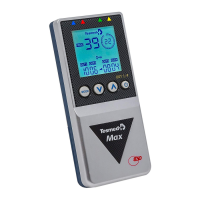
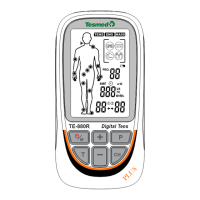
EQUIPMENTDESCRIPTION
LCDdisplayandkeys
1Tesmedlogo
2Programnumber
3Programsymbol
4Lowbatterysymbol
5Frequencysymbol
6Selectedoutputchannels(n.4)
7Relativeintensityvalueforeach
4output
8Functionskey(MODE)
9Decreasekey()
10Increasekey()
11ON/OFFandselectchannels
doublefunctionkey
12Intensitysymbol
13KeyboardblockandONblock
symbol
14Timersymbol
15Treatmenttimeandremaining
time
16Clocksymbol
17Outputchannels
18Batteryrechargersocket
19Batterydoor
20Removablebelthook
Thebatteryisalreadyinstalledinthedevice.
IftheflashingbatterysymbolappearsonthedisplayortheTesmeddoesnot
lightup,chargethedevice.Whenthesymbolstopsflashingordisappears,the
batteryischarged.IfthebatteryischargedandtheTesmedisconnectedto
thebatterycharger,theTesmedscreenwillnotlightupandnosignalwill
appearbecausethebatterychargerdetectsthatthereisnoneedforcharging
andthereforedoesnotactivate.
4
1

 Need help?
 General

 To Next Page