Operations
30
Testboy
®
TV 218
Changing the batteries
Minimize the risk of electric shock. Remove the
clamping jaws from the test circuit and switch off the
meter before you remove the rear housing.
Procedure
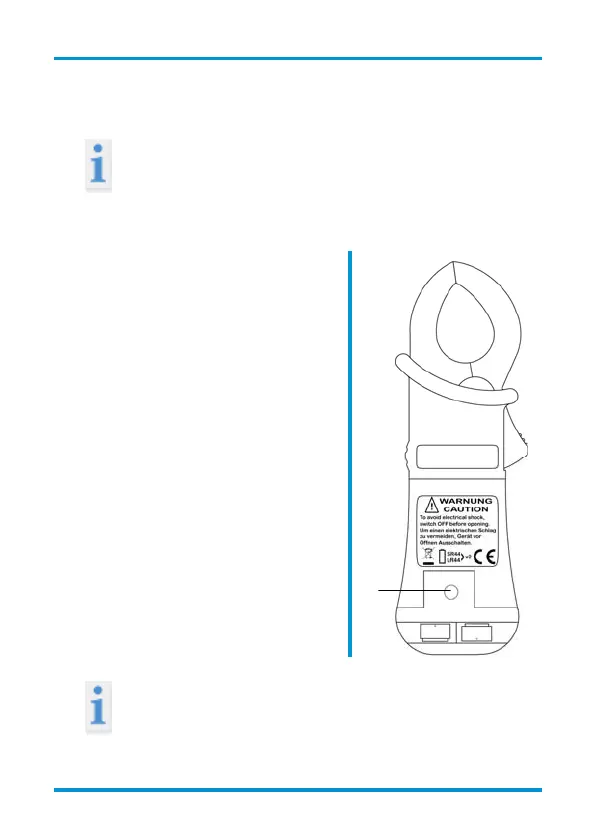
| If the battery voltage is too low,
the battery icon will appear on
the LCD screen. Replace the
battery when this icon appears.
| Set the range switch in the OFF
position.
| Remove the rubber holster.
Unscrew the screw (A) on the
rear side with a screwdriver.
Remove the used batteries and
replace with two new 1.5-V
button cell batteries (type SR
44/LR 44).
| Screw on the battery cover and
replace the rubber holster.
A
Do not dispose of batteries in normal household
rubbish! Use an authorised local collection point!


 To Next Page