Operations
Testboy
®
TV 218 31
ENGLISH
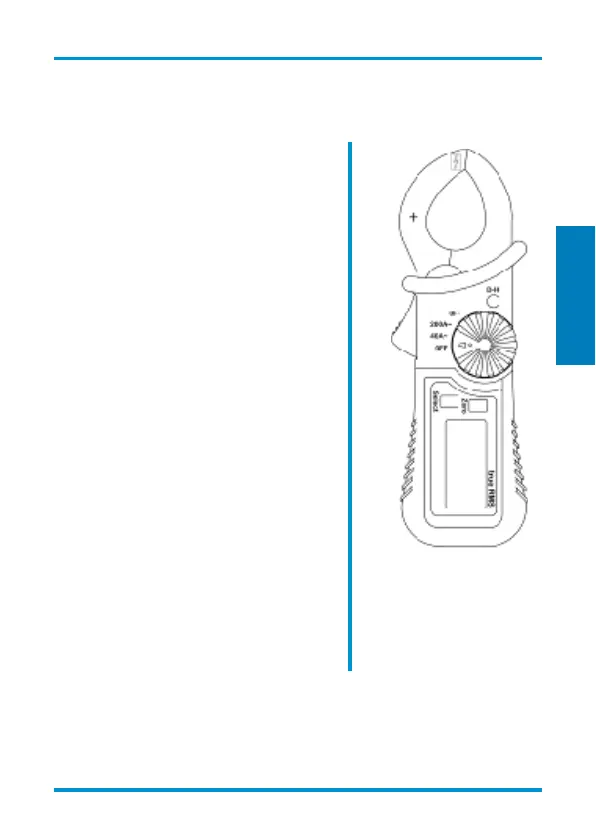
Explanation of the buttons
Select
Switch between DC (default) or
AC mode.
Zero
Press the Zero key to zero-out
the display reading.
D-H
Data Hold button (also referred to
as the measurement save
button).
Press this button in order to save
and display the current measured
value. The H-D icon on the
display confirms the active
function.
The measurement process is
interrupted during the data-hold
function!
Function select switch
The function select switch is used
for selecting the measurement
range and for switching off the
meter.


 To Next Page