Operation
40 Testboy
®
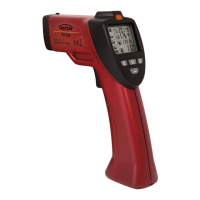
TV 328
Surface temperature measurement
To measure the temperature of an object, Press the button to enter
surface temperature mode.
Point the instrument at the object and hold down the trigger. The laser pointers
will activate showing the area in which the infrared sensor can see.
The display will show the current surface temperature
of the
object within the measurement spot. After releasing the trigger the display will
hold the current measurement.
Highly reflective or transparent surfaces can affect surface
temperature measurements. If necessary, cover area with matte
tape and allow tape to acclimate to the surface temperature before
measuring.


 To Next Page