9. Service and Maintenance 11
9. Service and Maintenance
9.1 Changing the probe
The instrument must be switched off.
1
Turn threaded ring in an anti-clockwise direction and remove
the probe.
2
Attach new probe (observe guides) and screw on threaded ring
in a clockwise direction.
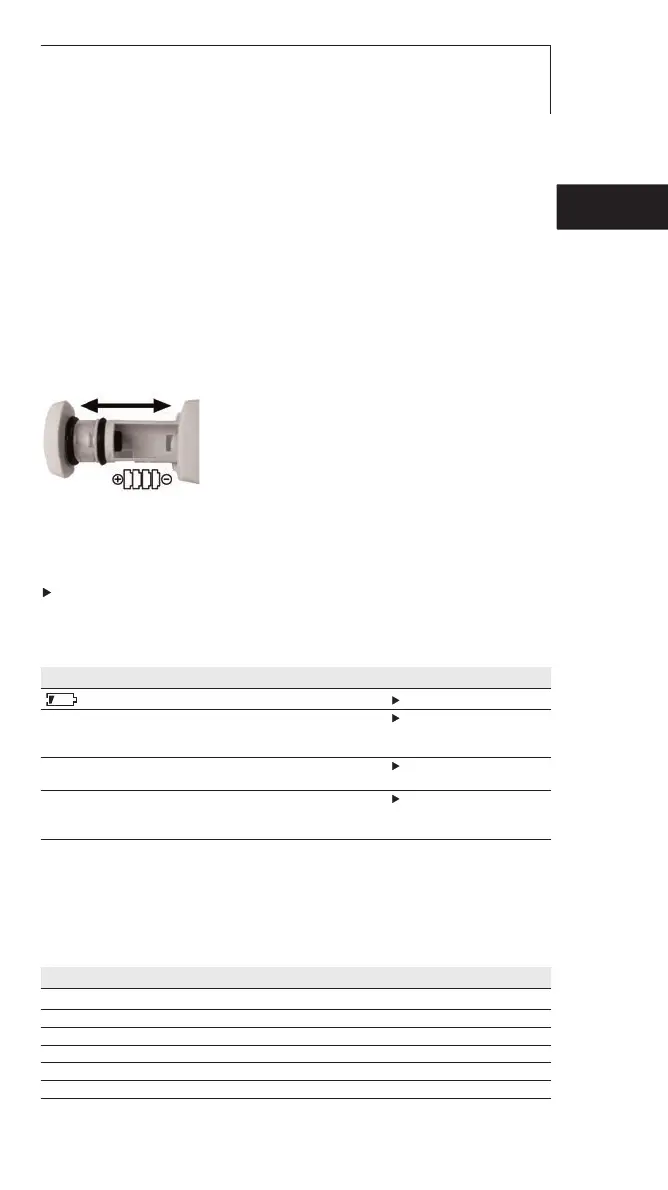
9.2 Changing the battery
1
Take out the battery compartment.
2
Remove empty batteries and put in
new batteries (4x Type LR44).
Observe ++/-
3
Reinsert battery compartment.
9.3 Cleaning the instrument
Do not use any abrasive cleaning agents or solutions.
Clean the housing and probe with a damp cloth (soap water).
10. Questions and Answers
Question Possible causes Possible solution
lights up. Batteries empty Change batteries.
- - - lights up. Measurement range Measurements can only
exceeded. be carried out in the
range specified.
Instrument cannot be Batteries empty. Change batteries.
switched on.
Instrument switches Auto Off function Switch off Auto Off function
itself off. is switched on. (See Switching on
instrument).
11. Accessories
Name Item no.
Penetration probe, short 0613 1051
Penetration probe, long 0613 1053
Frozen food penetration probe 0613 1052
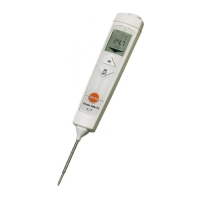
testo 105 with penetration probe short, belt holder 0563 1051
testo 105 with penetration probes short, long and frozen food, belt holder 0563 1052
testo 105 with frozen food penetration probe, belt holder 0563 1054
Aluminium case 05541051
de
enfresitptsvnl????



 To Next Page