14
77.. PPrrooggrraammmmiinngg
7.1 IInstalling ssoftware
In order to program your data logger in accordance with your
individual needs, you will need a PC on which the testo ComSoft
software is installed.
You will find instructions on the installation and operation of the
software in the testo ComSoft instruction manual.
Continue with
7.2 Connecting ddata llogger tto PPC
, P. 14 once the
software is successfully installed.
7.2 CConnecting ddata llogger tto PPC
You will need a free serial interface (RS232) or a USB interface to
connect the data logger interface to your PC.
1
Connect the serial connection cable or USB connection cable
of the interface to your PC.
2
Connect the interface to the connection cable.
3
Insert the interface in the desk-top holder.
4
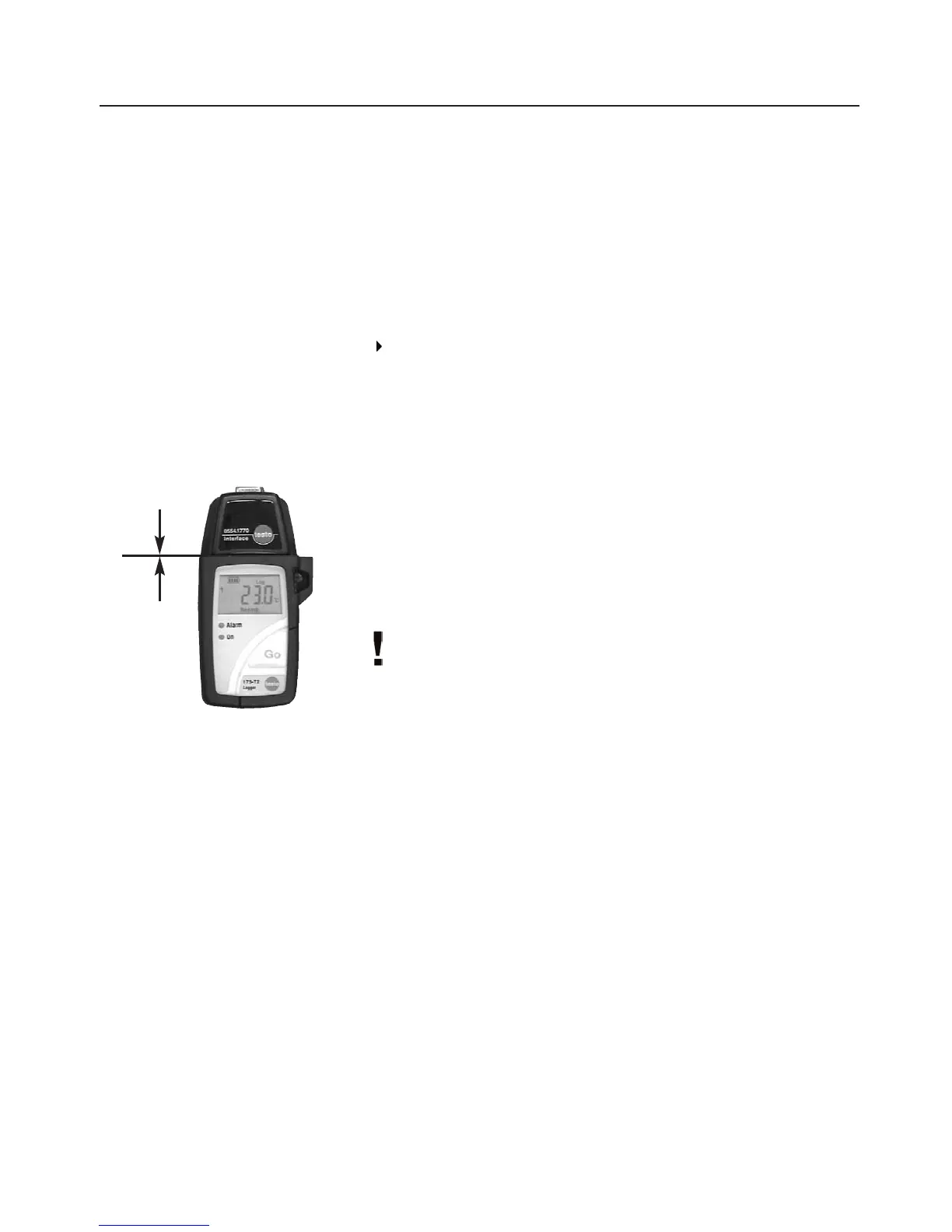
Place the logger in the desk-top holder.
The interface can be placed directly in the wall holder. In this
way, the data can be read out directly on location.
Ensure that the interface is completely plugged on and snapped
into place. Otherwise the connection is not guaranteed.
5
Start the testo ComSoft software.



 To Next Page