15
77.. PPrrooggrraammmmiinngg
7.3 SSetting uup tthe cconnection
1
Start testo ComSoft software.
testo CComsoft 44:
2
Select
IStart
>
New device
.
- The
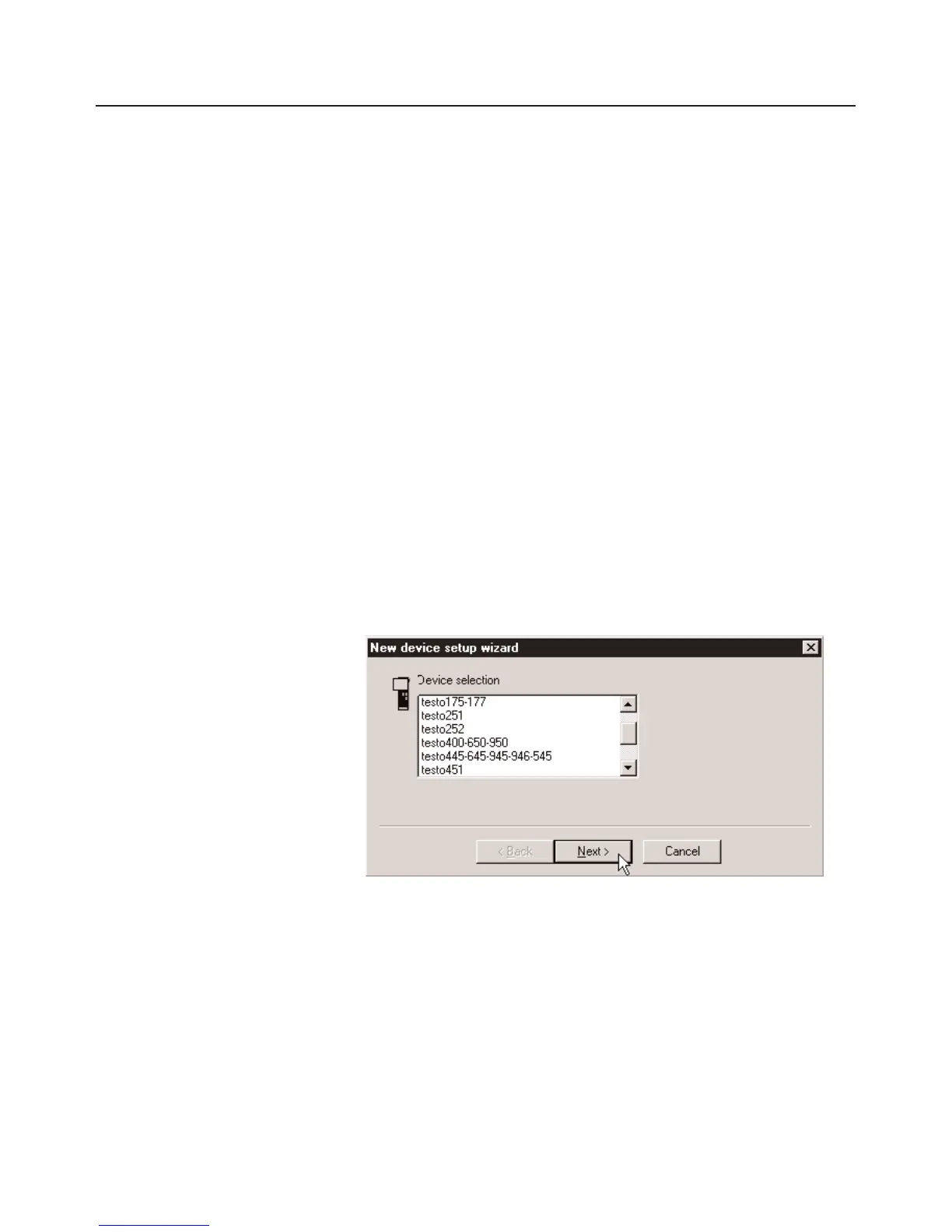
New device setup wizard
opens.
testo CComsoft 33:
2
Select
Instrument
>
Autodetect...
.
-
Autodetect
opens.
- The connection to the data logger found is set up automatically
and the name of the connection appears in the
Data
window.
-oor-
2
Select
Instrument
>
New device
- The
New device setup wizard
opens.
3
Select
testo175-177
in Device selection and click on
Next
.
4
Select the interface in
Connection
, with which you have
connected your data logger to your PC and click on
Next
.
5
Enter a name for the connection and click on
Finish
.



 To Next Page