5 First steps
17
Mount Sun Shield
The Sun Shield increases the readability of the display with a high
exposure to light.
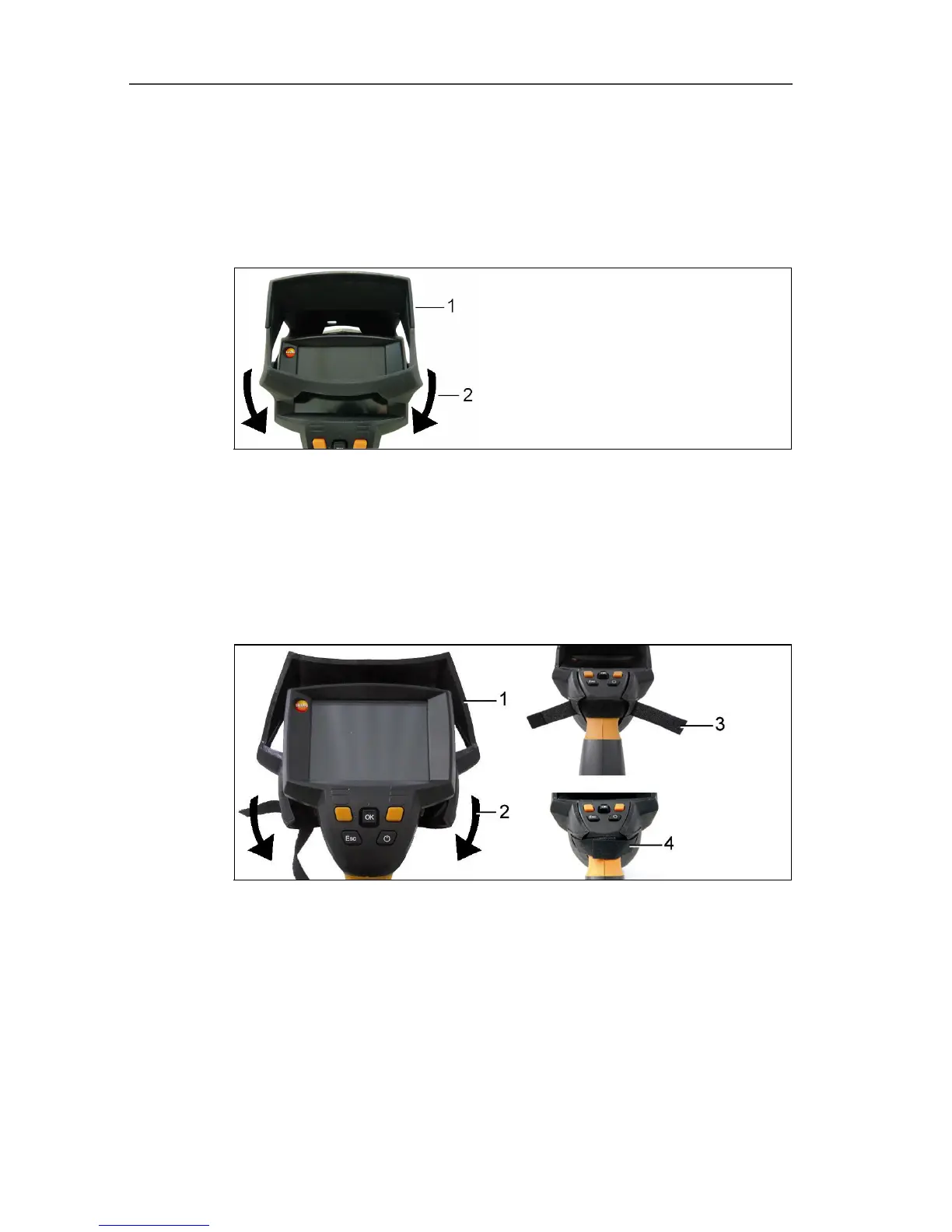
> Set the Sun Shield on the thermal imager from above (1) and
pull both sides of the Sun Shield down around the display (2).
Mounting Softcase
The Softcase combines the functions of instrument protection, Sun
Shield and carrying function (strap).
1. Set the Softcase on the imager from above (1) and pull both
sides of the Softcase down around the display (2).
2. Guide Velcro strip through the two plates (3) and close (4).
Changing lens (testo 875-2 only)
Only lenses that were adjusted to the respective thermal imager
can be used. The serial number on the lens must match the serial
number of the instrument, see Optics... page 29.
> Switch instrument off before changing the lens.
> To keep the lens from falling out: Hold the instrument with the
lens pointing up.
1. Turn lens lock ring anticlockwise to the stop (approx. 2 cm).



 To Next Page