Overview
Operating concept
The imager can be operated in two different ways.
Operation via touchscreen offers quick access to functions. Joystick operation
enables the imager to be operated with one hand.
Capacitive touchscreen. Operation is only possible with a bare fingertip
(no gloves) or a conductive stylus pen.
This document mentions functions/buttons that have to be activated:
• Touchscreen operation: touch with a fingertip.
• Joystick operation: select first (move joystick up/down/right/left to move the
orange selection box), then activate (press joystick).
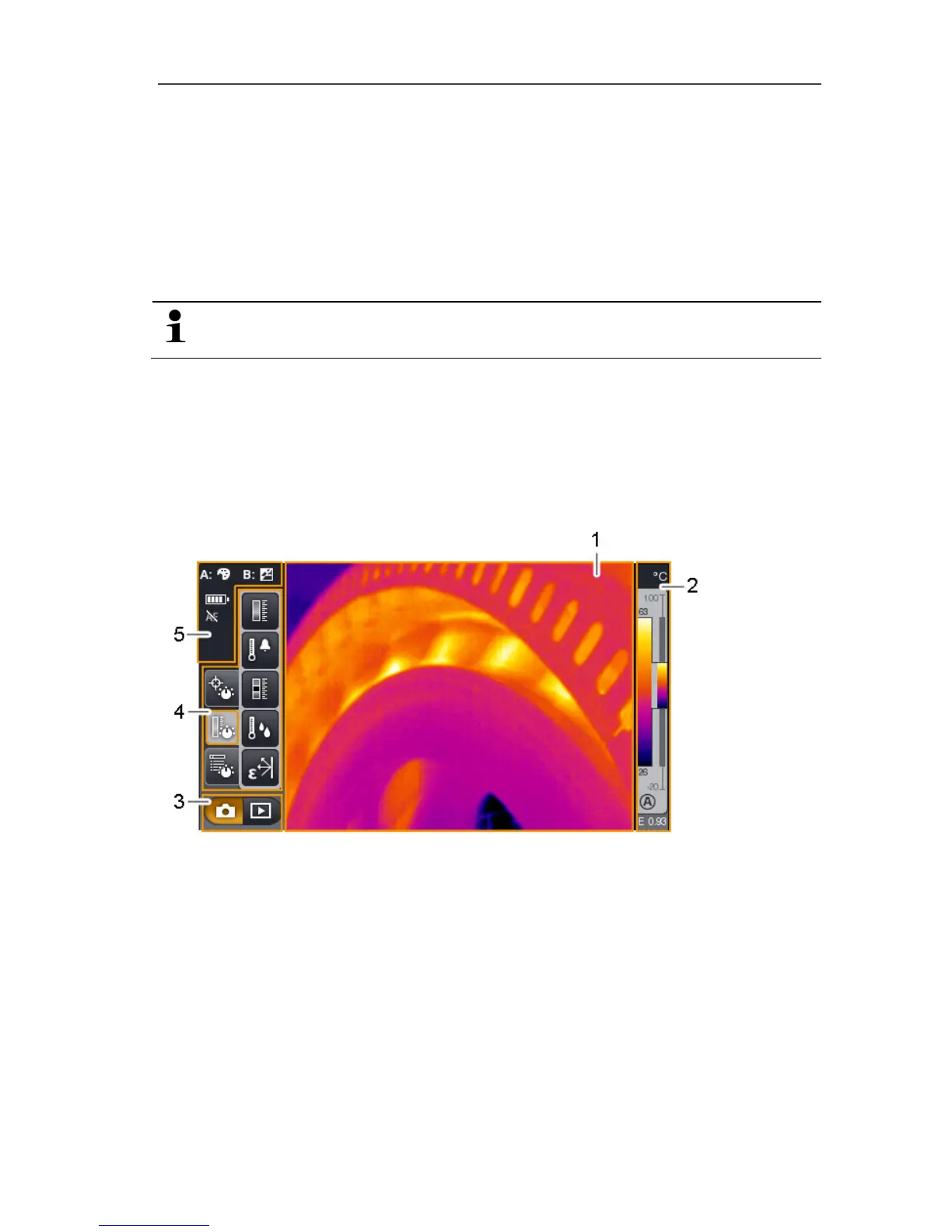
Display interface
1 Image display: shows IR image or real image.
2 Scale display.
3 Imager mode selection bar (capture/image gallery).
4 Menu bar/tabbed windows (see below).
5 Status displays.



 To Next Page