EasyManua.ls Logo

Tetra EX 500 Plus - User Manual

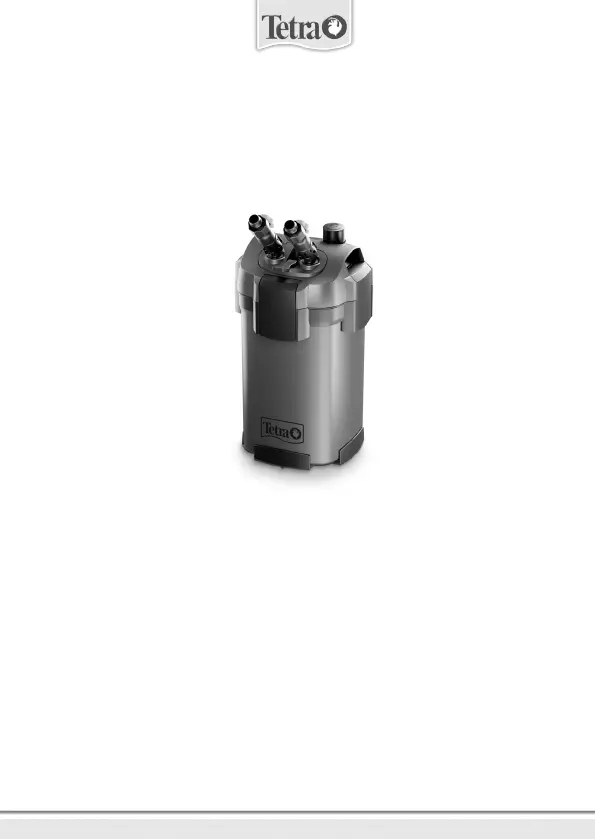
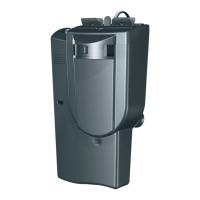
Tetra EX 500 Plus
43 pages
Print Icon
To Next Page IconTo Next Page
Loading...
UK
D
F
NL
I
RUS
E
P
S
DK
PL
CZ
Instruction manual
Bedienungsanleitung
Mode d‘emploi
Gebruiksaanwijzing
Istruzioni
Руководство по эксплуатации
Instrucciones
Manual de instruções
Bruksanvisning
Brugsanvisning
Instrukcja użytkowania
Návod k použití
EX500/700/1000/1500 Plus
Filter-Set
9
20
31
43
54
65
79
91
103
114
125
137
For more information: www.tetra.net

Questions and Answers

  • J
    Jordan WilliamsAug 4, 2025
    How to fix a leaking Tetra Water Filtration System filter head?
    • W
      William ClineAug 4, 2025
      If the filter head of your Tetra Water Filtration System is leaking, it could be due to a few reasons. First, check if the attachment clips are open and close them. Second, there might be dirt or foreign particles present, so clean the area. Lastly, the filter head seal might be faulty, requiring cleaning or replacement.
  • A
    Andrew OconnorAug 9, 2025
    What to do if water is not circulating in Tetra Water Filtration System?
    • N
      newmannicholasAug 9, 2025
      If water isn't circulating in your Tetra Water Filtration System, it could be due to a few reasons. There might not be enough water in the filter housing; press the start button several times to initiate a pumping motion. Alternatively, there could be an air pocket in the filter; increase the distance between the filter and the water level. Finally, check for any leaks and stop them.
  • D
    denisewilliamsAug 14, 2025
    Why is the water flow reduced in my Tetra Water Filtration System?
    • N
      Natalie GrossAug 14, 2025
      Reduced water flow in your Tetra Water Filtration System can occur due to several reasons. The valve might be closed, so you should open it. Hoses could be bent, requiring repositioning. Also, the filter, filter media, or tube system might be dirty and require cleaning or replacement. Finally, check for leaks or if the system is drawing air; stop any leaks or ensure the intake pipe is below the water level.
  • A
    Allison Hernandez MDAug 19, 2025
    What to do if the motor is not working in my Tetra Water Filtration System?
    • N
      nealtoniAug 19, 2025
      If the motor in your Tetra Water Filtration System isn't working, first check the power supply. If the power supply is fine, the impeller might be faulty or blocked. In that case, clean or replace the impeller.
  • J
    Jean MasonAug 25, 2025
    What to do if my Tetra Water Filtration System motor is not working?
    • V
      vduarteAug 25, 2025
      If the motor of your Tetra Water Filtration System isn't working, first check the power supply. If the power is on, the impeller might be faulty or blocked. Try cleaning or replacing it if necessary.
  • A
    antonioperryAug 29, 2025
    What to do if water is not circulating in my Tetra Water Filtration System?
    • C
      Cindy VincentAug 30, 2025
      If water isn't circulating in your Tetra Water Filtration System, it could be due to several reasons. There might not be enough water in the filter housing; press the start button several times to initiate a pumping motion. Alternatively, an air pocket might have formed in the filter; increase the distance between the filter and the water level. Also, check for any leaks and stop them.

Summary

Foreword

About This Manual

Manual contains safe use information for Tetra Filter-Set EX models.

Safety Instructions

Prevention of Electric Shocks

Safety measures to prevent electric shocks, including checks, plug socket, and cable integrity.

Prevention of Personal Injury

Precautions to prevent personal injury, such as avoiding packaging and trip hazards.

Preventing Material Damage

Guidelines to prevent damage to the device, including avoiding dry running and cable damage.

Product Basics

Product Description

Explains the Tetra EX Plus filter as an external aquarium filter with triple filtration.

Intended Use

Details the filter's intended use for cleaning aquarium water in indoor, private settings.

Device Symbols

Filter Elements

Tube System Elements

Operation

Switching On and Off

Device on/off is controlled by plug insertion into a socket.

Controls

Details on the shut-off lever, stopcocks, and start button functions.

Prepare for Operation

Assembly and Set-Up

Initial Use

Care and Maintenance

Maintenance Intervals

Specifies cleaning and replacement intervals for filter components.

Disassemble Device

Procedure and important notes for disassembling the filter unit.

Clean Device, Pre-filter and Filter Media

Clean and Replace Filter Head Seal

Clean and Replace Impeller

Assemble Device

Troubleshooting

Disposal

Instructions for proper disposal of the electronic device and its components.

Technical Specifications

Warranty

Tetra EX 500 Plus Specifications

General IconGeneral
BrandTetra
ModelEX 500 Plus
CategoryWater Filtration Systems
LanguageEnglish

Related product manuals