EasyManua.ls Logo

Teufel Impaq 400 - User Manual

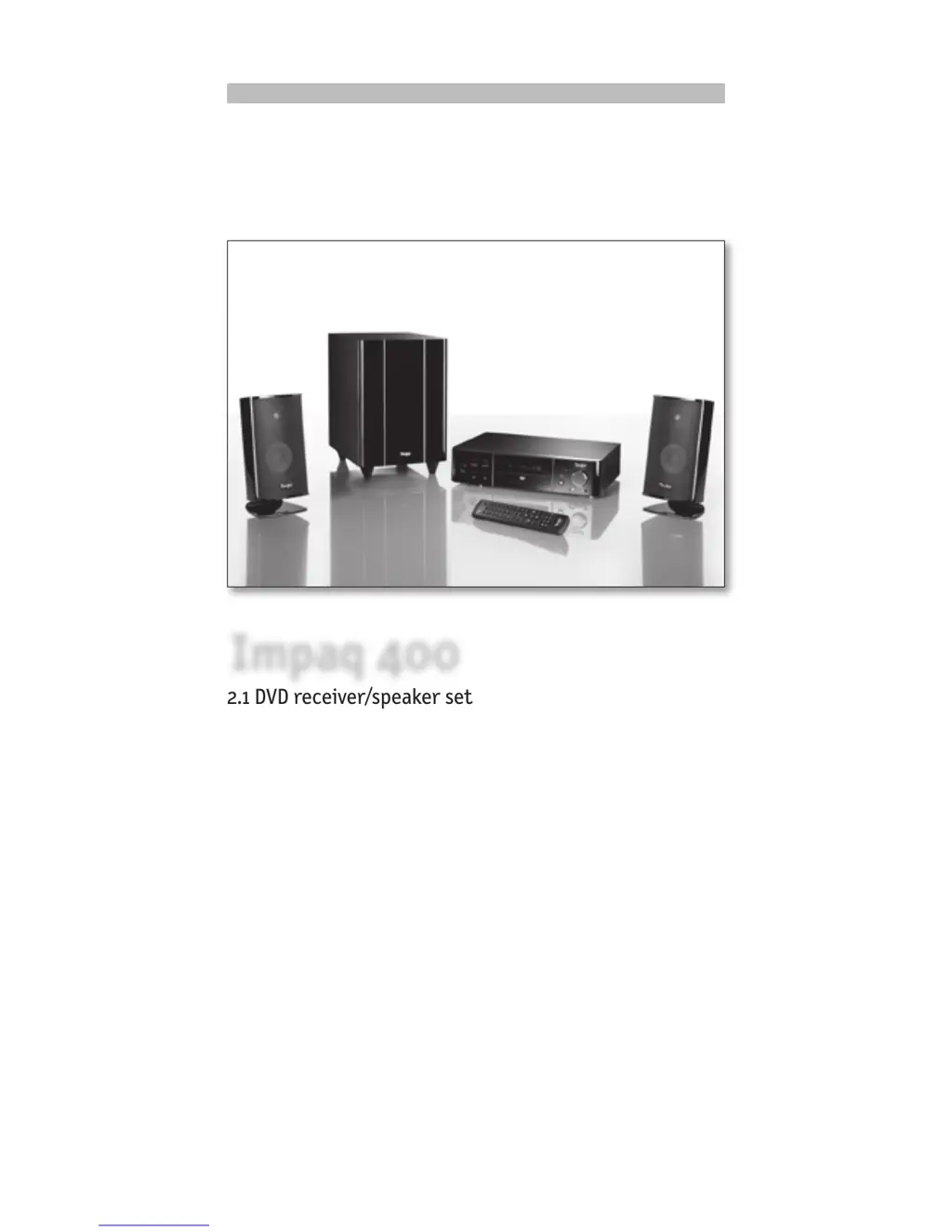
Teufel Impaq 400
32 pages
Print Icon
To Next Page IconTo Next Page
Loading...



Teufel

Questions and Answers

  • V
    vcarterAug 17, 2025
    Why is there no sound from my Teufel Receiver?
    • A
      Angela WatsonAug 18, 2025
      If you're not getting any sound or the sound output is poor from your Teufel IP 400 DR player/receiver, here are some things to check: * If you've inserted a DTS disc, press the AUDIO button on the remote control and select the correct audio setting. * Make sure that the television and amplifier are switched on and set to the correct programme source. * Verify the cable connections between the TV, IP 400 DR player/receiver, and any amplifier/receiver. * Try pressing the AUDIO button to select a different track on the disc. * Check if the MUTE function is activated on the amplifier or television. * Note that no sound is produced in the PAUSE, STEP, SLOW, and SEARCH modes.
  • S
    Susan RiosAug 20, 2025
    How to fix Teufel Impaq 400 Receiver remote control that does not work?
    • L
      Linda JohnsonAug 20, 2025
      If your Teufel IP 400 DR player/receiver's remote control isn't working, try these steps: * Make sure the batteries have enough charge, and replace them if needed. * Point the remote directly at the sensor on the IP 400 DR player/receiver. * Remove any obstacles blocking the path between the remote and the IP 400 DR player/receiver. * Verify that the batteries are inserted with the correct polarity. * Check for battery leakage and replace if necessary. * Also, check for any nearby fluorescent lamps that might be interfering.
  • A
    Allison NguyenAug 23, 2025
    What to do if Teufel Impaq 400 has no power?
    • K
      kmayAug 23, 2025
      If your Teufel Receiver isn't turning on, ensure the plug is correctly inserted into the mains socket and that the corresponding electrical circuit is live.
  • U
    ulambertAug 26, 2025
    What to do if my Teufel Impaq 400 Receiver has no picture?
    • J
      Joshua McclainAug 26, 2025
      If you're not getting a picture on your Teufel IP 400 DR player/receiver, try the following: * Ensure that the television is switched on. * Set the TV’s remote control to the correct A/V input for DVD playback, instead of HDMI, for example. * Make sure the system cabling is correctly connected and that all plugs are securely in place. * Check for any defective connection cables. * Clean the disc.
  • D
    davidlawrenceAug 27, 2025
    What to do if Teufel Impaq 400 disc is not playing?
    • T
      Tracey SmithAug 27, 2025
      If your Teufel IP 400 DR player/receiver isn't playing discs, consider the following: * Ensure a disc has been inserted. * Check that the disc is inserted correctly with the label facing upwards. * Clean the disc or try another disc to rule out damage. * If condensation has formed inside the IP 400 DR player/receiver, switch it on for one to two hours.
  • B
    brittany28Aug 30, 2025
    Why does my Teufel Impaq 400 have excessive screen noise?
    • D
      Diane EvansAug 30, 2025
      If you're experiencing excessive screen noise or a distorted image on your Teufel IP 400 DR player/receiver, try these steps: * Clean the disc or try inserting another disc. * Reset the color system on the IP 400 DR player/receiver or television. * Connect the IP 400 DR player/receiver directly to the television instead of through other components like a video recorder. * Select a different screen format from the SETUP menu on the IP 400 DR player/receiver. * Select the screen format from the VIDEO menu.
  • S
    Sarah JonesSep 1, 2025
    What does 'CORRECTING DISC ERROR' mean on my Teufel Receiver?
    • S
      Steven FordSep 1, 2025
      If 'CORRECTING DISC ERROR' is displayed on your Teufel IP 400 DR player/receiver, it indicates that the disc may be dirty or damaged. Clean the disc or test the player by inserting another disc.
  • S
    sarah01Sep 4, 2025
    How to troubleshoot malfunctions on Teufel Receiver?
    • E
      Ellen MeyersSep 4, 2025
      If your Teufel IP 400 DR player/receiver is malfunctioning, disconnect it from the power supply and then turn it back on.
  • G
    gtranSep 6, 2025
    What to do if Teufel Impaq 400 Receiver discs are not played back?
    • A
      Adam AdamsSep 7, 2025
      If discs are not playing back or the appliance does not respond to entry commands on your Teufel IP 400 DR player/receiver, switch the appliance off completely and then back on again using the mains power switch on the back.
  • L
    Larry ByrdSep 9, 2025
    Why is there no surround sound playback from Teufel Receiver?
    • T
      Theresa RussellSep 9, 2025
      If you're not getting surround sound playback from your Teufel IP 400 DR player/receiver, press the SETUP key, select AUDIO, then select DIGITAL OUT, select the BITSTREAM setting, and press the SETUP key again.

Teufel Impaq 400 Specifications

General IconGeneral
Channels5.1
HDMI Inputs4
HDMI Outputs1
BluetoothYes
Dolby AtmosNo
TypeAV Receiver
3D SupportYes
Frequency Response20 Hz - 20 kHz
Input Sensitivity200 mV
Input Impedance47 kOhms
Signal-to-Noise Ratio100 dB

Related product manuals