EasyManua.ls Logo

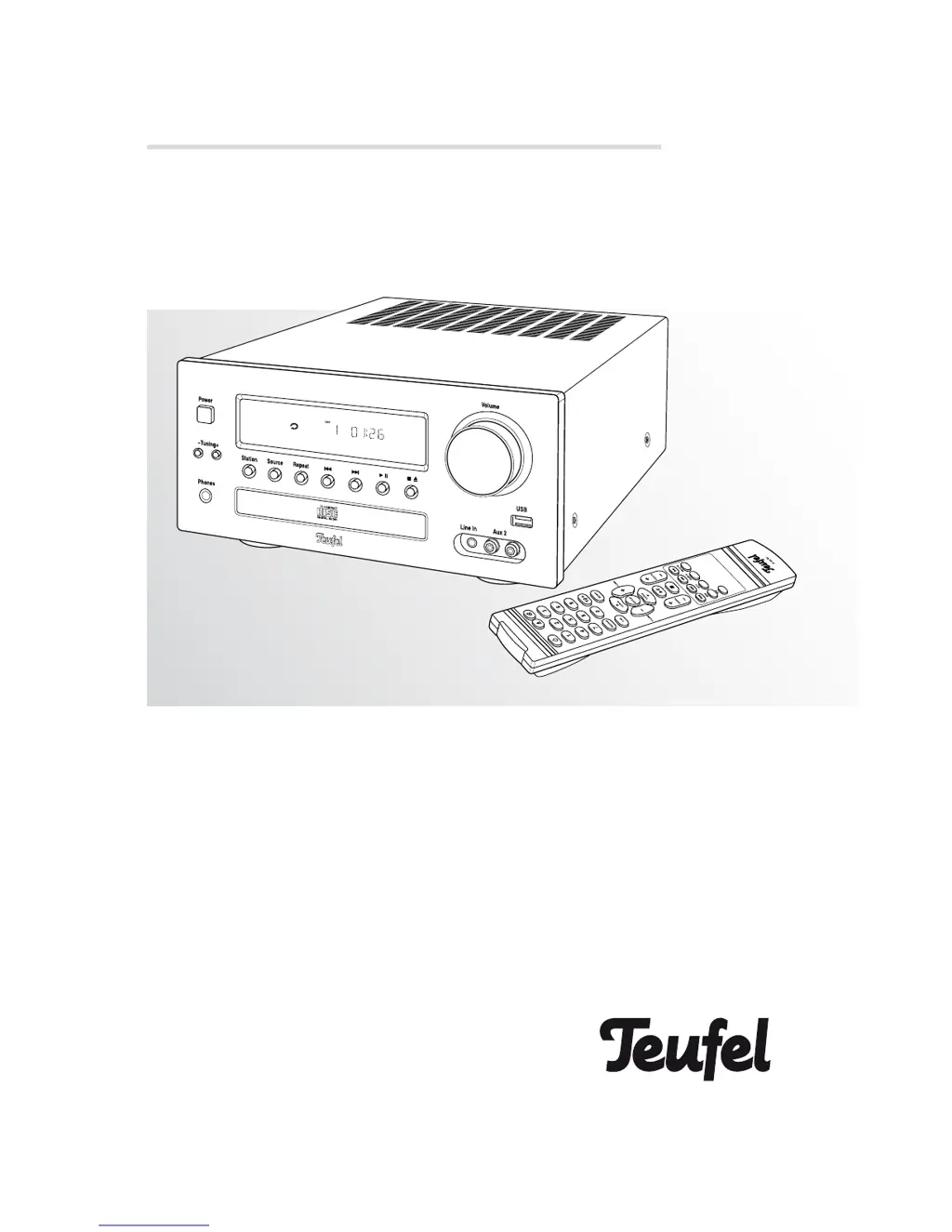
Teufel IP 42 CR - User Manual

Teufel IP 42 CR
20 pages
Print Icon
To Next Page IconTo Next Page
Loading...
Technical Description and Operating Instructions
CD receiver with USB port
IP 42 CR

Questions and Answers

  • T
    Thomas FernandezJul 27, 2025
    Why are my Teufel IP 42 CR Receiver loudspeakers silent?
    • R
      Rebecca BoydJul 27, 2025
      Your Teufel Receiver loudspeakers might be silent for several reasons: the wrong source may be selected (select the correct source), the volume might be set to »0« (increase the volume), headphones could be connected (unplug the headphones to switch off the loudspeakers), or the loudspeaker cable could be loose (check the loudspeaker connections).
  • W
    William LambertAug 4, 2025
    What to do if my Teufel IP 42 CR has poor reception?
    • M
      Ms. Samantha RoseAug 4, 2025
      If your Teufel Receiver has poor reception, try improving it by changing the direction of the antenna. Optimise the tuning with buttons 15 and 42 "TUNING +/–". If necessary, switch to mono by pressing button 35 "FM ST/M".
  • C
    Christopher KimAug 11, 2025
    What to do if my Teufel IP 42 CR says "NO DISC"?
    • J
      Jennifer LewisAug 11, 2025
      If your Teufel Receiver displays "NO DISC", it's possible the CD was inserted upside down. Make sure to insert the CD with the printed side facing upwards.
  • C
    Carol GravesAug 18, 2025
    How to fix a Teufel Receiver when the display doesn't light up?
    • J
      Julia WhiteAug 18, 2025
      If the display of your Teufel Receiver doesn't light up, it could be due to no power supply. Check that the mains plug is inserted correctly and use another device to check that the socket is working.

Summary

Safety notes

Danger Risk of electric shock!

Warnings and precautions regarding electrical hazards and safety.

Danger Danger for children!

Safety warnings concerning children and small parts or packaging.

Danger Danger to hearing!

Warnings about potential hearing damage from loud noise levels.

Danger Danger of chemical burns!

Precautions related to battery acid exposure and chemical burns.

Danger Danger of explosion!

Safety advice concerning the improper handling of lithium batteries.

Controls and connections

Remote control

Setup and connection

Connecting loudspeakers

Instructions for correctly connecting speaker cables to the unit.

Antennas

Danger of lightning striking!

Safety warning for external antenna installations related to lightning.

Basic functions

Switching on and off

How to power the unit on, off, and use standby mode.

Selecting an audio source

How to switch between different input sources like FM, AM, USB, CD.

Adjusting volume and muting

Controls for adjusting volume level and muting the sound output.

Adjusting the balance

Radio mode

Information on selecting and tuning radio reception ranges.

Selecting radio stations

Methods for tuning and searching for radio stations manually or automatically.

Station memory

CD mode

Inserting a CD

Step-by-step instructions for inserting CDs into the player.

USB mode

Inserting and playing from a USB stick

How to connect a USB device and play music files.

CD and MP3 playback functions

Basic playback functions

Controls for play, pause, stop, next, previous, fast forward/rewind.

Directly selecting track numbers

Care and cleaning

Troubleshooting

Teufel IP 42 CR Specifications

General IconGeneral
BrandTeufel
ModelIP 42 CR
CategoryReceiver
LanguageEnglish

Related product manuals