NINGBO TEVERUN TECHNOLOGY CO.,LTD
Specification Model:UKC2
10
/
11
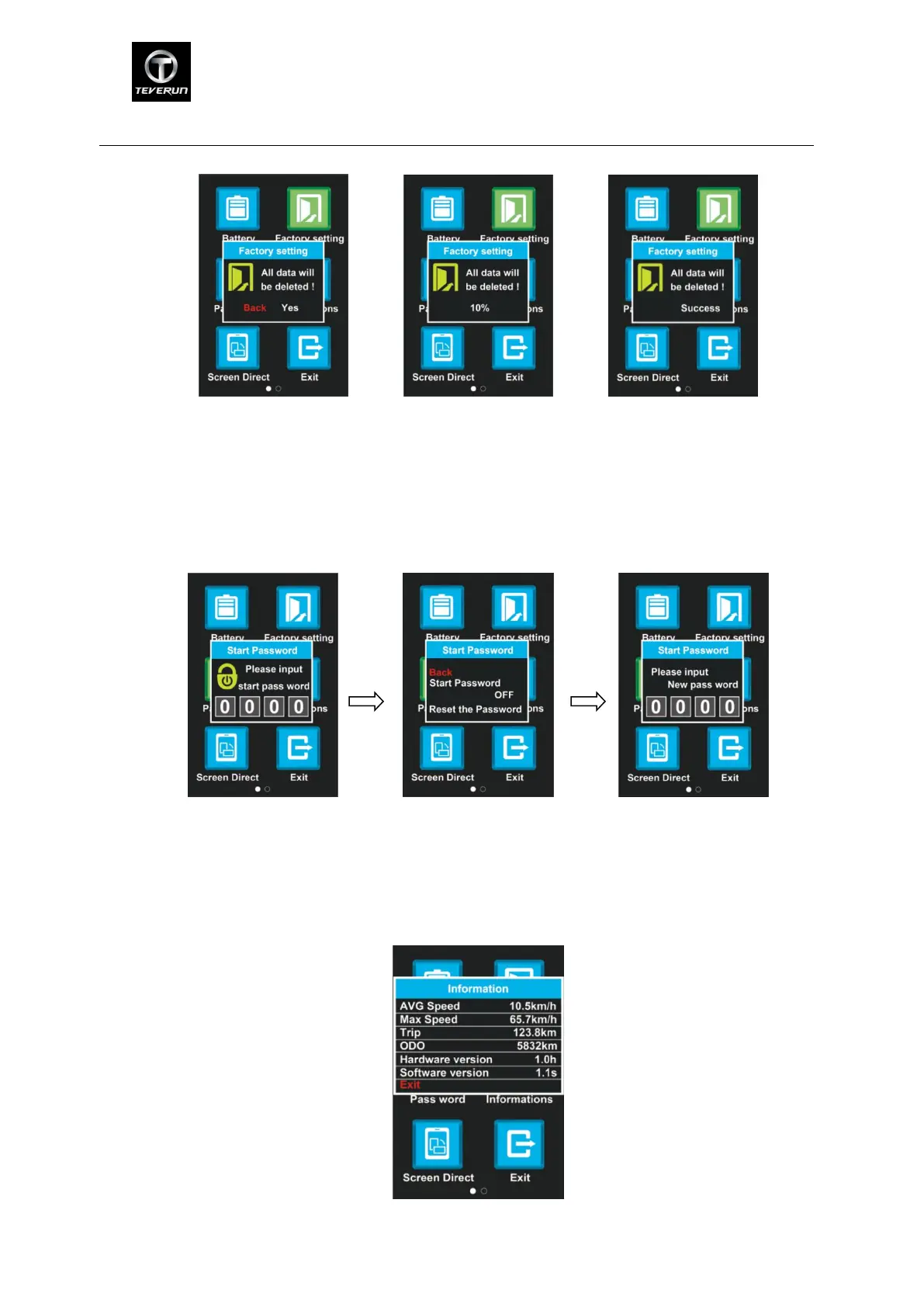
Factory data reset
8.9 Password:Press M button to enter the password setting menu. Press UP/DOWN button to
adjust the password number and enter setting menu. Choose Start Password and press ON/OFF,
which means turn on/off the password. Choose Reset the Password menu to enter the new
password setting menu. Default password is ‘0000’.
Input password choose Input new password
8.10 Information:Press M button and choose Information to enter information menu. It will
shows speed mode and mileage mode information. After finish setting, press M button or
POWER to choose return to main menu.
information menu


 To Next Page
 Loading...