Commonly Used Keys 3
- The Í key is in the bottom right of the keyboard. You will usually need to press this
key in order to have the calculator actually do what you have instructed it to do with your
preceding keystrokes.
- The s key is in the upper right of the keyboard. On the TI-89, GRAPH is ¥….
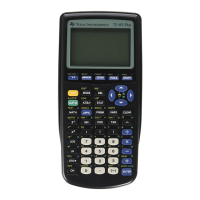
As mentioned briefly above, most keys on the keyboard have more than one function. The
primary function is marked on the key itself and the alternative functions are marked in color
above the key. Actual color depends on the calculator model. Below we describe how to engage
the functions which appear in color.
The y
yy
y Key
The color of this key varies with calculator model, but in all models it is the leftmost key on the
second row. If you wish to engage a function which appears in the corresponding color above a
key, you must first press the y key. You will know the second key is engaged when the cursor
on your screen changes to a blinking Þ. As an example, on a TI-83 or -84 if you wish to call the
STAT PLOTS menu which is in color above the o key, you will press y o.
The ƒ
ƒƒ
ƒ Key
You will also see characters appearing in a second color above keys which are mostly letters of
the alphabet. There are some situations in which you will wish to name variables or lists and in
doing so you will need to type the names. If you wish to type a letter on the screen you must first
press the ƒ key. The color of this key depends on the model of calculator and corresponds
to the color of the letters above the keys. You will know the ƒ key has been engaged when
the cursor on the screen turns into a blinking Ø. After pressing the ƒ key you should press
the key above which your letter appears. As an example if you wish to type the letter E on an 83
or 84, press ƒ ˜ (because E is above ˜. To get the same letter E on an 89, press
ƒe.
Note: If you have a sequence of letters to type, you will want to press y ƒ. This will
engage the colored function above the ƒ key which is the A-LOCK function. It locks the
calculator into the Alpha mode, so that you can repeatedly press keys and get the alpha character
for each. Otherwise, you would have to press ƒ before each letter. Press ƒ again to
release the calculator from the A-LOCK mode.
Some General Keyboard Patterns and Important Keys
1. The top row on 83’s and 84’s is for plotting and graphing. On 89’s these functions are also
on the top row, but are accessed by preceding the desired function with ¥.
2. The second row from the top has the important QUIT function (y z on 83’s and 84’s,
yN on 89’s). On 83’s and 84’s it also contains the keys useful for editing ({, y
{ (INS), |, ~, } and †). INS and DEL on 89’s are both combination commands: INS
is 20 and DEL is ¥0.














 To Next Page