EasyManua.ls Logo

Texas Instruments TI-83 Series - User Manual

Texas Instruments TI-83 Series
12 pages
Print Icon
To Next Page IconTo Next Page
Loading...
Chapter 1
Coping with the Basics
In This Chapter
Turning the calculator on and off
Using the keyboard
Using the menus
Setting the mode of the calculator
Using the Catalog
T
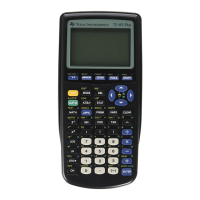
he TI-83 and TI-84 graphing calculators are loaded with
many useful features. With them, you can construct and
investigate geometric figures. You can graph and investigate
functions, parametric equations, polar equations, and
sequences. You can use them to analyze statistical data and to
manipulate matrices. You can even use them to calculate
mortgage payments.
But if you’ve never used a graphing calculator before, you
may at first find it a bit intimidating. After all, it contains
about two dozen menus, many of which contain three or four
submenus. But it’s really not that hard to get used to using the
calculator. After you get familiar with what the calculator is
capable of doing, finding the menu that houses the command
you need is quite easy. And you have this book to help you
along the way.
When to Change the Batteries
The convenience of battery power has a traditional downside:
What if the batteries run out of juice at a crucial moment, say
during a final exam? Fortunately, the calculator gives you some
leeway. When your batteries are low, the calculator displays a
04_05610X ch01.qxp 4/26/06 6:07 PM Page 5
COPYRIGHTED MATERIAL
Question and Answer IconNeed help?

Do you have a question about the Texas Instruments TI-83 Series and is the answer not in the manual?

Overview

The TI-83 and TI-84 graphing calculators are powerful tools designed for a wide range of mathematical and scientific applications. They are equipped to handle various functions, from basic arithmetic to complex statistical analysis, geometric constructions, and graphing of different equation types.

Function Description:

These calculators allow users to construct and investigate geometric figures, graph and analyze functions (including parametric, polar, and sequences), analyze statistical data, and manipulate matrices. They even offer specialized functions like calculating mortgage payments. The calculators feature a comprehensive set of commands and functions, accessible via a keyboard, numerous menus, and a Catalog.

Important Technical Specifications:

  • Battery Power: The calculators operate on AAA batteries. A "Your batteries are low" warning message appears when the batteries are running low, providing approximately one week of continued function. However, downloading applications is restricted when batteries are low, displaying a "Batteries are low – Change is required" message. The manufacturer recommends replacing the backup battery every three to four years.
  • Automatic Shut-off: To conserve battery life, the calculator automatically turns off after five minutes of inactivity. All work is preserved and reappears when the calculator is turned back on.
  • Screen Contrast: The screen contrast can be adjusted by pressing 2nd and then holding down the up arrow key to increase contrast, or the down arrow key to decrease it.
  • Display Modes: The calculator supports various display modes for numbers and graphs, configurable through the Mode menu:
    • Normal, Sci, Eng: Controls how numbers are displayed. Normal mode displays up to ten digits; Scientific (Sci) and Engineering (Eng) modes use scientific and engineering notation, respectively, with "E" denoting multiplication by 10^n.
    • Float 0123456789: Determines the number of decimal places displayed, from full precision (Float) to rounding to a specific number of decimal places (e.g., 2 for money, 0 for integers).
    • Radian or Degree: Sets the angular unit for calculations and graph displays. Radian mode is generally recommended for graphing trigonometric functions due to more convenient x-axis limits (-2π to 2π).
    • Func, Par, Pol, Seq: Selects the type of equation to graph: functions (y = f(x)), parametric equations, polar equations, or sequences (iterative equations).
    • Connected or Dot: Determines how graphs are drawn. Connected mode joins consecutively plotted points with a line, while Dot mode plots only the calculated points. Connected mode is recommended as graphing styles can be customized.
    • Sequential or Simul: Controls the graphing order for multiple functions. Sequential mode graphs one function completely before moving to the next. Simultaneous (Simul) mode graphs all functions concurrently, plotting values for each function at the same independent variable value. Simul mode is useful for observing intersections.
    • Real, a + bi, or re^θi: Specifies the display format for complex numbers: Real for real numbers only, a + bi for rectangular form, and re^θi for polar form.
    • Full, Horiz, or G-T: Configures screen layout. Full screen displays the standard view. Horiz mode provides a split-screen for displaying a graph alongside the Y= editor or Home screen. G-T mode displays a graph and a table simultaneously.
  • Busy Indicator: A moving vertical line in the upper-right corner of the screen indicates that the calculator is actively graphing, evaluating an expression, or executing a command.

Usage Features:

  • Turning On/Off: Press ON to turn on. Press 2nd then ON to turn off.
  • Keyboard Navigation:
    • The top row of keys is for graphing.
    • The next three rows contain editing, menu, and arrow keys.
    • Arrow keys (up, down, left, right) control cursor movement.
  • Accessing Secondary Functions (Blue/Yellow): Press 2nd followed by the desired key. For example, 2nd π (above the ^ key) enters pi. When 2nd is active, the blinking cursor changes to a symbol.
  • Accessing Letters (Green ALPHA): Press ALPHA followed by the desired key. For example, ALPHA 7 (for 'O'). To enter multiple letters, press 2nd ALPHA to lock Alpha mode, then press the keys for the letters. Press ALPHA again to exit Alpha mode. When Alpha mode is active, the blinking cursor changes to an A symbol.
  • Home Screen: This is the primary screen for evaluating expressions and executing commands. It's the default screen upon startup and the return point from other tasks. To return to the Home screen from any other screen, press 2nd MODE. To clear the Home screen, repeatedly press CLEAR.
  • Editing Entries:
    • Deleting Entire Entry: Place the cursor anywhere in the entry using arrow keys, then press CLEAR.
    • Erasing Single Character: Place the cursor on the character to delete using arrow keys, then press DEL.
    • Inserting Characters: Press 2nd DEL to enter Insert mode. Characters are inserted to the left of the cursor. Exit Insert mode by pressing an arrow key.
    • Keying Over Existing Characters: This is the default mode. Place the cursor where desired using arrow keys and type new characters.
    • Recalling Last Entry: To edit a previously evaluated expression or executed command, press 2nd ENTER to paste a copy onto the Home screen for editing.
  • Menus: Most functions and commands are found in menus.
    • Accessing Menus: Each menu has a dedicated key (e.g., MATH) or key combination (e.g., 2nd MATH for the Test menu).
    • Submenus: Some menus (like Math) have submenus (MATH, NUM, CPX, PRB). Use the right arrow key to view items on other submenus and the left arrow key to return to the main submenu.
    • Scrolling Menus: Use the down arrow key to scroll to the bottom of a menu and the up arrow key to scroll to the top.
    • Selecting Menu Items: Either key in the number/letter of the item or use arrow keys to highlight it and then press ENTER. For menus with lists of items (like the Mode menu), use arrow keys to highlight and ENTER to select.
  • Catalog: The Catalog (2nd 0) houses every command and function. It's primarily used for functions not easily accessible via keyboard or menus (e.g., hyperbolic functions).
    • Using the Catalog:
      1. Place the cursor where the command/function should be inserted.
      2. Press 2nd 0 to enter the Catalog. The calculator automatically enters Alpha mode (A cursor).
      3. Enter the first letter of the command/function name by pressing the corresponding key.
      4. Repeatedly press the down arrow key to move the indicator to the desired command/function.
      5. Press ENTER to select and insert the command/function.
  • Aborting Processes: If the calculator is taking too long to graph, evaluate, or execute, press ON. If a menu appears asking to select Quit or Goto, choose Quit.

Maintenance Features:

  • Battery Replacement: The calculator provides a low battery warning. Users are advised to replace the four AAA batteries when this warning appears. The backup battery should be replaced every three to four years.
  • Clock Setting: The calculator includes a clock that can be set via the Mode menu. Select "SET CLOCK," then use arrow keys to navigate and ENTER to select items. Numbers can be edited or cleared and re-entered. Save settings by placing the cursor on "SAVE" and pressing ENTER.

Texas Instruments TI-83 Series Specifications

General IconGeneral
BrandTexas Instruments
ModelTI-83 Series
CategoryCalculator
LanguageEnglish

Related product manuals