6 Chapter 0 – Introduction to TI Calculators
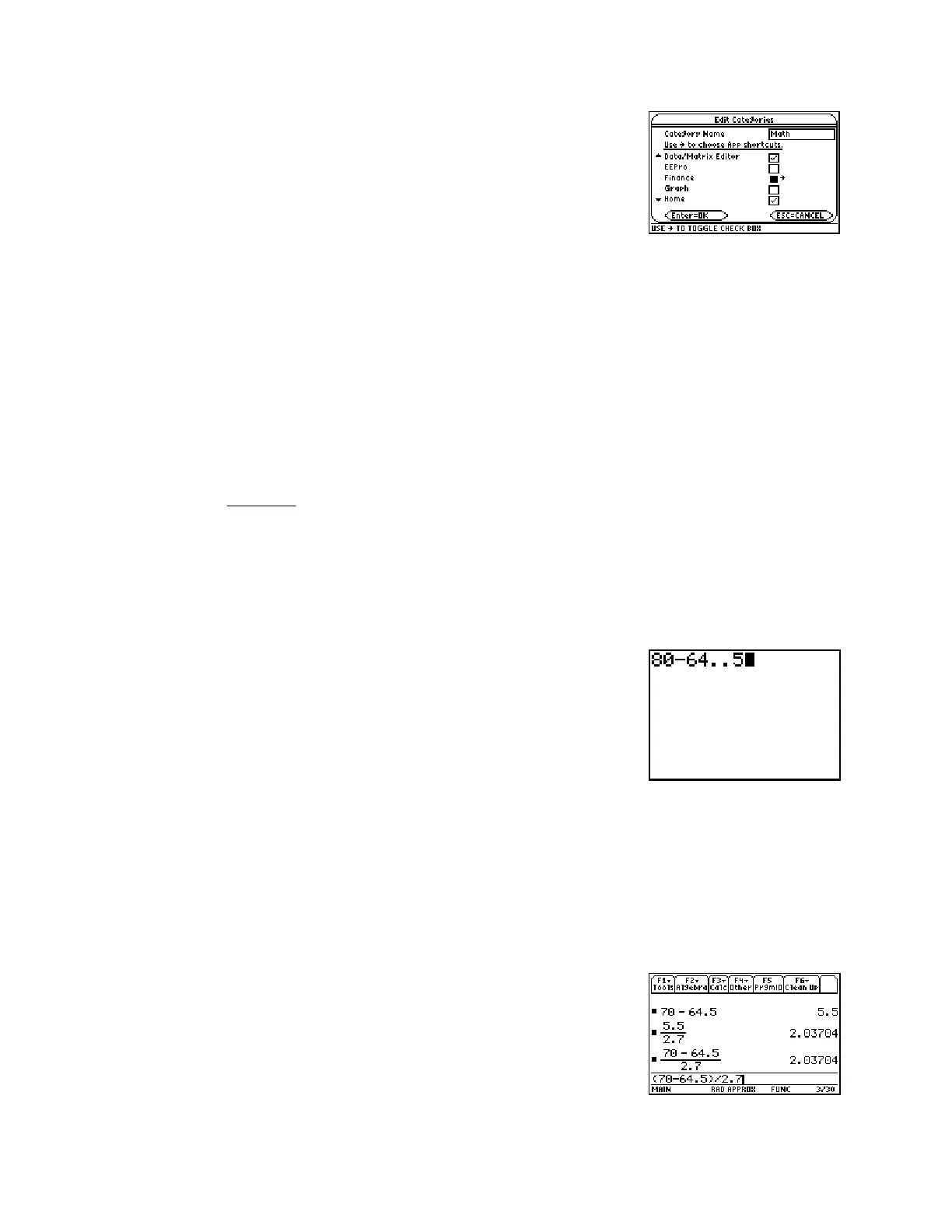
On this screen, use the down arrow to page through the list of
applications. When you find one you want to be displayed, press the
right arrow key to place a checkmark in the box. The screen at right
shows that the Data/Matrix Editor and the Home screen have
been selected. For this statistics course, you will want these
applications, along with the Stats/List Editor and Y=
applications. Press ¸ when you have finished making your
selections.
On this calculator, pressing 2N (Quit) will return you to the applications selection screen.
0.6 Home Screen Calculations
The following example illustrates some techniques which will be useful in performing home
screen computations. We also point out the importance of correctly using parentheses in
calculations.
Example 0.1:
We will calculate the value in two ways. In doing so, we will intentionally make a mistake to
show you how to correct errors using the { key. We also discuss the Ans and Last Entry
features.
Type 80-64..5 (two intentional mistakes). To correct these, use the |
cursor key to move backward until your cursor is blinking on one of
the double decimal points. Press { (on an 89, either ¥0 or
position the cursor to the right of the character to be deleted and press
0) and the duplicate decimal point will be deleted. Now press |
until the cursor is blinking on the 8. Type a 7, and it will replace the
incorrect 8. On an 89, move the cursor to the right of the error, press
0 and then type the correct 8. Press Í for the
numerator difference of 5.5 as shown in the top of the screen below.
Press ¥. (Note that “Ans/” appears on the screen). Type 2.7 and press Í for the result of
-
2.037.
Note: Ans represents the last result of a calculation which was displayed alone and right-
justified on the Home screen. Pressing ¥ without first typing a value called for something to be
divided, so Ans was supplied.
To do the calculation in one step, press y Í. This calls the
“last entry” to the screen. (in this case Ans/2.7). Press y Í
again to get back to 70-64.5. Press the } key to move to the front of
the line. On an 89, press 2A.














 To Next Page