Page 15
N Hopley. Sep 2015. TI-Nspire OS4.0
Page 15 - Removing the TI-Nspire from Press-to-Test mode
The only way to exit Press-to-Test mode is by physically connecting your TI-Nspire to
another device. You will need a USB cable and another TI-Nspire Handheld.
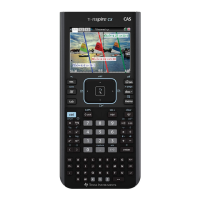
Connect your TI-Nspire to another TI-Nspire handheld
using a USB cable.
Switch both TI-Nspires ON.
Open the Scratchpad on one of the TI-Nspire
handhelds.
This will give the screen shown on the right !
Press ~ to open the Documents menu.
This will give the screen shown on the right !
Select 9: Press-to-Test
Select 1: Exit Press-to-Test.
This will cause each TI-Nspire in Press-to-Test mode
to re-boot. After a short time, it will display the normal
Home screen.
You have now Exited Press-to-Test mode.

 To Next Page
 Loading...