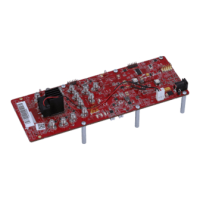
TPA3255EVM Setup
www.ti.com
8
SLOU441–July 2016
Submit Documentation Feedback
Copyright © 2016, Texas Instruments Incorporated
TPA3255EVM
• Set S1 to the NORMAL position.
• CLIP_OTWz (ORANGE) and FAULTz (RED) LEDs should be off, if the audio source is off.
NOTE: J3/J10 and J18/J15 can be used for differential inputs to INA/INB and INC/IND, respectively.
Using a smart phone, tablet, or PC with headphone to RCA cable, audio streaming via headphone jack
can begin once the EVM is powered up correctly with jumpers in their default state. Start the media player
of your choice and enjoy the enhanced audio performance TPA3255 provides as a quick check of the
setup.


 To Next Page