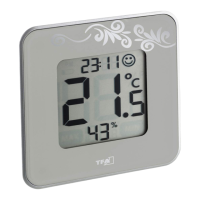
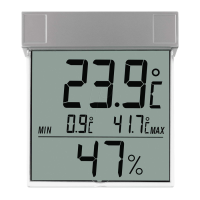
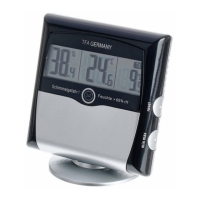
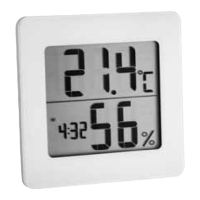
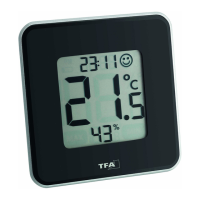
STYLE – Digitale thermo-hygrometer
26
Weergave van de temperatuur
• Met de SET toets kunt u in normale modus tussen de weergave van de
temperatuur in °C (graden Celsius) of °F (graden Fahrenheit) kiezen.
• Bij Fahrenheit gaat de klok over op het 12 uurssysteem (PM verschijnt's
namiddags op het display).
Maximum- en minimumwaarden
• Druk op de MAX/MIN toets.
• MAX verschijnt op het display. De hoogste temperatuur en luchtvochtig-
heid verschijnen op het display.
• Druk nog eens op de toets.
• MIN verschijnt op het display. De laagste temperatuur en luchtvochtigheid
verschijnen op het display.
• Druk nog eens op de MAX/MIN toets om naar de normale modus terug te
keren.
• Houdt u de SET toets lang ingedrukt terwijl op het display de maximum-
en minimum waarde verschijnen, worden de waarden verwijderd.
• --.- °C en --.- % verschijnen op het display.
Comfortniveau
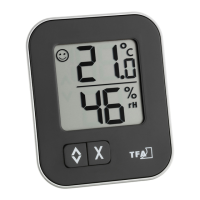
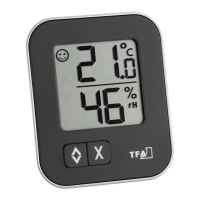
• Op het display verschijnt een vrolijk gezicht om het comfortniveau van het
binnenklimaat aan te duiden (luchtvochtigheid 40%...60%).
Display
• Met de SWITCH toets kunt u in normale modus kiezen tussen tempera-
tuur- en luchtvochtigheidsweergave in groot formaat.
STYLE – Digital Thermo-Hygrometer
11
Temperature display
• Press SET button to change between °C (Celsius) or °F (Fahrenheit) as tem-
perature unit in normal mode.
• With Fahrenheit as temperature unit, the clock automatically switches to
the 12 HR system (PM appears on the display after noon).
MAX/MIN values
• Press MAX/MIN button.
• MAX appears on the display. The maximum temperature and humidity are
displayed.
• Press the button again.
• MIN appears on the display. The minimum temperature and humidity are
displayed.
• Press MAX/MIN button again to return to normal mode.
• Hold SET button in the respective mode to clear the recorded MAX/MIN
reading.
• --.- °C und --.- % appear on the display.
Comfort zone
• On the display appears a smiling face icon to indicate the comfort level of
indoor climate (humidity 40%...60%).
Display
• Using the SWITCH button, you can choose between the large-scale display
of temperature or humidity in normal mode.
TFA_No. 30.5021 Anleitung.bel 17.06.2010 10:57 Uhr Seite 11


 To Next Page