Need help?
Do you have a question about the TFA 30.5032 and is the answer not in the manual?
Read the manual carefully to familiarize yourself with the device, its functions, and operation.
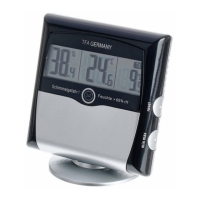
Details the items included with the digital mould RADAR thermo-hygrometer.
Learn how controlling temperature and humidity benefits health, living environment, and saves costs.
Lists key features: temperature, humidity, max/min values, dew point, mould radar, and alarm.
Provides crucial safety instructions, warnings, and precautions for using the instrument.
Identifies and describes the main components and display elements of the device.
Instructions on how to enable or disable the animated display of the 24-hour mould radar.
Guide to activating/deactivating the audible and visual alarm for high humidity.
Explains the comfort level indicators (smiley faces) related to indoor temperature and humidity.
How to switch between dew point display modes and view the current dew point.
How to change the temperature display unit between Celsius (°C) and Fahrenheit (°F).
Instructions for viewing and resetting max/min recorded temperature and humidity values.
Guidance on how to mount or stand the instrument for optimal monitoring.
Advice on cleaning the instrument and battery removal for long-term storage.
Step-by-step guide on how to replace device batteries when the battery symbol appears.
Common problems and their solutions, such as no indication or incorrect readings.
Information on proper disposal of the device and batteries according to environmental regulations.
Technical details including measuring ranges, accuracy, power, dimensions, and weight.
 General
| Brand | TFA |
|---|---|
| Model | 30.5032 |
| Category | Thermometer |
| Language | English |


 To Next Page