Need help?
Do you have a question about the TFA 35.1102 and is the answer not in the manual?
Read the instruction manual carefully, follow instructions to prevent damage and loss of rights. Pay attention to safety notices.
Overview of the instrument's capabilities including indoor temperature, humidity, comfort level, max/min values, bar graph, weather symbol, clock, backlight, and alarm.
The product is intended for the described application only. Unauthorized repairs, modifications, or changes are prohibited. Keep away from children.
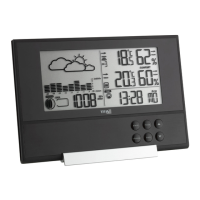
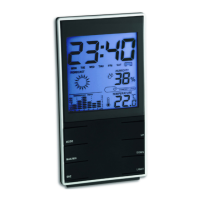
Identifies LCD elements (time, weather symbol, humidity, temperature, bar graph) and buttons (MODE, MAX/MIN, SNZ, UP, DOWN, LIGHT) and housing features.
Instructions for initial setup, including foil removal, battery insertion, unit readiness, temperature unit change (°C/°F), and entering calendar/alarm modes.
Guides through setting time, date (year, month, day), and alarm time using the MODE, UP, and DOWN buttons.
How to activate or deactivate the alarm function using the UP button in alarm mode and stop the alarm by pressing any button.
Details on how to activate the snooze function by pressing the SNZ button when the alarm sounds.
Explains how to view maximum and minimum temperature and humidity values using the MAX/MIN button. Reset requires reinstallation.
Describes the weather symbol, which is based on humidity changes and indicates 5 different weather conditions.
Explains the smiling or sad face icon on the display indicating the indoor climate comfort level.
How to activate the display backlight for 8 seconds by pressing the LIGHT button.
Instructions for placing the instrument on a flat surface using the stand or wall mounting it via the hanging hole.
Guidance on cleaning the instrument, removing batteries for long-term storage, and keeping it in a dry place.
Instructions on when and how to replace batteries when the display becomes weak.
Provides solutions for common problems like 'No indication' and 'Incorrect display' related to battery polarity and replacement.
Information on proper disposal of the electronic device and batteries according to WEEE directive and environmental regulations.
Lists the measuring ranges for temperature and humidity, power consumption, dimensions, and weight of the instrument.
 General
| Brand | TFA |
|---|---|
| Model | 35.1102 |
| Category | Weather Station |
| Type | Wireless |
| Display | LCD |
| Weather forecast | Yes |
| Radio controlled clock (DCF77) | Yes |
| Transmission Frequency | 433 MHz |
| Transmission Range | Up to 100 m |
| Maximum Range | 100 m |
| Power Supply (Sensor) | 2 x AA batteries |
| Temperature measuring range indoor | 0 to +50 °C |
| Power Supply (Base Station) | 2 x AA batteries |

 To Next Page