Need help?
Do you have a question about the TFA 35.1123 and is the answer not in the manual?
Guidance on reading the manual for familiarization, functions, first use, operation, and advice.
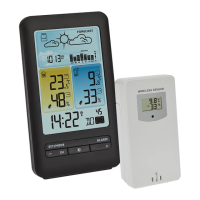
Lists the items included in the package: basic unit, outdoor transmitter, and manual.
Overview of features like wireless temperature, expandability, indoor temp/humidity, alarms, weather symbols, moon phases, and clock.
Advises on intended use, prohibited repairs/modifications, and non-medical application for home use.
Details specifications for the base unit and outdoor transmitter including measuring ranges, power, dimensions, and weight.
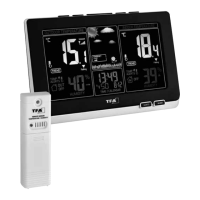
Identifies components of the receiver including LCD display, buttons, and housing.
Identifies components of the transmitter including buttons, LCD, and housing features.
Instructions for removing protective films and inserting batteries into both transmitter and receiver units.
Explains automatic scanning for outdoor data and manual initialization via the CHANNEL button.
Guide to setting year, date, day-of-week language, hours, minutes, and time zone using buttons.
How to switch between 12-hour and 24-hour time formats using the UP button.
Step-by-step instructions for setting the alarm time and activating/deactivating the alarm function.
How to activate the snooze function when the alarm rings.
How to switch the temperature unit display between Celsius and Fahrenheit using the DOWN button.
Explanation of the trend pointer indicating temperature increase, steady state, or decrease.
Description of comfort level icons (smiling, normal, sad face) indicating indoor climate.
Information on the four weather symbols (sunny, cloudy, rainy) based on humidity changes.
How to display and clear maximum and minimum temperature/humidity values.
Instructions for setting upper and lower temperature limits for alarms, and alarm activation.
Explanation of how moon phases are displayed on the LCD for each day.
Details on automatic value transmission, changing display unit (°C/°F), and closing the battery compartment.
How to use multiple transmitters with different channels and manage them.
Recommendations for placing the basic unit and transmitter to avoid interference and ensure accuracy.
Instructions for cleaning the instrument, removing batteries for long periods, and keeping it dry.
Guidance on when to replace batteries and the importance of restoring contact for transmitter/receiver.
Table addressing issues like no indication, no reception, or incorrect display with corresponding solutions.
Instructions on proper disposal of batteries and the instrument according to WEEE directive.
 General
| Power Supply | Battery |
|---|---|
| Transmission Frequency | 868 MHz |
| Max. Number of Transmitters | 3 |
| Batteries Station | Included |
| Type | Wireless |
| Temperature Measurement Range | -40°C to 60°C |
| Mounting | Wall or Table |
| Transmission Range | 100 m (open area) |
| Power Supply Station | 2 x AA batteries |
| Batteries Sensor | Not included |
| Power Supply Sensor | 2 x AA batteries |

 To Next Page