3332
LARGO – Wireless weather station
14.2.1 Tide status
• TIDE LO – low
• TIDE MID – middle
• TIDE HI – high
15. Additional outdoor transmitters
• When having more than one external transmitter, select a different channel for each one with the
CH 1/2/3 switch inside the transmitter's battery compartment. Insert two new AA 1,5 V batteries,
polarity as illustrated. Start the base station operation or the manual search for the outdoor
transmitter.
• Choose the respective transmitter by pressing the CH button.
• Press and hold the CH button on the base station for two seconds. The last registered transmit-
ter (channel) will be canceled.
• Press the TX button in the corresponding transmitter's battery compartment. The transmission
of the outdoor data takes place immediately and a successful reception will be confirmed by a
beep tone of the base station.
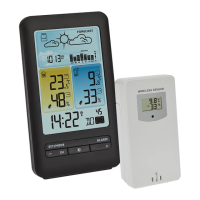
• The outdoor values and the channel number will be shown on the base station display. If you
have installed more than one outdoor transmitter, press the CH button on the base station to
change between the channels 1 to 3.
• You can also choose an alternating channel display. Press CH button. After the last registered
channel (1 to 3) a circle symbol will appear. To deactivate the function press the CH button
again.
• After a successful installation close the outdoor transmitter's battery compartment carefully.
16. Positioning and mounting of the base station and the transmitter
• Place the base station at your chosen location. Avoid the vicinity of any source of interference
such as computer screens, TV sets or solid metal objects.
LARGO – Wireless weather station
• The transmitter can be wall mounted (mounting hole at the back). When placed outdoors,
choose a shady and dry place for the transmitter. Direct sunlight may trigger incorrect measure-
ment and continuous humidity damages the electronic components needlessly.
• Once the desired location is chosen, check whether the data transfer from the transmitter to the
base station is possible (transmission range of up to 100 m in open areas). Within solid walls,
especially ones with metal parts, the transmission range can be reduced considerably.
• If necessary choose another position for the transmitter and/or base station.
17. Care and maintenance
• Clean the device with a soft damp cloth. Do not use solvents or scouring agents.
• Remove the batteries from all instruments if you do not use the products for a long period of
time.
• Store the devices in a dry place.
17.1 Battery replacement
• When the battery symbol appears on a channel display, change the batteries of the respective
transmitter.
• Change the batteries of the base station, when the battery symbol appears on the display of the
indoor values.
• Please note:
When the batteries are changed, the contact between the transmitters and the base station must
be restored – so always insert new batteries into all devices or start a manual transmitter
search.
18. Troubleshooting
Problem Solution
No display ➜ Ensure the batteries' polarity are correct
➜ Change the batteries
No transmitter reception ➜ No transmitter installed
Display "---" ➜ Check the transmitter batteries
(do not use rechargeable batteries!)
D: Waning crescent E: Waning crescent F: New moon
G: Waxing crescent H: Waxing crescent I: Half moon (first quarter)
J: Waxing gibbous K: Waxing gibbous L: Full moon
TFA_No. 35.1145_Anleitung_05_18 23.05.2018 10:30 Uhr Seite 17



 To Next Page
 Loading...