3130
Wireless weather station
• Clean the devices with a soft damp cloth. Do not use solvents or scouring agents.
• The base station is suitable for indoor use only. Protect it from moisture!
• The outdoor transmitter is splashproof, but not watertight. When placed outdoors, choose a dry place for the transmitter.
4. Elements
Wireless weather station (base station)
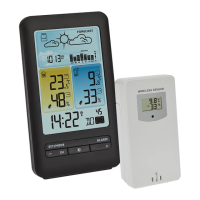
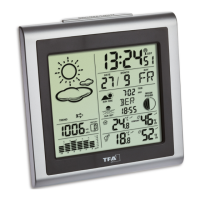
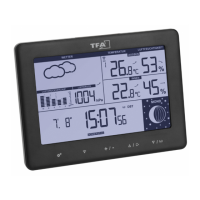
A: Display (Fig. 1):
Upper window (Forecast):
A 1: Trend indicator A 2: Weather symbols
A 3: Bar graph indication of A 4: Relative atmospheric pressure
atmospheric pressure for the last 24 hours
Middle right window (outdoor temperature and humidity):
A 5: MAX/MIN values A 6: Trend indicator
A 7: Outdoor temperature A 8: Outdoor humidity
A 9: Frost symbol A 10: Upper/lower alarm level
A 11: Symbol for temperature alarm A 12: Channel 1,2,3
A 13: Reception symbol for the transmitter A 14: Circle symbol for the alternating channel
A 15: Battery symbol for the transmitter
Lower window (time and date):
A 16: DCF reception symbol A 17: Date/alarm time
A 18: Moon phase A 19: Day of the week
A 20: Snooze symbol A 21: Alarm symbol
A 22: Daylight Saving Time symbol A 23: Time
Middle left window (indoor temperature and humidity):
A 24: MAX/MIN values A 25: Trend indicator
Wireless weather station
A 26: Indoor humidity A 27: Indoor temperature
A 28: Battery symbol for the base station
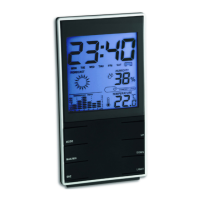
B: Buttons (Fig. 2):
B 1: SNOOZE/LIGHT sensor button B 2: SET/MODE button
B 3: –/CH button B 4: LIGHT button
B 5: + button B 6: ALARM button
B 7: ALERT button B 8: MEM button
C: Housing (Fig. 2):
C 1: Battery compartment C 2: Stand
C 3: Power adaptor connector
D: Outdoor transmitter (Fig. 3):
D 1: Temperature D 2: Battery symbol
D 3: Humidity D 4: Channel number
D 5: Reception symbol D 6: LED light
D 7: Wall mounting hole D 8: °C/°F button
D 9: TX button D 10: 1/2/3 switch
D 11: Battery compartment
5. Getting started
• Remove the protective film from the display.
• Place the base station and the transmitter on a table at a distance of about 1.5 meters from each other. Avoid being close to
possible sources of interference such as electronic devices and radio equipment.
• Open the battery compartment at the back of the base station.
• Insert two new AA 1,5 V batteries into the battery compartment. Make sure the polarities are correct.
TFA_No. 35.1165_Anl_12_23 06.12.2023 12:08 Uhr Seite 16


 To Next Page
 Loading...