1918
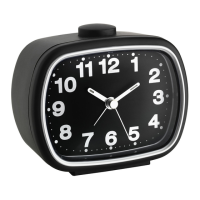
Radio-controlled alarm clock
• During night-time, the atmospheric interference is usually less severe and reception
is possible in most cases. A single daily reception is adequate to keep the accuracy
deviation under 1 second.
7. Operation
• During the DCF reception is a button operation not possible.
• Press and hold the + or the - button for a few seconds in the setting mode for a fast
running.
• The device will automatically quit the setting mode if no button is pressed for a long
period of time.
7.1 Manual settings
• Press and hold the SET button for a few seconds to enter the setting mode.
7.1.1 Time zone correction
• The time zone correction is needed for countries where the DCF signal can be
received but the time zone is different from the German time.
• 0 (default) appears on the display.
• Press the - or + button to adjust the time zone correction (-9/+9, e.g.: +1=one hour
later).
7.1.2 Manual setting of the clock
(if the radio-controlled clock cannot receive the DCF reception signal)
• Press the SET button to make the settings in the following sequence: Year, month,
day, hour and minutes. Press the + or - button to adjust it.
• Confirm the setting with the SET button.
• The analogue clock shows automatically the manually set time.
• By a successful reception of the DCF signal, the manually set time will be overwritten.
7.2 Setting of the alarm time
• Press the SET button.
Radio-controlled alarm clock
• The hour digits will be flashing.
• Press the + or - button to adjust hours.
• Confirm the setting with the SET button.
• The minute digit will be flashing. Press the - or + button to adjust the minutes.
• Confirm the setting with the SET button.
• The display shows the adjusted alarm time.
• Slide the ALARM switch ON/OFF upwards (ON) to activate the alarm function.
• At the same time, the color mark for the alarm changes.
• The alarm symbol appears on the display.
• The alarm time is activated.
• When the adjusted alarm time is reached, the alarm will ring.
• The alarm symbol will be flashing.
• The backlight will also be flashing and turns off after a few seconds.
• Press the SET button and the alarm will stop.
• If the alarm is not stopped manually, the increasing alarm will automatically turn off
after certain minutes.
• The alarm symbol rests on the display and the alarm time will be reactivated at the
same time.
• When the alarm rings, press the SNOOZE/LIGHT button and the snooze function
will be activated.
• Once the snooze function is activated, will be flashing on the display.
• The alarm will be interrupted for 5 minutes.
• Slide the ALARM switch ON/OFF downwards (OFF) to deactivate the alarm func-
tion.
• At the same time, the color mark for the alarm changes again.
• The alarm symbol disappears.
7.3 Backlight
• Press the SNOOZE/LIGHT button.
• The backlight turns on for 5 seconds.
TFA_No. 60.1511_Anleitung_04_23 06.04.2023 13:42 Uhr Seite 10


 To Next Page