1716
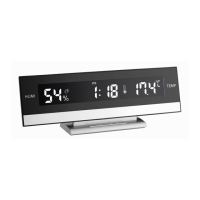
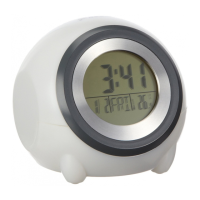
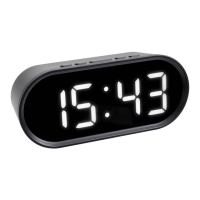
Alarm clock with indoor climate
•
Press the
UP
or
DOWN
button to adjust the hours.
•
Press the
MODE
button again and you can adjust the minutes
with the
UP
or
DOWN
button.
•
Confirm the setting with the
MODE
button.
•
The display shows the current time.
7.2 Setting of the date
•
Press the
MODE
button again in the time mode.
•
The date appears on the display.
•
Press and hold
MODE
button.
•
The year indication will be flashing.
•
Press the
UP
or
DOWN
button to adjust the year.
•
Press the
MODE
button to make the settings in the following
sequence: Month and day. Press
UP
or
DOWN
button to adjust it.
•
Confirm the setting with the
MODE
button.
•
Press the MODE button twice to return to the current time.
7.3 Setting of the alarm time
•
Press
MODE
button twice in time mode.
•
The alarm symbol ( ) and a time (default) appear on the dis-
play.
•
Press and hold
MODE
button.
•
The hour digits will be flashing.
•
Press the
UP
or
DOWN
button to adjust the hours.
•
Press the
MODE
button again and you can adjust the minutes
with the
UP
or
DOWN
button.
•
Confirm the setting with the
MODE
button.
•
The display shows the alarm time.
•
To activate or deactivate the alarm function press the
UP
button
in time mode.
•
The alarm symbol appears or disappears on the display.
Alarm clock with indoor climate
•
Once the alarm starts to ring, you can stop the alarm by press-
ing any button.
•
You can activate the snooze function by pressing the
LIGHT/SNZ
button.
•
will be flashing and the alarm will be interrupted for 8 min-
utes.
•
If it is not stopped manually, the alarm will automatically turn off
after certain minutes and will be reactivated at the same time
7.4 Setting of the 12 and 24 hours display
•
Press an hold the
UP
button to choose 12 HR or 24 HR system.
•
In 12 HR system AM or PM appears on the display (post meri-
diem).
7.5 Temperature display
•
Press the
DOWN
button to select temperature display in °C (Cel-
sius) or °F (Fahrenheit) as the temperature unit.
7.6 Reading of the alarm time and date
•
Press
MODE
button in time mode to show the adjusted alarm
time and the date.
7.7 Maximum/Minimum function
•
Press the
MAX/MIN
button to show the maximum values (MAX)
of the indoor temperature and humidity.
•
Press the
MAX/MIN
button again to show minimum (MIN) val-
ues of the indoor temperature and humidity.
•
Press the
MAX/MIN
button again to return to the time mode.
•
There is an automatic reset of maximum and minimum values
(midnight 0:00).
TFA_No. 60.2015_Anl_03_21 24.03.2021 18:07 Uhr Seite 9


 To Next Page