2120
Radio-controlled alarm clock
Radio-controlled alarm clock
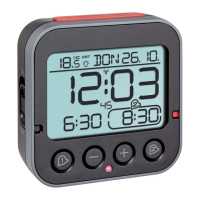
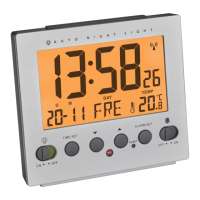
D: Temperature
E: Alarm 1-4
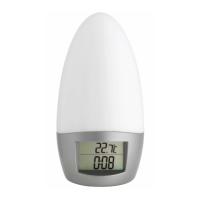
Buttons (Fig. 1-3)
F: TIME SET button
G: – button
H: + button
I: ALARM SET button
J: RESET button
K: Switch ON/OFF AUTO LIGHT
L: SNOOZE/LIGHT contact on the top
M: Switch ALARM 1-4 ON/OFF
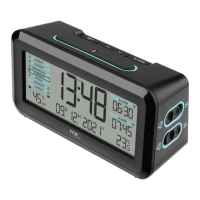
Housing (Fig. 1+2)
N: Light sensor
O: Battery compartment
6. Getting started
6.1 Insert the batteries
• Open the battery compartment and insert two new AA 1.5 V batte-
ries, polarity as illustrated.
• Close the battery compartment again.
• The device will alert you with a beep and all segments will be dis-
played for a short moment.
• Batteries contain harmful acids and may be hazardous if swallowed.
If a battery is swallowed, this can lead to serious internal burns and
death within two hours. If you suspect a battery could have been
swallowed or otherwise caught in the body, seek medical help imme-
diately.
• Batteries must not be thrown into a fire, short-circuited, taken apart
or recharged. Risk of explosion!
• Low batteries should be changed as soon as possible to prevent
damage caused by leaking. Never use a combination of old and new
batteries together, nor batteries of different types.
• Wear chemical-resistant protective gloves and safety glasses when
handling leaking batteries.
Important information on product safety!
• Do not expose your device to extreme temperatures, vibrations or
shocks.
• Protect it from moisture.
5. Elements
Display (Fig. 1)
A: Time signal symbol
B: Time
C: Date and weekday
TFA_No. 60.2536_Anleit_03_21 06.03.2021 18:29 Uhr Seite 11



 To Next Page