2928
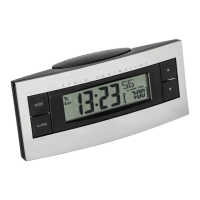
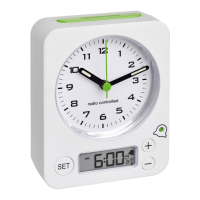
Radio-controlled alarm clock
5.1.1 Setting of the time and date
• Press and hold the TIME button in normal mode for
three seconds.
• 24H (default) will be flashing. Press the + or – button
to choose 12 Hr or 24 Hr system. In the 12-hour sys-
tem AM or PM (after 12 o'clock) appears on the dis-
play.
• Press the TIME button to make the settings in the fol-
lowing sequence: The time zone (00 - default), the
hours, the minutes, the month/day sequence D/M or
M/D (D/M - default), the year, the month and the day.
Press the + or – button to adjust it.
• Confirm the setting with the TIME button.
• The manually set time is overwritten once the DCF time
signal is successfully received.
Radio-controlled alarm clock
5.1.2 Alarm time setting
• Press and hold the ALARM button for three seconds to
enter the setting mode.
• 6:00 (default) or the last adjusted alarm time appear on
the display.
• The hour digits flash.
• Press the + or – button to set the hours.
• Confirm the setting with the ALARM button.
• Set the minutes in the same way.
• To activate the alarm function press the ALARM ON/OFF
button.
• The display shows the alarm symbol and 6:00 (default)
or the last adjusted alarm time instead of the date.
• When the adjusted alarm time is reached, the alarm
rings.
TFA_No. 60.2545_Anleitung 14.03.2018 14:35 Uhr Seite 15



 To Next Page