EasyManua.ls Logo

TFA 60.5002 - User Manual

TFA 60.5002
26 pages
Go to English
Print Icon
To Next Page IconTo Next Page
Loading...
Kat. Nr. 60.5002
Bedienungsanleitung
Instruction manual
Mode d'emploi
Istruzioni per l'uso
Gebruiksaanwijzing
Instrucciones de uso
RoHS
TFA_No. 60.5002_Anleitung_09_16 29.09.2016 16:03 Uhr Seite 1

Other manuals for TFA 60.5002

Question and Answer IconNeed help?

Do you have a question about the TFA 60.5002 and is the answer not in the manual?

Summary

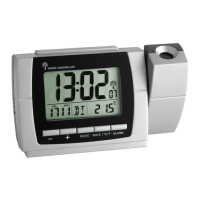
Radio-controlled Projection Clock with Thermometer

1. Before You Use This Product

Read the instruction manual carefully for familiarization, functions, first use, operation, and fault advice.

2. Delivery Contents

Lists the items included in the package: projection clock and instruction manual.

3. Field of Operation and Benefits

Highlights key features like time projection, radio-controlled accuracy, alarm, snooze, date, dual time, temp, backlight.

4. For Your Safety

Provides essential safety guidelines for product usage, handling, and potential hazards.

Product Elements and Operation

5. Elements

Details the LCD display segments, buttons, housing, and side switch of the device.

6. Getting Started

Guides on powering the device with adapter or batteries and initial signal reception.

7.1 Manual Setting of Clock and Calendar

Instructions for manually adjusting the time, date, and calendar settings on the device.

Operation and Maintenance

7.2 Day-of-week Language

Instructions for selecting the display language for the day of the week.

7.3 Temperature Display

How to switch between Celsius (°C) and Fahrenheit (°F) for temperature readings.

7.4 Setting of Time Zone

Procedure for adjusting the device's time zone to match local time differences.

7.5 Alarm Setting

Steps to set and activate/deactivate Alarm 1 and Alarm 2, including snooze function.

7.6 Dual Time Setting

Guide on how to set a secondary time zone for displaying dual time.

8. Projection and Backlight

Details on activating the backlight and continuous projection using the adapter.

9. Care and Maintenance

Instructions for cleaning the device, handling batteries, and storage.

10. Troubleshooting

Lists common problems like no indication or no DCF reception and their solutions.

Troubleshooting and Specifications

Incorrect Indication

Procedures for addressing incorrect readings or display issues on the device.

11. Waste Disposal

Guidelines for environmentally sound disposal of the product and its batteries.

12. Specifications

Technical details including power consumption, temperature range, dimensions, and weight.

Summary

Radio-controlled Projection Clock with Thermometer

1. Before You Use This Product

Read the instruction manual carefully for familiarization, functions, first use, operation, and fault advice.

2. Delivery Contents

Lists the items included in the package: projection clock and instruction manual.

3. Field of Operation and Benefits

Highlights key features like time projection, radio-controlled accuracy, alarm, snooze, date, dual time, temp, backlight.

4. For Your Safety

Provides essential safety guidelines for product usage, handling, and potential hazards.

Product Elements and Operation

5. Elements

Details the LCD display segments, buttons, housing, and side switch of the device.

6. Getting Started

Guides on powering the device with adapter or batteries and initial signal reception.

7.1 Manual Setting of Clock and Calendar

Instructions for manually adjusting the time, date, and calendar settings on the device.

Operation and Maintenance

7.2 Day-of-week Language

Instructions for selecting the display language for the day of the week.

7.3 Temperature Display

How to switch between Celsius (°C) and Fahrenheit (°F) for temperature readings.

7.4 Setting of Time Zone

Procedure for adjusting the device's time zone to match local time differences.

7.5 Alarm Setting

Steps to set and activate/deactivate Alarm 1 and Alarm 2, including snooze function.

7.6 Dual Time Setting

Guide on how to set a secondary time zone for displaying dual time.

8. Projection and Backlight

Details on activating the backlight and continuous projection using the adapter.

9. Care and Maintenance

Instructions for cleaning the device, handling batteries, and storage.

10. Troubleshooting

Lists common problems like no indication or no DCF reception and their solutions.

Troubleshooting and Specifications

Incorrect Indication

Procedures for addressing incorrect readings or display issues on the device.

11. Waste Disposal

Guidelines for environmentally sound disposal of the product and its batteries.

12. Specifications

Technical details including power consumption, temperature range, dimensions, and weight.

TFA 60.5002 Specifications

General IconGeneral
TypeWireless digital alarm clock
AlarmYes
Dimensions91 x 25 (63) x 84 mm
Power SupplyBatteries
Featuresindoor temperature

Related product manuals